


Wix Vibe: An Overview
In this article
- Refine your site with AI chat or manual editing
- Personalizing your site’s visual style
- Reach customers anywhere on mobile
- FAQs
Important:
Wix Vibe is no longer available for creating new sites. If you already have a site built with the Wix Vibe Editor, you can continue editing and publishing. To create your next site with AI, we recommend using the Wix Harmony Editor.
Wix Vibe is an AI-powered platform that built professional websites from a single chat prompt, with no technical knowledge needed. If you have a site built with Wix Vibe, you can keep personalizing every detail using the chat or the on-canvas editing tools.

Refine your site with AI chat or manual editing
After your site is generated, you can update any part of it in the
Wix Vibe Editor. Edit content, change the design, or add new features as needed. Use the built-in AI chat to make quick changes with a simple request. For example, you can ask to update text, adjust colors, add images, or create new sections using plain language.
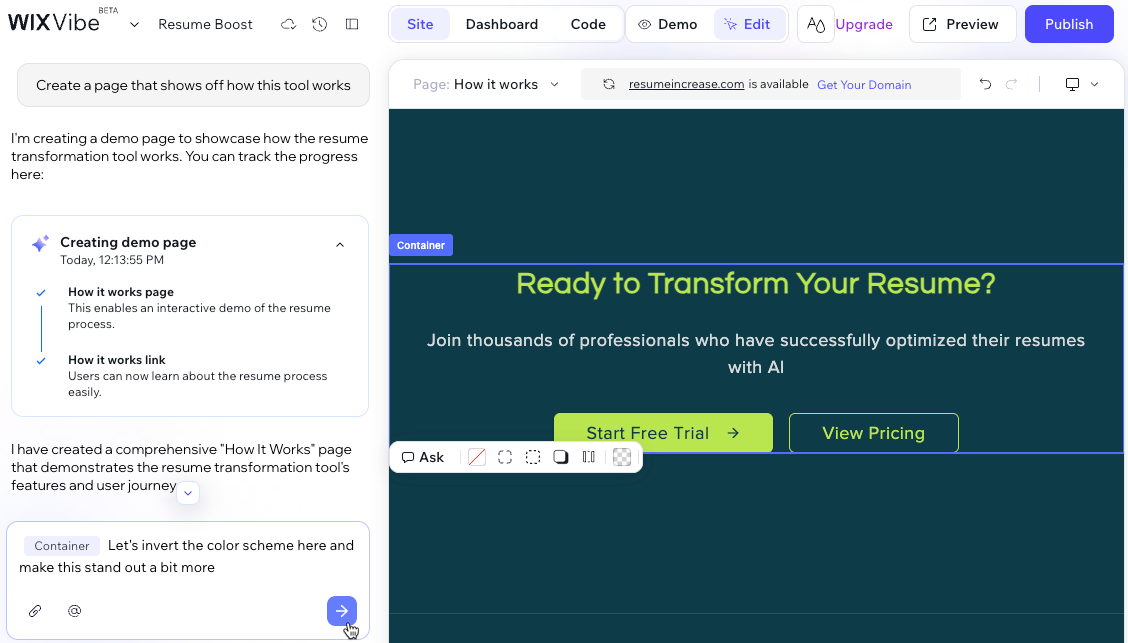
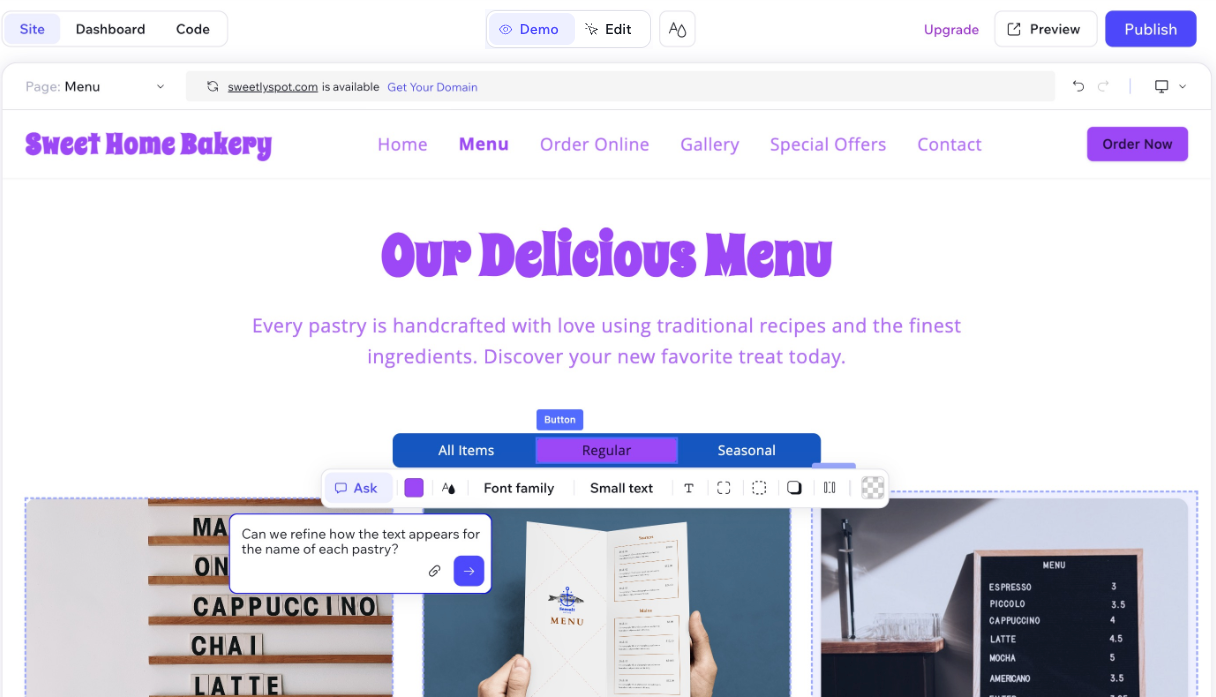
If you prefer a hands-on approach, you can use edit mode to manually select and edit elements like text, images, or buttons directly on the stage. You can also hover between existing sections to add new sections generated by AI. This gives you full creative control over the look and feel of every page.
All your changes are saved automatically and you can view your site history and
restore an earlier version at any time.
You can also verify your site's functionality by
running automated AI tests
to catch and fix issues instantly.
You and collaborators can work in the editor at the same time. Manual edits update in real time for everyone. When someone runs an AI task from chat, editing pauses for all collaborators until the task finishes. Learn more about
collaborating on your Wix Vibe site.
Personalizing your site’s visual style
Wix Vibe gives you plenty of options to
change how your site looks and feels. You can:
- Change your site’s color palette and fonts to suit your style or brand.
- Apply a different theme at any time for a new overall look.
- Update images and videos whenever your content changes.
- Adjust how text appears for headings, paragraphs, and other elements.
You can update your site by making changes directly or describing what you want in the AI chat. Learn more about
customizing your site on Wix Vibe.
Reach customers anywhere on mobile
Your Wix Vibe site is fully responsive, so every visitor gets a consistent experience on desktop, tablet, or mobile.
You have full control over your site’s appearance on every device. In the desktop Wix Vibe Editor, preview how your site looks on desktop, tablet, or mobile and make design changes for each screen size.
You can also manage your site on the go from the Wix app. Check your analytics, reply to messages in your inbox, and update your CMS content and business info. To edit your site’s design or content, open the Wix Vibe Editor on desktop. Learn more about the Wix mobile apps.
FAQs
Click a question below to learn more about using Wix Vibe.
Can several people edit the same Wix Vibe site?
What types of sites can I have in my Wix account?
Can I use Wix Vibe to build a mobile app?
How do I upgrade my Wix Vibe site?
Can I transfer my Wix Vibe site to another Wix account?
What are the daily usage limits in Wix Vibe?
Are all apps from the Wix App Market available for Wix Vibe sites?
Can I accept online payments?
How do I connect a domain to my Wix Vibe site?
Can I use GitHub with Wix Vibe?
Can I use Wix Automations with my Wix Vibe site?
