


Wix Harmony Editor: Creating a New Site From Wixel
5 min
In this article
- Creating a site from your Wixel project
- Creating a site from a Wixel brand
- Opening connected sites from Wixel
- FAQs
Wixel helps you bring your ideas to life through images, logos, videos, documents, and other creative assets. When you're ready to build a website, Aria can turn your Wixel project or brand into a custom-made Wix Harmony site, shaped by your content, media, and brand details.
Creating a site from your Wixel project
Create a site directly from your Wixel project. Aria uses the content in your project to create a website prompt, which you can review before generating the site in the Wix Harmony Editor.
Before you begin:
- Connect a brand to the project to get a branded website.
- Add assets to your project for Aria to generate a tailored website prompt. You can still create a site from an empty project, but this will open the Wix Harmony site creation flow instead.
- Your project's assets will not automatically appear on the generated site. However, the images and logos that you select when reviewing the website prompt will be available in the site's Media Manager.
To create a site from your project:
- Go to your project in Wixel.
- Ask Aria to create a website from your project (e.g. "Create a website").
- Click Review website prompt in the chat.
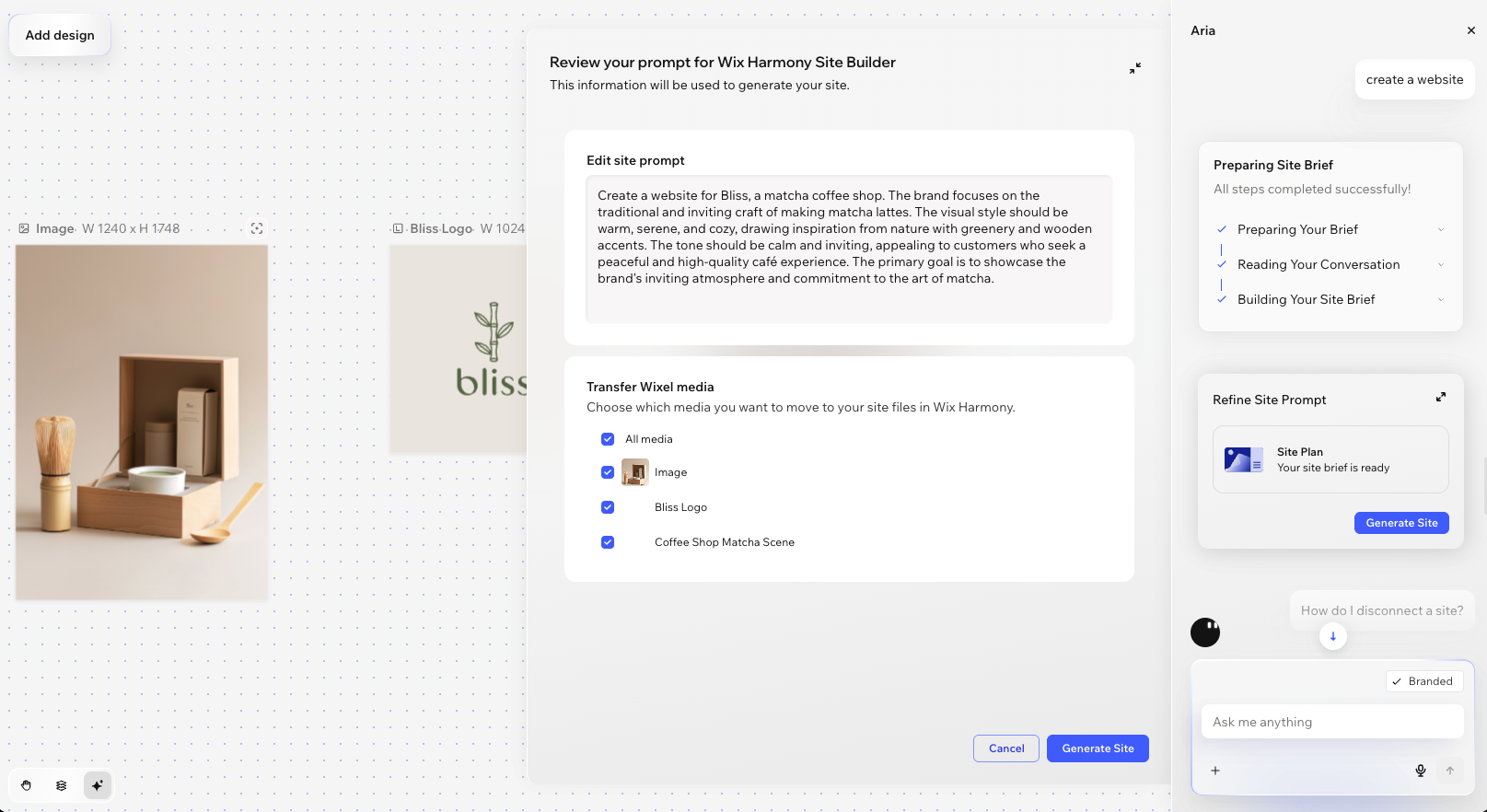
- Review the prompt in the side panel:
- Edit site prompt: Edit the text Aria uses to create your site's design and content direction.
- Transfer Wixel media: Select the images and logos you want to copy over to your site's Media Manager.
- Click Generate Site.
Tip: The Wix Harmony Editor opens in a new tab and your site starts generating there. You can keep working with Aria in the editor to make adjustments and consult on design.
What's next?
Customize your new site in the Wix Harmony Editor and get ready to go live. If you're new to the editor, the following articles can help you to get started:
Creating a site from a Wixel brand
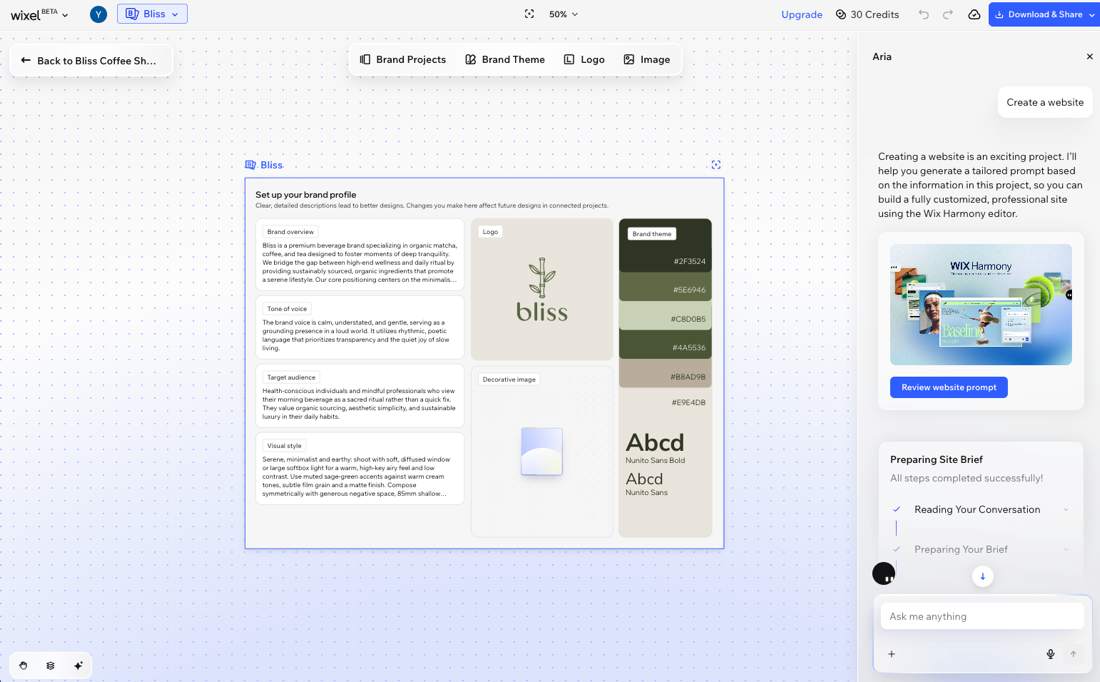
Create a site from your brand workspace when you want Aria to use your brand details and design guidelines to shape the site's website prompt.
Unlike starting from a Wixel project, the brand workspace only serves as a reference for the website creation brief. You can create as many sites as you want from a brand, but it won't connect to a site like a Wixel project does.
To create a site from a brand:
- Go to Wixel.
- Click the My Brands drop-down on the top bar.
- Select the relevant brand from the list.
- Ask Aria to create a website (e.g. "Create a website").
- Click Review website prompt in the chat.
- Review the prompt in the side panel:
- Edit site prompt: Edit the text Aria uses to create your site's design and content direction.
- Transfer Wixel media: Select the images and logos you want to copy over to your site's Media Manager.
- Click Generate Site.
Tip: The Wix Harmony Editor opens in a new tab and your site starts generating there. You can keep working with Aria in the editor to make adjustments and consult on design. - (Optional) Select the site in the brand workspace and choose what to do from the action bar:
- Edit Site: Open the site in the Wix Harmony Editor.
- Site Dashboard: Open the site's dashboard.
Opening connected sites from Wixel
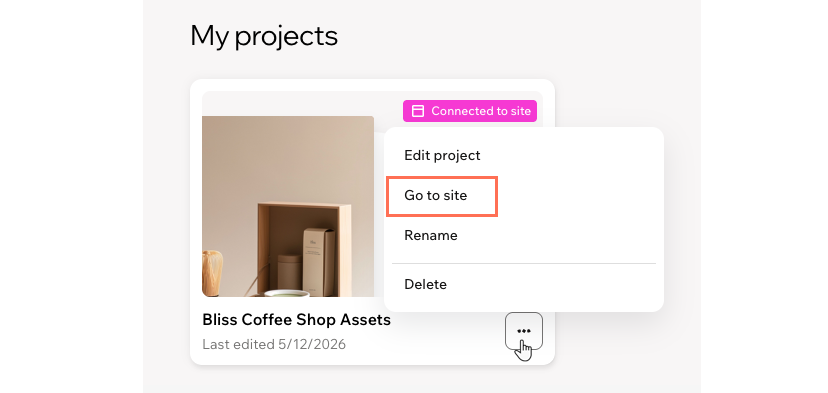
When you create a site from a Wixel project, you can open that site directly from the My Projects page in Wixel. Connected projects show a 'Connected to site' badge.
Connected sites give you an easy way to access the site from Wixel. Your Wixel project will not affect the site in any way.
To open a connected site:
- Go to Wixel.
- Click My Projects at the top left of the page.
- Click the More Actions icon
 on the relevant project.
 - Click Go to site.
Tip:
Once Aria creates your site, you can find it in your Wix account like any other site. Go to Sites in your Wix account to open the site's dashboard or the Wix Harmony Editor.
FAQs
Click a question below to learn more about creating sites from Wixel.
Are there other ways to create a site from Wixel?
What happens if I transfer my site to another user?
What happens if I delete a Wixel project or connected site?
Does creating a site use AI credits?
Can I connect an existing site to a Wixel project?
Can I create more than one site per project?
Can I create a site from the Wixel app?
