


Wix Harmony Editor: Working With Aria
4 min
In this article
- Accessing Aria
- What can Aria help me with?
- Using Ask Aria
- FAQs
This article refers to the new Wix Harmony Editor, released in January 2026. If you're unsure whether you’re using the Wix Harmony Editor or the Wix Editor, view more information here.
Building your site in the Wix Harmony Editor is all about combining your ideas with the power of AI. Aria, your built-in AI partner, helps you build and design your site by creating content and providing helpful suggestions and inspiration. With Aria, bringing your vision to life becomes faster, simpler, and a lot more intuitive.

Important:
Aria is powered by AI and as such may produce unexpected or inaccurate results. Always review Aria’s suggestions or changes before finalizing your site.
Accessing Aria
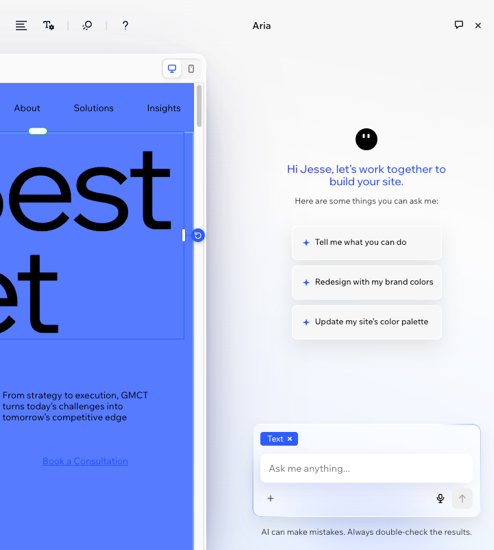
You can access Aria by clicking Ask Aria at the bottom right of the editor. Simply start chatting whenever you have a task, idea, or question related to your site.
When using Aria, you can:
- Send a message: Type your message in the text box or click the Voice Control icon
 to speak.
 - Share files and images: Click the Add icon + to upload images or files from your computer, or add media from your Media Manager.
- Start a new chat: Click the New chat icon
 to start a conversation on a different topic.
 - Tag an element: Select an element in your editor and automatically tag it in the chat, so you don't need to explain which element you're working on. Just send your request and Aria will know exactly what to update.
What can Aria help me with?
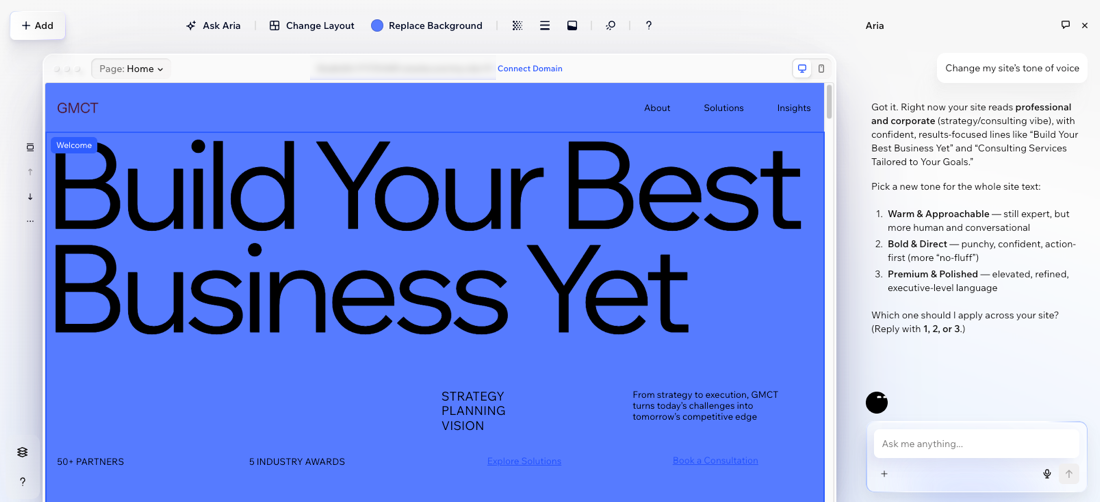
Aria covers a wide range of site-building and management tasks, so you can move from idea to execution faster and with clear guidance. She knows your site and your business, so she can personalize answers and suggestions for you.
Aria can help you:
- Design and structure your site: Create, edit, and organize pages, sections, and layouts to fit your needs. Aria can also add and edit elements on your site, helping you shape each page the way you want.
- Personalize your site's look and feel: Update your brand with consistent colors, fonts, and elements across your site.
- Generate and update content: Write or refine text, generate and enhance images, and manage your site’s media.
- Enhance and manage business features: Add or update apps, and manage site settings right in the chat.
- Get quick guidance and answers: Ask questions about site features, settings, SEO, or how to complete specific actions.
Tip:
You always have full control of your design decisions. Anything Aria can do, you can also adjust or edit manually.
Using Ask Aria
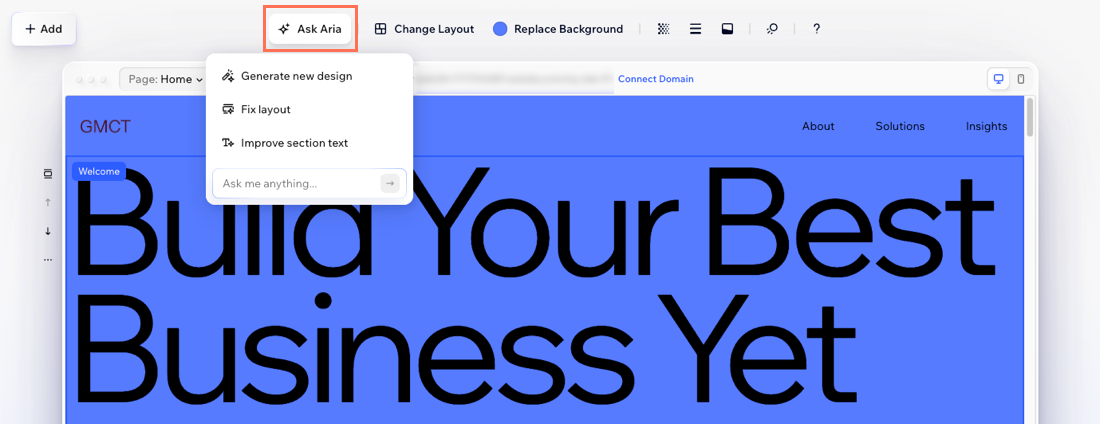
Alongside the main chat, you also have the Ask Aria option on the action bar. Whenever you’re editing elements like text, images, or sections, Ask AI provides instant suggestions specific to that element.
For example, if you're editing a text box, you'll get options to make the text shorter or longer, rewrite, or change the tone. If you're editing a section, you can generate new section layouts or fix spacing with just a click.
FAQs
Click a question below to learn more about working with Aria.
Can Aria manage my dashboard settings?
What should I know about using AI-generated content?
What's the difference between Aria and Ask Aria?
Create with Wix Harmony:
Experience the next generation of website creation with Wix Harmony. Flow freely between prompting your AI agent and precise drag and drop, so creating feels as natural as thinking.
