


Wix Harmony Editor: The Difference between Wix Editor and Wix Harmony
In this article
- The Wix Harmony Editor
- The Wix Editor
- FAQs
In January 2026, we released a new website builder – the Wix Harmony Editor. With both the Wix Harmony Editor and the Wix Editor available, you may be unsure which one you're working with, especially if you're just getting started or seeing something unfamiliar.
This article explains the key differences between the editors, so you can identify which one you're using.
The Wix Harmony Editor
The Wix Harmony Editor features a clean, minimalistic working environment, allowing you to focus with ease. The main actions are always available at the top (e.g. Add, Brand, Pages) to help you get started.

Selecting an element brings up the action bar. It sits right above the page, giving you instant access to settings and tools tailored to what you're working on.

Wix Harmony also introduces Aria, your skilled AI partner, ready to help at any point. Click
Ask Aria at the bottom of the editor to start chatting.

Create with Wix Harmony:
Experience the next generation of website creation with
Wix Harmony. Flow freely between prompting your AI agent and precise drag and drop, so creating feels as natural as thinking.
The Wix Editor
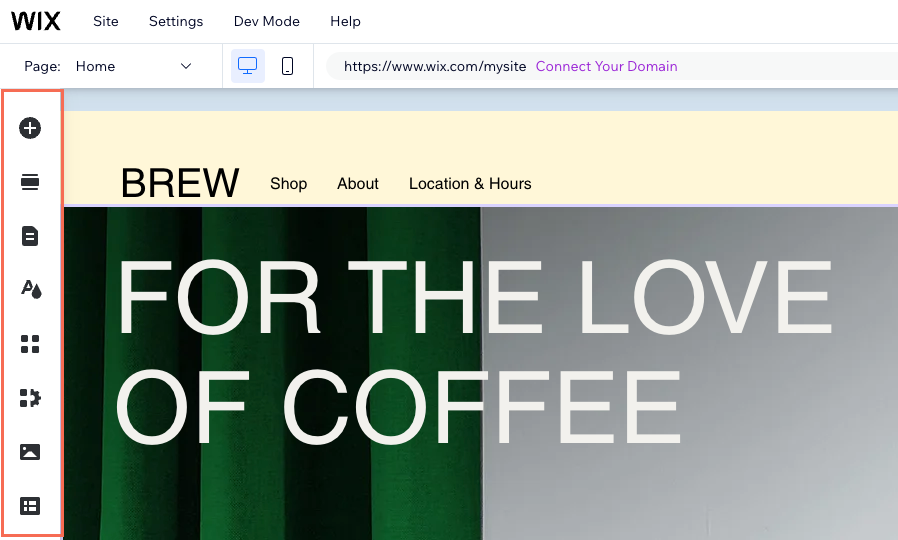
If you're working in the Wix Editor, you'll notice a panel with large icons on the left side of the screen. These icons open the main panels, like Add Elements, Site Design, and more.
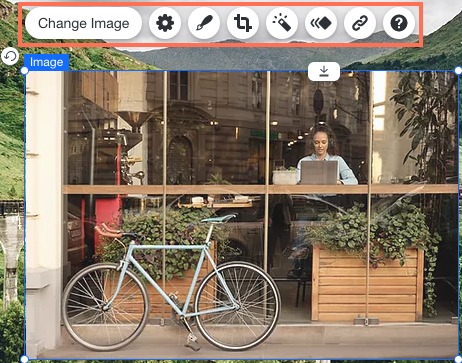
Selecting an element brings up a toolbar with the main actions you need, appearing right above or below the element.
The Wix Editor includes several AI tools, available from the
AI Tools icon
 at the bottom left. As opposed to the Wix Harmony Editor, it does not include the option to chat freely with AI throughout the creation process.
at the bottom left. As opposed to the Wix Harmony Editor, it does not include the option to chat freely with AI throughout the creation process.

FAQs
Click a question to learn more.
Is there a way to move a site from Wix Editor to the Wix Harmony Editor?
Does the Wix Harmony Editor support the same apps and features as the Wix Editor?
Will my site visitors notice a difference depending on which editor I use?
