


Wix Forms: Managing Your Form Fields
In this article
- Available types of form fields
- Managing your site form fields
- FAQs
Customize the fields in your site forms to make sure they work for your business, collecting the right information. Click on any form on your site to manage its fields.
Available types of form fields
Choose a range of customizable fields to craft the ultimate form with Wix Forms. Allow your visitors upload files, sign their submissions, subscribe to your content and more.
Important:
Premium form fields such as the file upload field and signature field are only available with select
upgrades.
New Forms
Old Forms
Contact fields
General fields
Choices
Date fields
Scheduling
Payments fields
Managing your site form fields
Head over to your editor to make craft your form, your way. Add new fields, edit existing fields and delete fields you no longer need to ensure you gather the most relevant information from visitors.
To manage your site form fields:
New Forms
Old Forms
- Click the site form in your editor.
- Choose what you want to do:
Add a new field
 icon on the left.
Change the design of a field

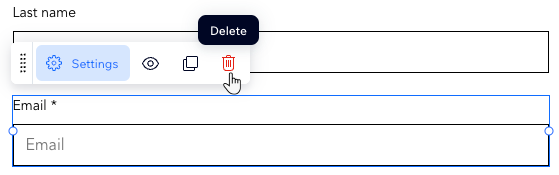
Delete a field
 .
.
FAQs
Click a question below to learn more.
How can I change the background color or transparency of the dropdown menu in new Wix Forms?
I would like to restore a deleted field, is this possible?
 , you can restore the field to make it active again or delete it permanently. Keep in mind that permanently deleting a field also removes all submissions associated with it.

Can I choose which countries the phone field accepts numbers from?
Can I customize the design of the form fields?
Is it possible to create a form with multiple steps?
Can I use conditional logic?
Can I move a field to another page in the form?
How do custom contact fields work in new Wix Forms?
