


Optimizing Your Site's Content for SEO
In this article
- Video explainer
- How search engines use your content
- Write original content on every page
- Describe your business in detail
- Answer common questions about your business
- Keep adding new content to your site
- Put key information in text, not just media
- Use heading tags to structure your page
- Use Wix Site Search data to plan content
One of the best ways to
get your site to rank higher in search engine results is by adding clear, original text to each page. When you write content that explains exactly what you offer and who it’s for, you help both visitors and search engines understand your site.
Video explainer
Prefer to watch? Here's the explainer. Or scroll down for the full guide.
How search engines use your content
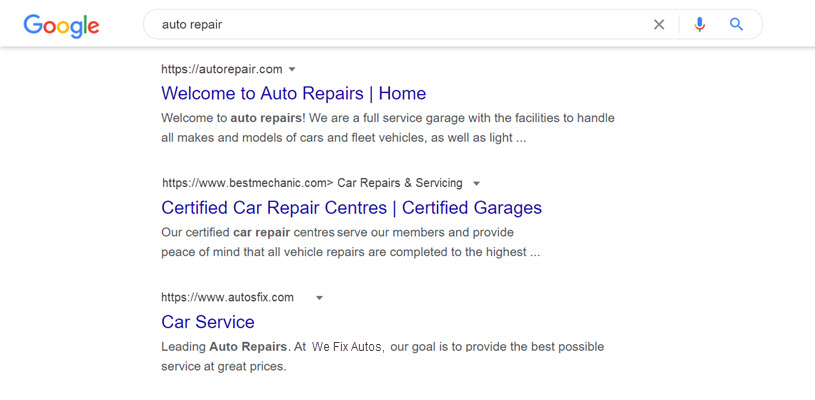
Search engines like Google
crawl and index each page on your site individually. When someone types a search term, the search engine tries to understand what they are looking for and then shows them the most relevant pages.
Your page’s rank in those results depends on the quality of your content and
how relevant it is to certain keywords.
Write original content on every page
Creating original content for each page of your site is a great way to rank higher. Use your page’s main keywords in a natural way across the text.
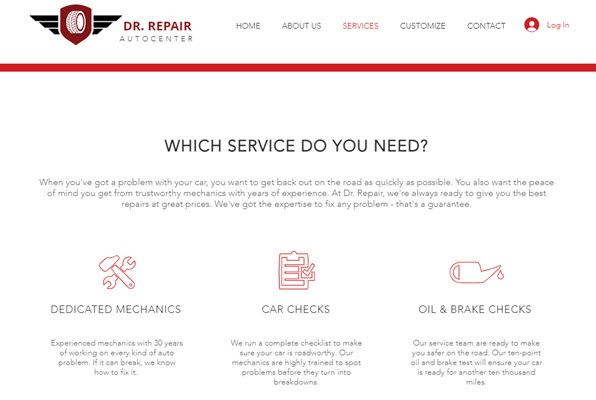
For example, if you own an automobile repair shop, you can include a variety of related keywords in your text, such as:
- Car and auto services
- Professional car mechanics
- Reliable car repairs
- Local auto specialists

Search engines place more value on high-quality content, so avoid long lists of keywords or repeating the same text on multiple pages.
Avoid copying content from other sites. Search engines can recognize duplicate content and may not rank your pages as highly if they see the same text in many places.
Describe your business in detail
Give clear details about what you do, what services or products you offer, and what visitors get when they come to your site.
Here are a few ideas to make your site more descriptive:
- Add accurate title tags for each page.
- Create separate pages for different products, services, and topics.
- Imagine yourself in your site visitor’s place and write the information you would want to know.
Answer common questions about your business
Write content that answers frequently asked questions related to your main keywords. This is a great way to draw visitors to your site by giving them the answers they're searching for. It also shows search engines that your site is useful and worth ranking higher.

Keep adding new content to your site
Create fresh content for your site on a regular basis. Update your pages when your business changes, and add new content about projects you are working on or new products and services.
Some other ways you can keep your site up to date include:
- Creating a blog for news updates and new trends.
- Making an FAQs page to help people with common questions.
- Adding a testimonials page with customer reviews.
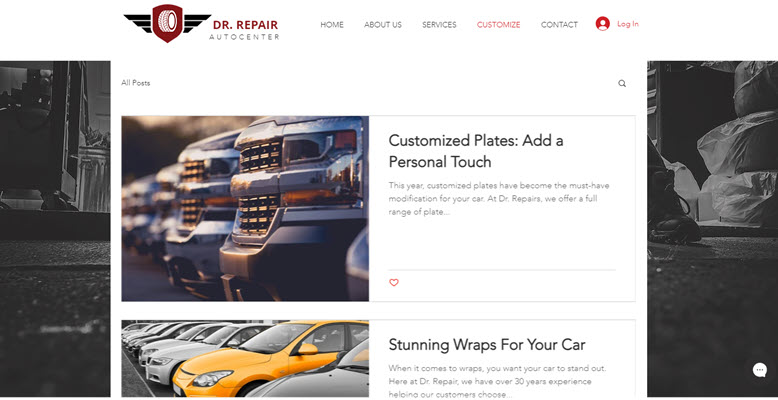
For example, if you sell auto accessories, you can create blog posts about popular customization trends or buying guides for different accessories.
Put key information in text, not just media
Rich content like videos, animations, and audio clips can keep visitors on your site for longer. However, search engines cannot easily understand what is inside these media files. For important information, always include clear text on the page.
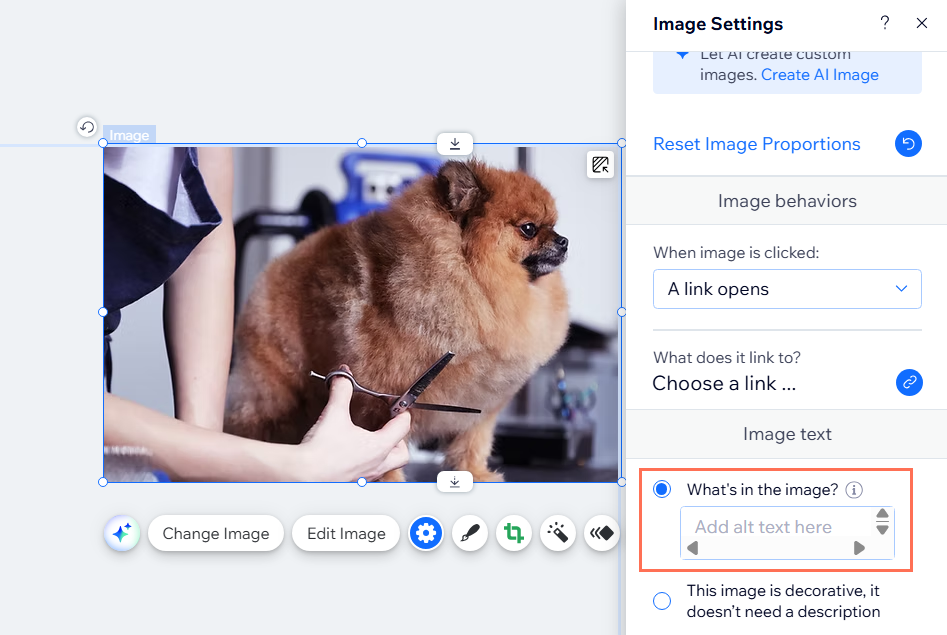
If you use an image or logo for your site’s name, make sure to
add alt text that describes it. You should also include your site's name as regular text somewhere on the page so search engines and screen readers can read it.
Use heading tags to structure your page
Heading tags help search engines and visitors understand the main topics on your page. The H1 heading acts as the main title of the page. It should match the main topic of the page, similar to a newspaper headline.

Each page of your site should have its own unique H1 heading that clearly describes what the page is about. Use other headings (H2, H3, and so on) to break your content into clear sections. This structure makes it easier for people to scan the page and for search engines to understand your content.
Use Wix Site Search data to plan content
Adding a Wix Site Search bar to your site helps visitors find what they are looking for more easily. It also gives you useful data in
Wix Analytics reports that you can use to plan and improve your content.

You can:
- Use your Top Searches report to see the phrases your visitors search for most. Create more content about these topics or add important phrases to pages like your homepage and main product or service pages.
- Use the Searches with No Results report to find topics you don't cover yet. If visitors search for a term and they get no results, you should add relevant content or update existing pages.
Want to optimize your site even more?
Get some additional tips from our SEO experts about
choosing content for your site.
