About Wix Site Search
4 min
In this article
- How Wix Site Search works
- Offers trending items and search suggestions
- Provides fast and accurate search results
- Visitors can search for the content they need
- Fast and responsive search on mobile
- Track your visitor search activity
The Wix Site Search app instantly transforms how visitors navigate your content by making it easier for them to find exactly what they’re looking for, leading to a smoother and more efficient user experience.
A search feature is ideal for websites like online stores, business sites, event pages, blogs, and many others that offer a variety of content as it helps to drive higher engagement, more conversions and faster access to the information your visitors need.
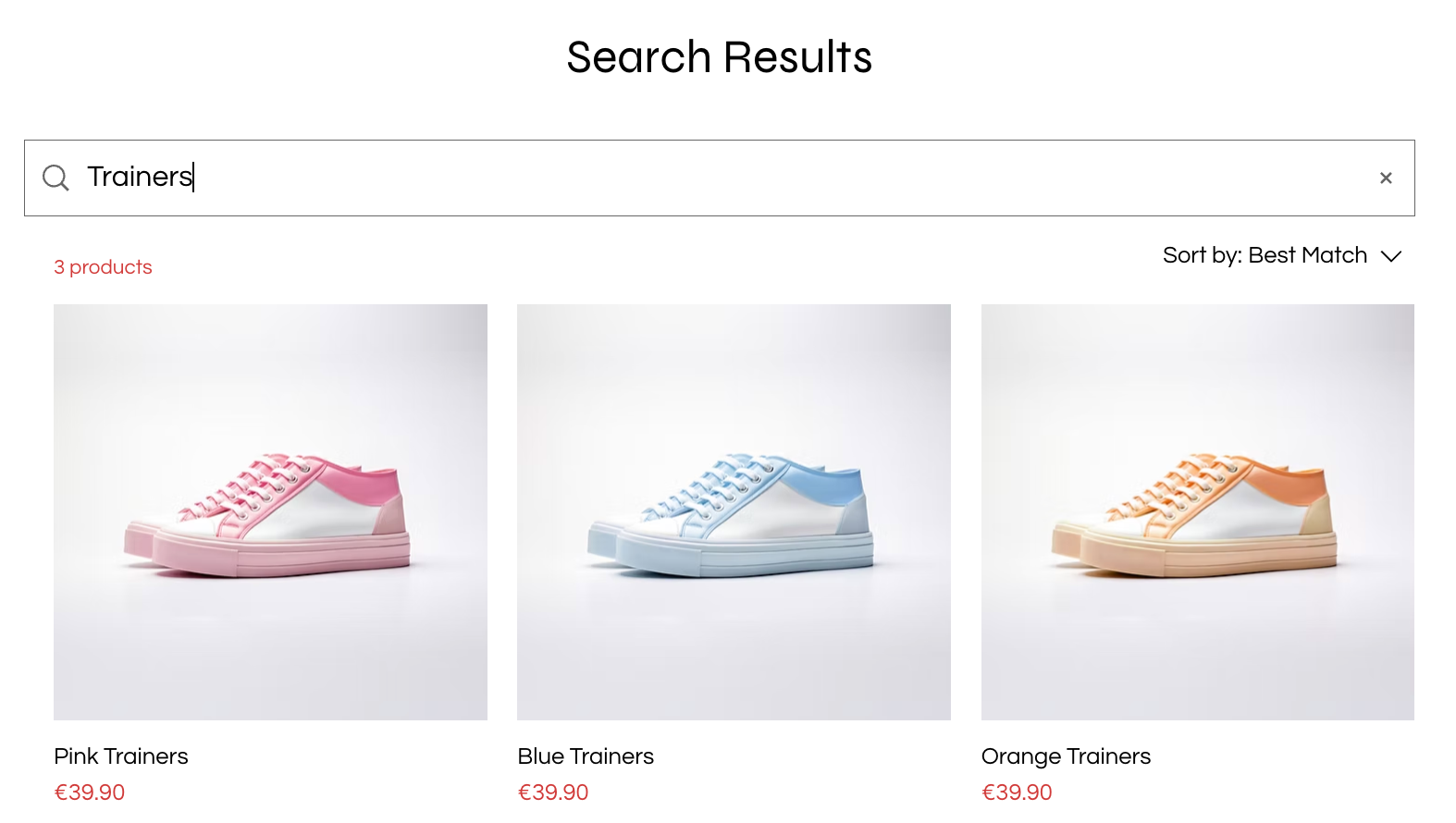
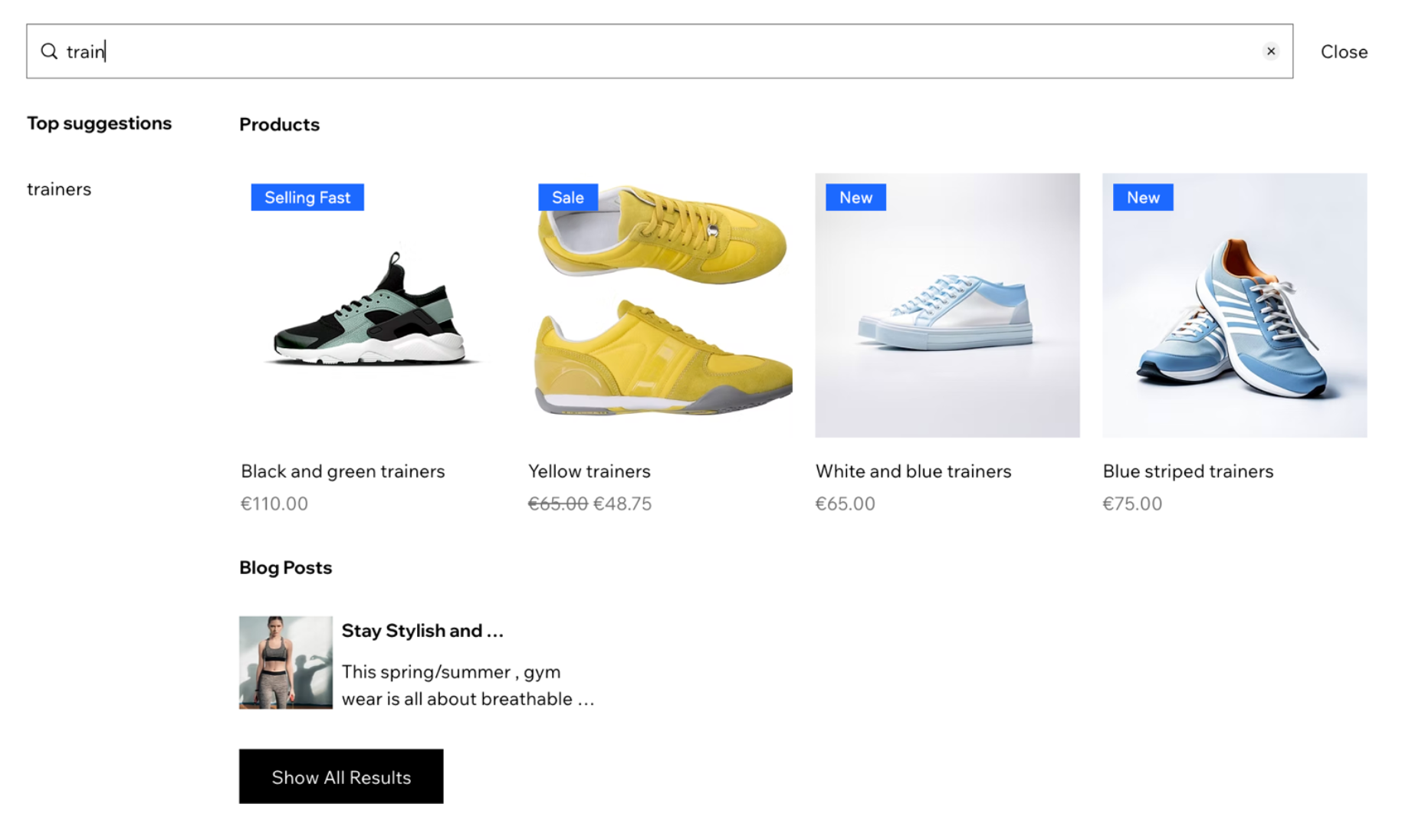
When you add the Wix Site Search app to your site, 2 new pages are added: the Search Suggestions page and a Search Results page.
Ready to get started?
Add Wix Site Search to your site from the App Market or the Add panel in your Editor.
How Wix Site Search works
Once you add the app to your site, Wix works behind the scenes to scan and catalog the content on your site, where the search tool can then quickly match queries to relevant pages, products, posts, and more. This process is called indexing. Learn how to enable site indexing.
You can choose what is searchable by adjusting the app settings. Learn more about customizing your search bar
Offers trending items and search suggestions
As visitors begin typing in the search bar, the tool searches your site in real time and displays helpful suggestions instantly, making it quicker and easier for visitors to find the content they’re looking for.
The search suggestions page also highlights trending items, guiding visitors toward high-interest content they might not have thought to look for.
In addition to trending items, the suggestions box can also highlight exact keyword matches from your site’s indexed content and autocomplete terms to help visitors finish their queries faster
Provides fast and accurate search results
The Search Results page displays a list of results that are related to the term your visitor is searching for. The results page is hidden by default, meaning that it isn't displayed on your site menu. Your visitors can only see this page when they search for a term in your search bar. Learn more about the results page

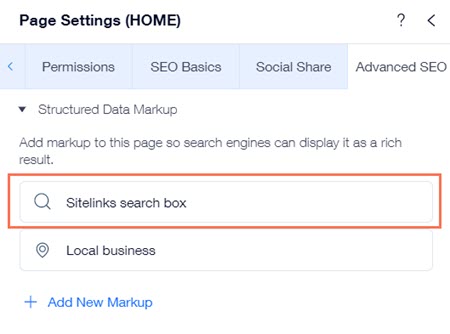
Wix also automatically adds Sitelinks search box structured data markup to your site's pages when you add the Wix Site Search app to your site. Google uses this markup to add a search box when your pages appear as search results. People can search your site directly using this search box without having to visit your site. Learn more about structured data markup
Visitors can search for the content they need
The search bar can help your site visitors search for a variety of content on your site. However, there are limitations and some parts of your site can't be searched.
Click an option below to learn more about what the search bar can and can't search for.
What can Wix Site Search search for?
What can Wix Site Search not search for?
Fast and responsive search on mobile
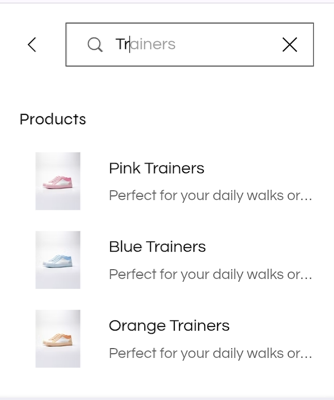
Wix Site Search is fully optimized for mobile, so your visitors can easily search and discover content on your site from any device. The search bar, suggestions box, and results page are all responsive, ensuring a smooth experience whether someone is browsing on a phone, tablet, or desktop.
Just like on desktop, real-time autocomplete and trending suggestions work seamlessly on mobile, helping visitors find relevant content faster and reducing typing effort on small screens.
Track your visitor search activity
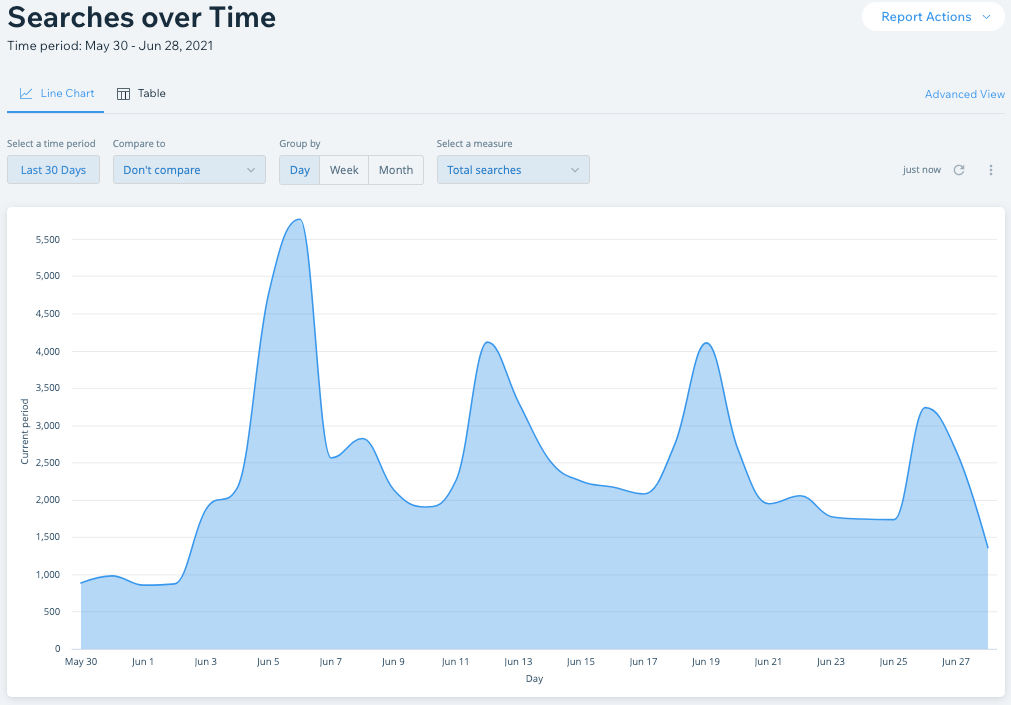
Your site reports provide tons of valuable information about your visitor activity, where they go on the site, what part of the site they spend the most time in, and what they search for.
You can use this information to improve your site and grow your business.
Search report:
View the Search report to discover what your site visitors are searching for over time.