


Wix Groups: Adding and Managing Your Group Members
In this article
- Managing members
- Customize members settings
- FAQs
Foster an online community around your business. Add people to your group to create a shared space for networking, collaboration, and discussions. Assign group admins to help monitor activity and grant members permission to create their own groups.
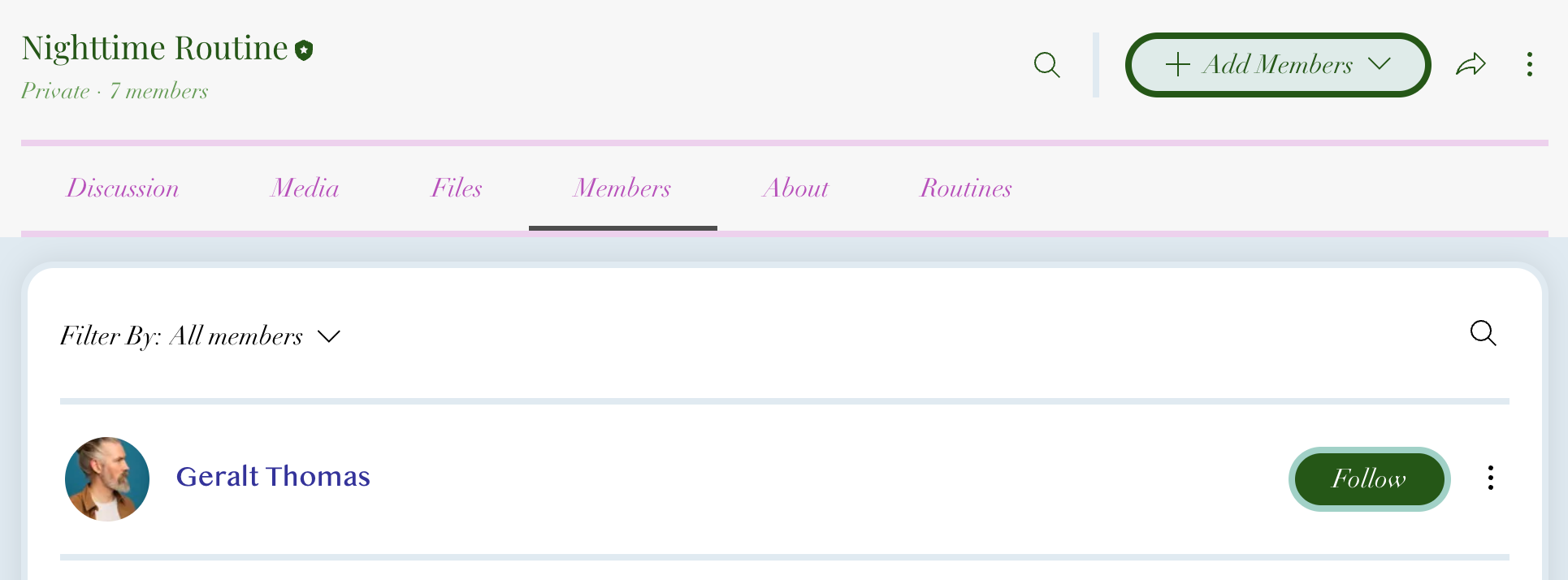
Managing members
In the members tab you can add members to your group, view a member's profile, review answers to membership questions, set group members as admins, and remove members.
Dashboard
Wix app
Live site
- Go to Groups in your site's dashboard.
- Click the relevant group.
- Click the Members tab.
- Choose what you want to do next:
Add members to your group

Review answers to membership questions
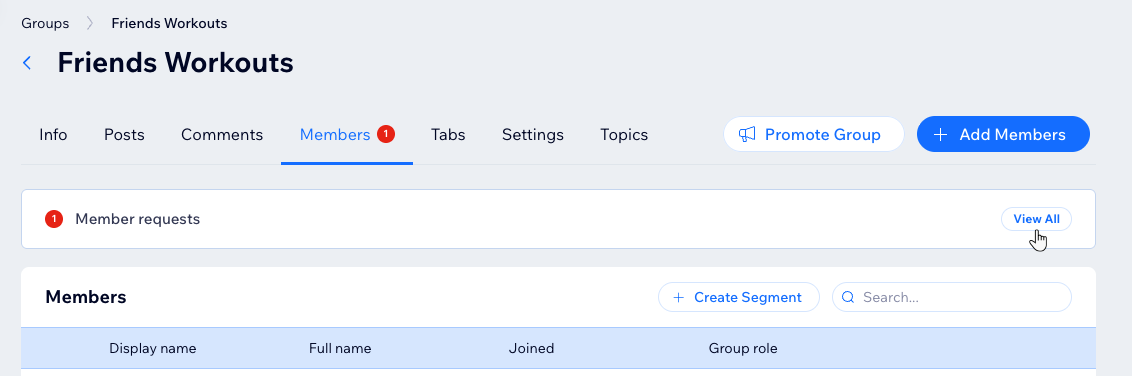
 next to the relevant member and select View answers.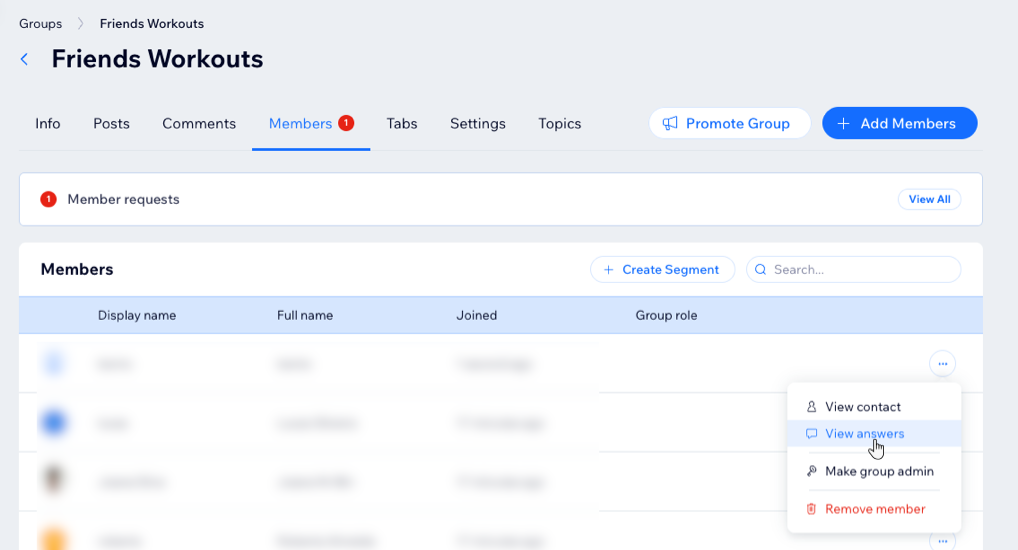
View a member's profile
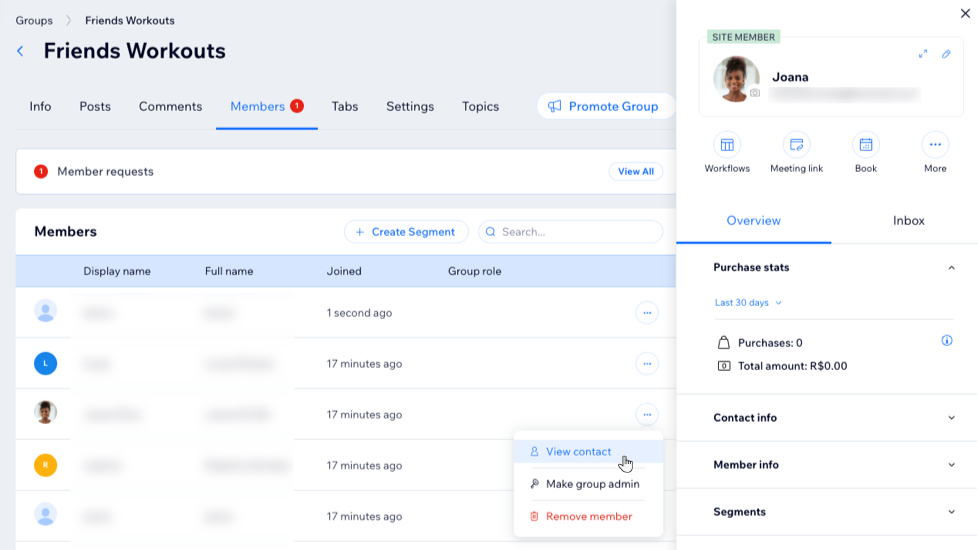
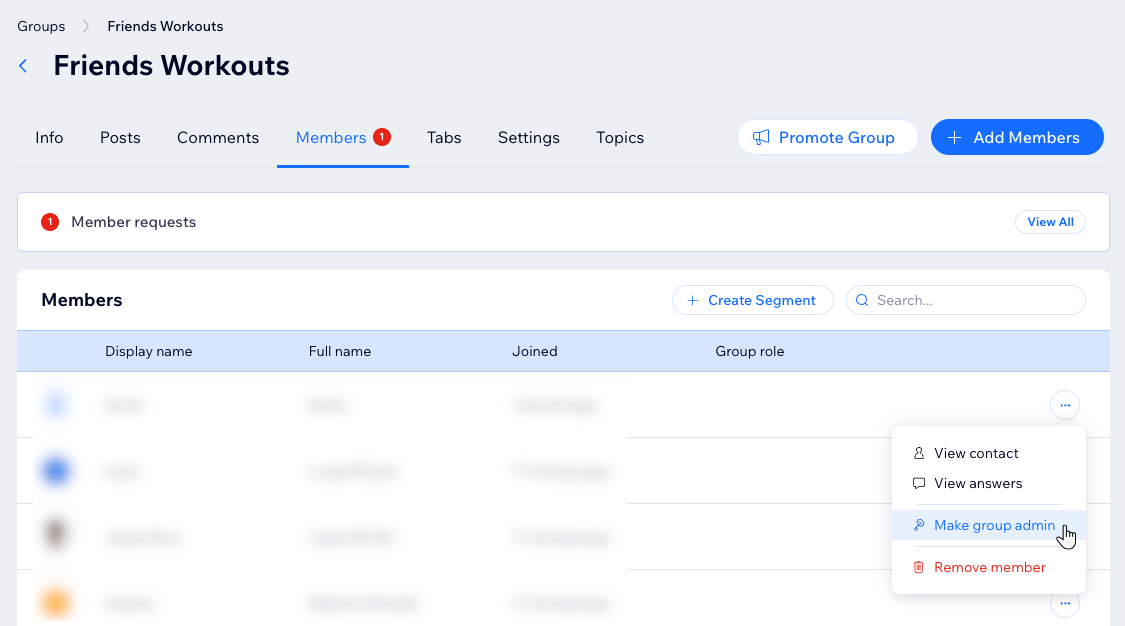
Set a group member as an admin
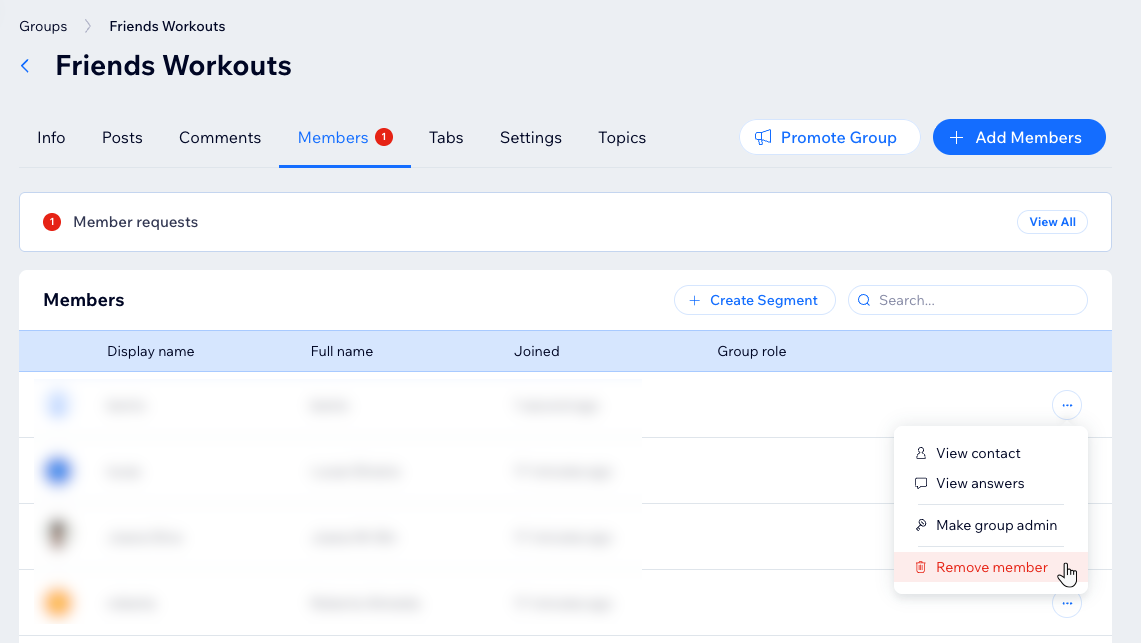
Remove a member
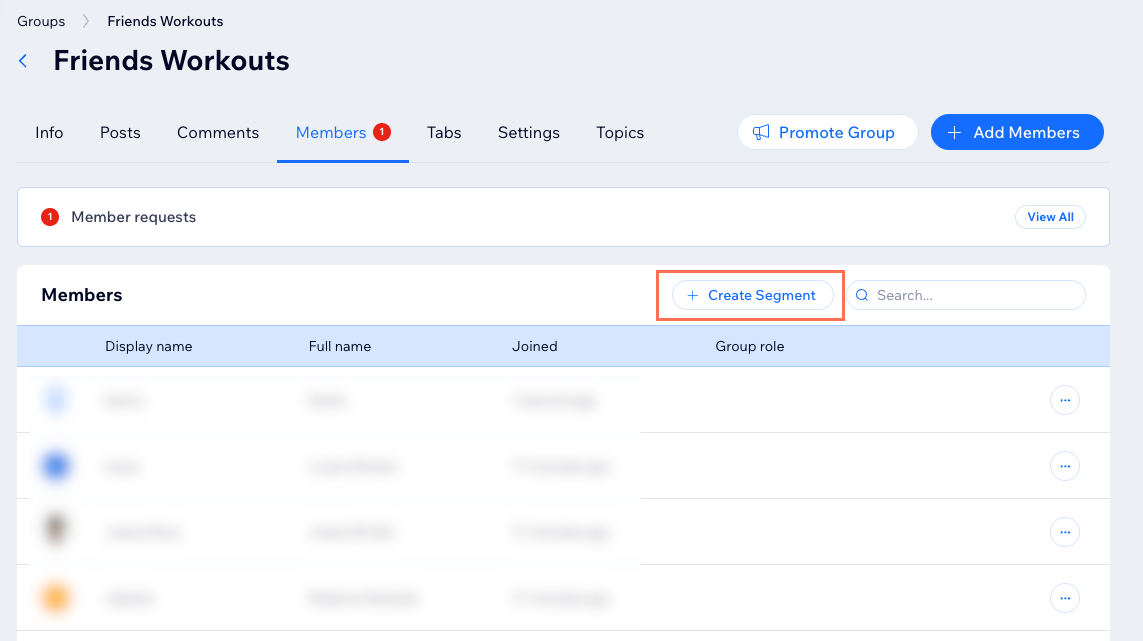
Create a segment
Tip:
Your group members can manage their accounts directly from their
members area on your site. They can update their name, adjust site preferences, customize notification settings, and view their subscriptions.
Customize members settings
You can customize your members' permissions and privacy settings. Create and manage membership questions, choose who can create groups on your site, and limit access to certain members.
Dashboard
Wix app
Live site
Go to Groups in your site's dashboard.
Choose what you want to do next:
Customize your group members' permissions

Create and manage membership questions

Choose who can create groups on your site
 at the top right and select General settings.
Limit your group's access

Tip:
Learn more about
managing your member privacy settings and about
site member privacy settings for Wix Groups. You can also
customize the member menu.
FAQs
Click a question below to learn more about managing group members.
Can I change a member's profile from private to public and vice versa?
Can I add private and public members to my group?
How does a private member join a group after being invited?
How many contacts can I invite to a group at one time?
What is the maximum number of members who can be invited to groups?
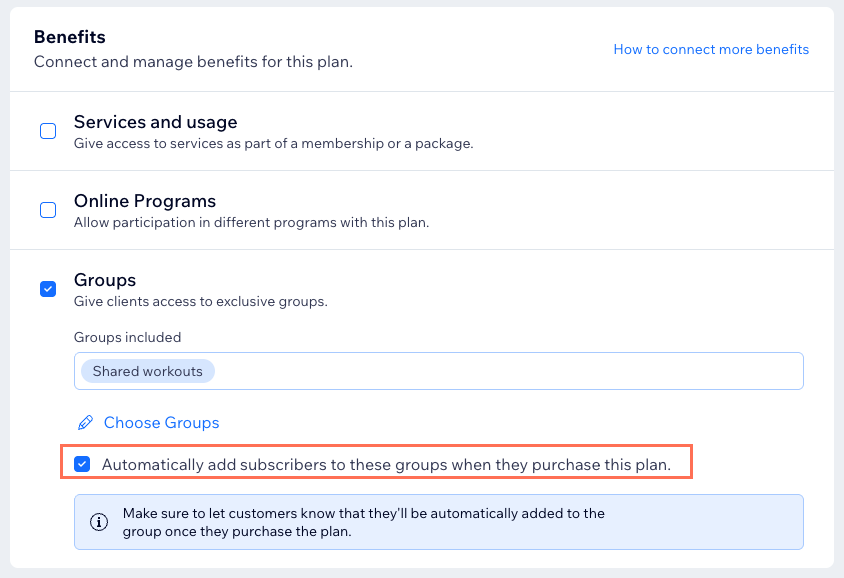
Why is someone who bought a program, subscription, or event still asked to request to join?
Can new members see content posted in a private group before they joined?
Can I change the color of the membership request popup?
