


Introducing the New Wix Stores Product Catalog
In this article
- Organize your products into subcategories
- Advanced management on the variant level
- Add product modifiers
- Save time using attribute banks
- Organize your products with tags
- Maximize your image display
- Promote your products
- Display image swatches
- Group and reorder storefront filters
We’ve released a new version of the pages where you create products and manage product categories so they run faster and better support growing stores. Our new tools make it easier to organize your products and streamline how you manage your store, whether you have a few dozen items or a complex inventory of thousands.
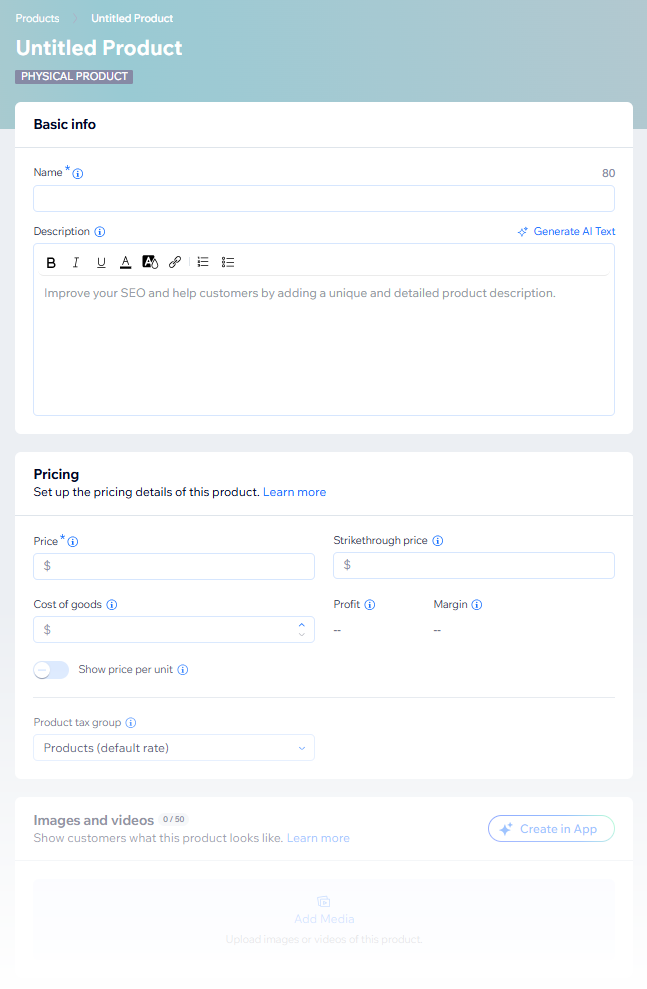
Let's take a look at some of the new features and improvements.
Organize your products into subcategories
Note:
To take full advantage of the new subcategories feature, your store needs the category page, a single dynamic page that displays all active categories. If your store already uses it, you'll see an Active on your site toggle in the category list in the Dashboard. If you don't, you can migrate your site to the category page for full access. Learn how to migrate.
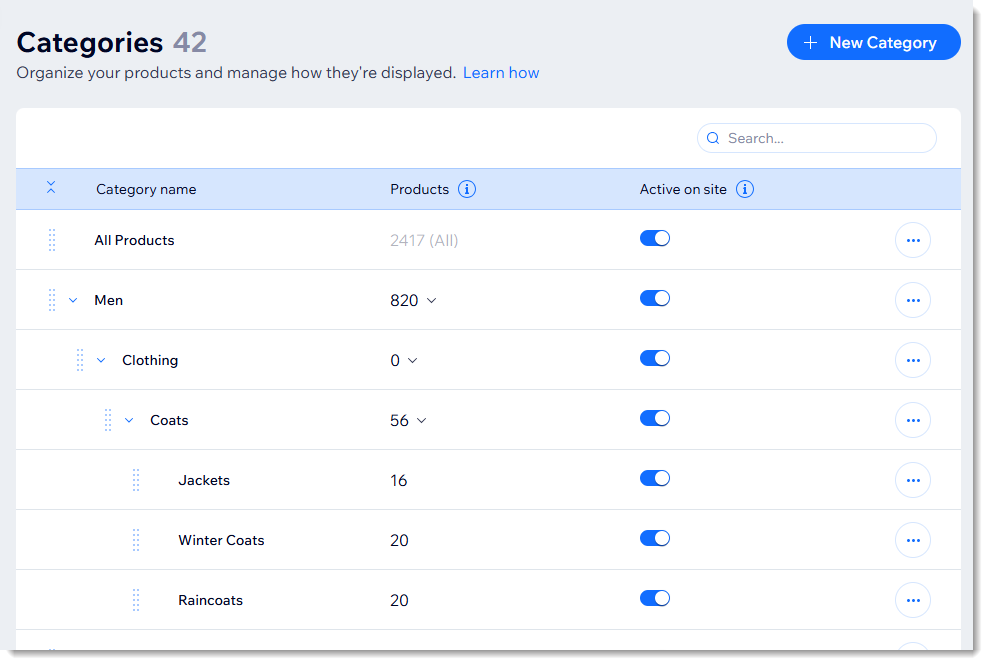
Enhance your site's navigation and SEO by organizing your products into multiple levels of categories. You can:
- Create up to 5 levels of hierarchy to keep even the largest inventories neat.
- Manage up to 1,000 categories and subcategories in total.
- Make it easier for customers to find what they're looking for (e.g. Clothing → Women → Dresses → Summer Dresses).
- Allow search engines to better understand your site so they can help shoppers find your products.
Learn more about
creating product subcategories.
Advanced management on the variant level
Manage complex product variants faster and with more control. Once you add product options, details like price, pre-order availability, and shipping weight and more are no longer managed on the product level. Instead, you set and edit them for each variant.

Learn more about
managing pricing for products and variants.
Add product modifiers
Use modifiers to offer customizations that don’t require separate inventory or pricing. Some examples of modifications include free gift wrapping, engraving or other product embellishments. Customers choose their preferred modifiers directly on the product page.

Learn more about
product modifiers and about the
differences between product options and modifiers.
Save time using attribute banks
No need to create the same information again and again. For example, you can create a size chart once in your product info section and apply it to some or all of your products. Need to edit that size chart? You can do it once and apply the update everywhere.
- Ribbons: Manage all your ribbons (like 'New Arrival' or 'Sale') in one place and apply them to groups of products at once.
Tip: You can now create up to 5 ribbons per product. - Info Sections: Create reusable blocks for 'Size Guides' or 'Care Instructions' and link them to multiple products.
- Reusable Product Options and Modifiers: Once you create a product option (like 'Fabric Type') or a modifier (like 'Gift Wrap'), it's saved and can be added to other products.

Learn more about the new product catalog:
- Get started creating physical products and digital products
- Learn more about product options and modifiers
- Read about how product pricing works in the new catalog
- Add product ribbons
Organize your products with tags
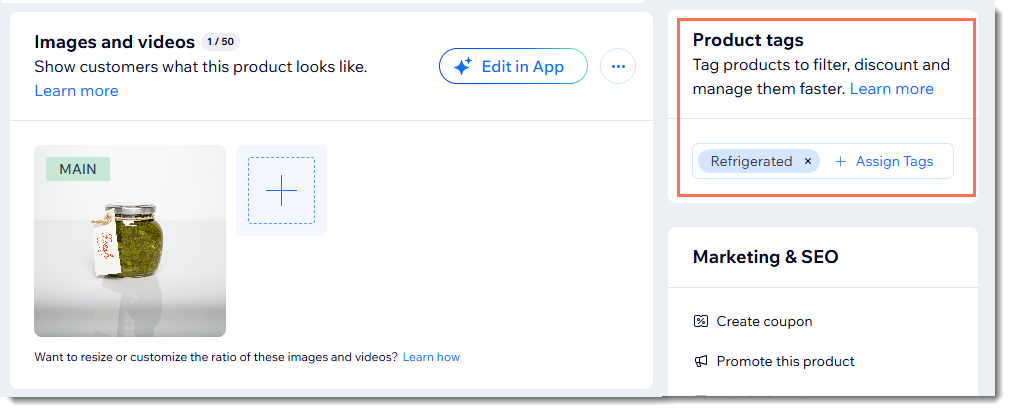
Use tags to help organize your logistics, purchasing, storage locations and anything else your business needs to function smoothly.
Maximize your image display
With the new Wix Stores product catalog, the maximum number of images, videos, and GIFs has increased from 15 to 50. This expanded limit allows you to showcase your items from multiple angles and views, giving visitors a richer and more comprehensive visual experience.
Promote your products
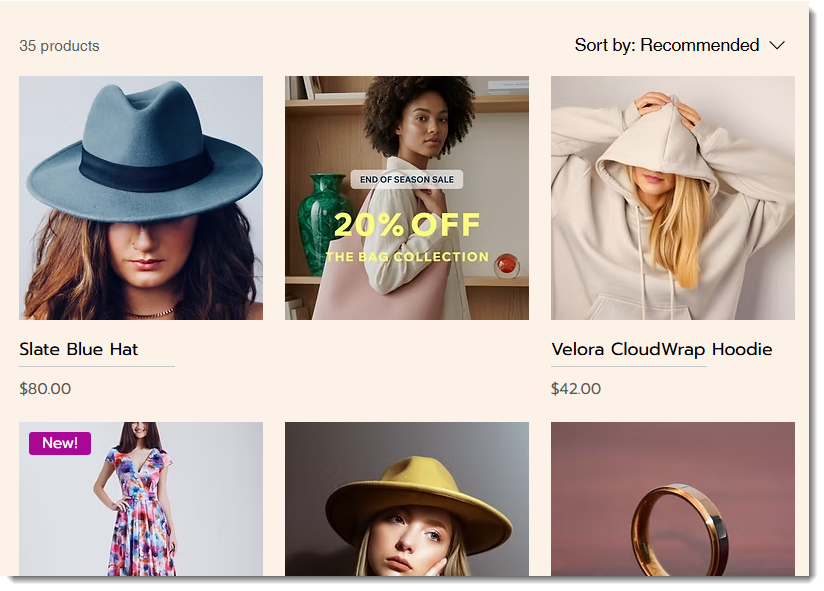
Switching to the new product catalog allows you to display promo cards on your site.
Promo cards, also called promo tiles or content cards, are visual elements that you can add to your category page or grid gallery. They are useful for showcasing sales, highlighting special deals, or sharing helpful content, such as shopping guides.
Learn more about
creating promo cards.
Display image swatches
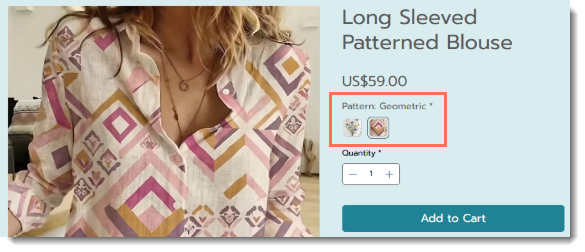
Do you sell products that have patterns? You can now display image swatches of those patterns instead of a solid color. Learn more about
uploading image swatches.
Group and reorder storefront filters
Simplify product filtering by grouping similar choices, like combining multiple blue hues into a single "Blue" option.
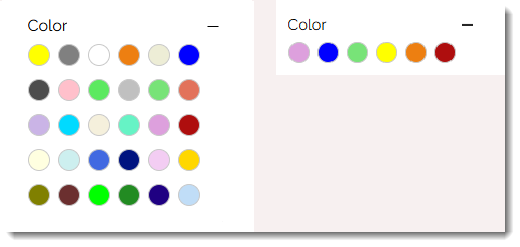
You can also arrange filter items logically, such as ordering sizes from small to large or listing colors in rainbow sequence. Learn more about
grouping and reordering your product filter display.
