


Wix Logo: Creating a Website in the Wix Logo Maker
3 min
In this article
- Websites from Free and Just Logo plans
- Websites created from Logo and Online Presence plans
- FAQs
From the Wix Logo Maker’s Brand Studio, you can choose a website template and customize it to fit your business needs. The options you see depend on the Wix Logo plan you have.

Websites from Free and Just Logo plans
If you are using the free version of the Wix Logo Maker or a Just Logo plan, you can create a free website for your brand from the Brand Studio.
While the site you create isn't automatically connected to your brand, you can customize site templates to show your logo and reflect your overall brand style.
Websites created from Logo and Online Presence plans
Each Logo and Online Presence plan (Logo Value plan, Logo Unlimited plan or Logo Business plan) includes a website that is created from your logo in the Brand Studio. The design automatically matches your logo’s look and feel, so you start with a site that already feels like an organic part of your brand.
To access and edit your website:
- Go to the Brand Studio.
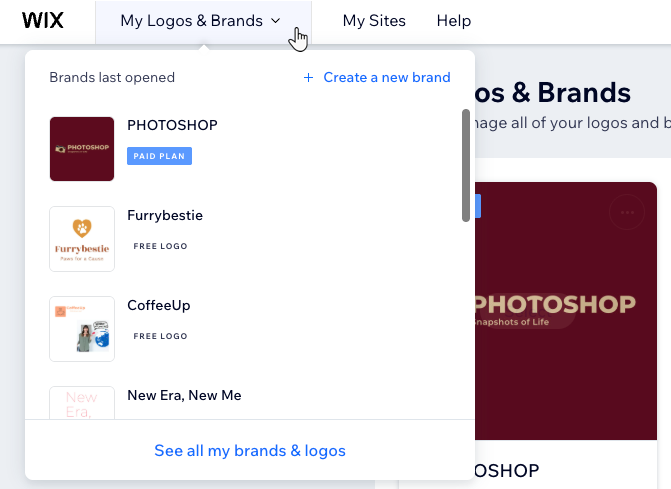
- Click the My Logos & Brands dropdown at the top.
- Select the relevant brand.
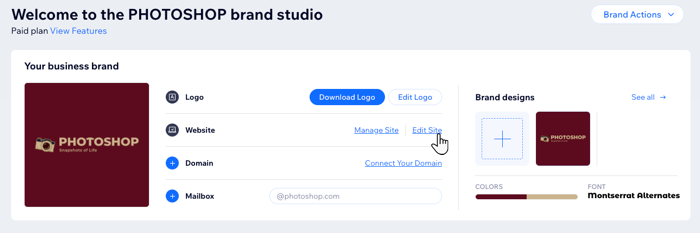
- In the Your business brand section, under Website, click Edit Site.
- Customize your site as much as you want.
- Click Save, then Publish when you're ready.
Tip: Learn more about publishing your site.
Tip:
Click Manage Site next to Your branded website to open your site's dashboard. Your dashboard includes business tools and apps to help you get your website up and running. Learn more about your Wix dashboard.
FAQs
Click a question below to learn more about creating a branded site in the Wix Logo Maker.
How do I view my live site?
How do I change the URL assigned to my site?
I don't want to use the site template that comes with my brand. How can I get a different one?
If I update my logo design, does my branded site design automatically update too?
Can I apply the branded colors and fonts of my logo to an existing site?
