


- Completing Your Wix Payments Account Setup
Completing Your Wix Payments Account Setup
17 min
In this article
- Completing your Wix Payments account setup
- FAQs
After connecting to Wix Payments as your payment provider, you can begin receiving payments through your site immediately. However, in order for Wix Payments to send a payout to your bank account, you must complete the setup process within 30 days from receiving your first payment.
Important:
If you do not complete the account setup within 30 days, you will not be able to accept additional payments through your site.
Completing your Wix Payments account setup
- Go to Accept Payments in your site's dashboard.
- Click Complete Setup under Wix Payments.
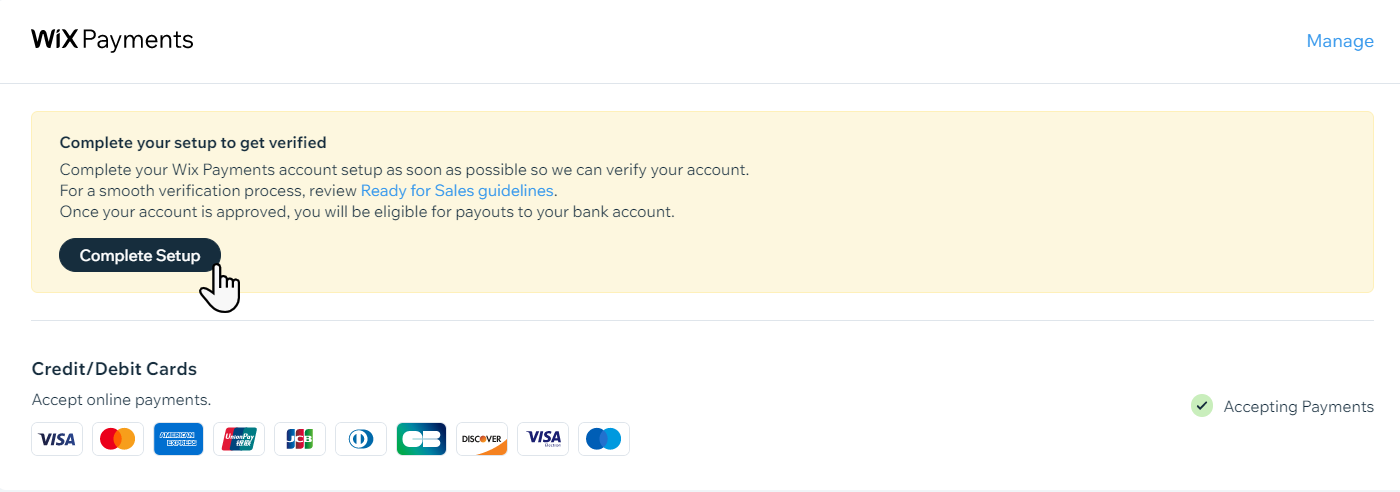
- Select an option under Business Type.
Tip: If you are not sure which option to choose for your country, learn about Wix Payments business types by region. - Depending on the selected business type, follow the steps:
Individual
Individual refers to a business operated by one person that is not registered with a government office. Payouts go to a personal bank account in the same name as the Wix Payments account, and there is no business registration number.
- Enter your Personal Details:
- First, middle (if relevant), and last name exactly as they appear on your government ID
- Date of birth
- If a tax or ID field appears:
- Italy: Personal ID or fiscal code
- Netherlands: Personal ID
- United States: SSN or ITIN
- Enter your Address Details:
- Street address and apartment or unit (if relevant)
- City
- Postal code
- Italy: Province
- United States: State
- Phone number
- United Kingdom: Customer support phone number, if you select the option to use a different number for customer support.
- Add your Business Description:
- Your "Doing Business As" name.
- Enter your statement descriptor:
- Your statement descriptor must be between 5-19 characters.
- Your statement descriptor must be similar to your business name / legal entity name /, or URL.
- Your statement descriptor should not be too generic (e.g. "Store"), or already in use (e.g. "Wix.com").
- Use the drop-down menu to select your Industry.
- Use the text box to add a short description of your products / services.
- Enter your Bank Details:
- Austria, Belgium, Switzerland, Germany, Spain, Finland, Ireland, Italy, Lithuania, Netherlands, Portugal:
- IBAN
- Confirm IBAN
- United Kingdom:
- Bank sort code
- Bank account number
- Confirm bank account number
- United States:
- Routing number
- Bank account number
- Confirm account number
- The bank account must be a checking account registered to you.
- Austria, Belgium, Switzerland, Germany, Spain, Finland, Ireland, Italy, Lithuania, Netherlands, Portugal:
- Click the checkbox to accept our terms of service, service fees and, if required, consent for identity check.
- Click Submit.
Notes:
- You can click Save as Draft if you’d prefer to complete the form later.
- If asked to upload verification documents, see our guidelines for uploading documents to Wix Payments.
Sole proprietorship
Sole proprietorship refers to a one‑person business registered as a sole proprietor. Payouts go to a business or personal bank account in the same name as your Wix account and you might have a business registration number, depending on your country.
In the United Kingdom, the equivalent business type is called Sole trader, so if your business is in the United Kingdom, go to the Sole trader (United Kingdom only) section in this article.
- Enter your Business information:
- Legal business name exactly as it appears on your registration documents.
- Doing business as name (the name your customers see).
- If a VAT number field appears (most EU countries, e.g. Austria, Belgium, Switzerland, Germany, Spain, Finland, Ireland, Italy, Lithuania, Netherlands, Portugal):
- Enter your VAT number and, if relevant, select Yes or No.
- If a registration or company number field appears (e.g. Company number, Registration number, CCIAA/REA, NIF/C, KvK, UID/IDE/IDI/CH):
- Enter the number exactly as it appears on your official documents.
- United States: Employer Identification Number (EIN)
- Enter your Business Description:
- Your "Doing Business As" name.
- Enter your statement descriptor:
- Your statement descriptor must be between 5-19 characters.
- Your statement descriptor must be similar to your business name / legal entity name /, or URL.
- Your statement descriptor should not be too generic (e.g. "Store"), or already in use (e.g. "Wix.com").
- Use the drop-down menu to select your industry.
- Use the text box to add a short description of your products / services.
- Enter your Business address:
- Street address and apartment or unit (if relevant)
- City
- Postal code
- Italy: Province
- United States: State
- Phone number
- Ireland: Customer support phone number, if you select the option to use a different number for customer support.
- Enter the business owner’s personal details:
- Country of residence
- First, middle (if relevant), and last name exactly as they appear on the owner’s government ID.
- Date of birth
- United States: SSN or ITIN of the business owner
- Enter the business owner’s home address:
- If your personal address is the same as your business’s registered address, select Yes.
- If you select No, enter:
- Street address and apartment or unit (if relevant)
- City
- Any extra region fields that appear (for example, province in Italy or state in the United States)
- Postal code
- Phone number
- Enter your Bank account details:
- Austria, Belgium, Switzerland, Germany, Spain, Finland, Ireland, Italy, Lithuania, Netherlands, Portugal:
- IBAN
- Confirm IBAN
- United States:
- Routing number
- Bank account number
- Confirm account number
- The bank account must be a checking account registered to you.
- Austria, Belgium, Switzerland, Germany, Spain, Finland, Ireland, Italy, Lithuania, Netherlands, Portugal:
- Click the checkbox to accept our terms of service, service fees and, if required, consent for identity check.
- Click Submit.
Notes:
- You can click Save as Draft if you’d prefer to complete the form later.
- If asked to upload verification documents, see our guidelines for uploading documents to Wix Payments.
Company/Organization
Company/organization refers to a registered legal entity, such as a company, partnership, or non‑profit. Payouts go to a business bank account in the same name as the Wix Payments account, and the business has a registration number that matches local requirements.
- Enter your Business information:
- Legal business name exactly as it appears on your registration documents.
- Doing business as name (the name your customers see)
- If a VAT number field appears (e.g. Belgium, Switzerland, Spain, Finland, Ireland, Italy, Lithuania, Netherlands, Portugal, United Kingdom):
- Enter your VAT number and, if relevant, select Yes or No
- If a registration or company number field appears (e.g. Company number, Registration number, NIF/C, NIPC, KvK, CCIAA/REA, Employer Identification Number (EIN)):
- Enter the number exactly as it appears on your official documents.
- Ireland only: If a question appears about a publicly traded parent company, select the option that applies to your business.
- Enter your Business description:
- Your “Doing business as” name, if shown again.
- Enter your statement descriptor:
- Your statement descriptor must be between 5–19 characters.
- Your statement descriptor must be similar to your business name, legal entity name, or URL.
- Your statement descriptor should not be too generic (e.g. “Store”), or already in use (e.g. “Wix.com”)
- Use the drop-down menu to select your industry.
- Use the text box to add a short description of your products or services (at least 10 characters).
- Enter your Company address:
- Street address and apartment or unit (if relevant).
- City
- Postal or ZIP code
- Any extra region fields that appear (for example, province in Italy, state in the United States, or county in the United Kingdom and Ireland).
- Phone number
- Ireland only: Customer support phone number, if you select the option to use a different number for customer support.
- Ireland only: If a question appears about whether the registered address is your principal place of business, select the option that applies to your business.
- Enter details of the Account Representative, Business Owner and/or Director (as the person setting up the account):
- Country of residence
- First, middle (if relevant), and last name exactly as they appear on the representative’s government ID.
- Date of birth
- If a personal ID or fiscal code field appears (e.g. Italy):
- Enter the number exactly as it appears on the representative’s documents.
- United States only: SSN or ITIN of the account representative.
- Enter the Account representative’s home address:
- Street address and apartment or unit (if relevant).
- City
- Any extra region fields that appear (for example, province in Italy or state in the United States).
- Postal or ZIP code
- Phone number
- Select the checkboxes:
- Do you own 25% or more of the business?:
- Yes: Select this option if you're a shareholder with 25% or more of the company.
- No: Select this option if you own less than 25% (or don't own the business).
- Do you have a significant role in managing the business?:
- Yes: Select this option if you hold a position with control over company management (e.g. CEO, CFO, Treasurer, Chairperson, etc.).
- No: Select this option if your position doesn't involve company management.
- Do you own 25% or more of the business?:
- Click + Add Business owner/director to add the following:
- Anyone who owns 25% or more of the business.
- At least one person with significant responsibility over company management. Learn more.
- Enter your Bank details:
- Belgium, Switzerland, Spain, Finland, Ireland, Italy, Lithuania, Netherlands, Portugal:
- IBAN
- Confirm IBAN
- United Kingdom:
- Bank sort code
- Bank account number
- Confirm bank account number
- United States:
- Routing number
- Account number
- Confirm account number
- The bank account must be a business or checking account registered to you or your business.
- Belgium, Switzerland, Spain, Finland, Ireland, Italy, Lithuania, Netherlands, Portugal:
- Click the checkbox to accept our terms of service, service fees and, if required, consent for identity check.
- Click Submit.
Notes:
- You can click Save as Draft if you’d prefer to complete the form later.
- If asked to upload verification documents, see our guidelines for uploading documents to Wix Payments.
Unincorporated partnership
This business type is for a business with 2 or more owners that is not registered as an independent legal entity. Payouts go to a business bank account under the same name as your Wix Payments account, and you might have a business registration number depending on your country’s requirements.
- Enter your Business information:
- Legal business name exactly as it appears on your registration documents.
- Doing business as name (the name your customers see).
- If a VAT number field appears (Belgium, Switzerland, Germany, Spain, United Kingdom, Ireland, Netherlands):
- Enter your VAT number and, if relevant, select Yes or No.
- If a registration or company number field appears (e.g. Company number, Registration number, UID/IDE/IDI/CH‑number, NIF, CRN/Charity number, Company number/Registered charity number, KvK):
- Enter the number exactly as it appears on your official documents.
- United States: Employer Identification Number (EIN)
- Enter your Business description:
- Your “Doing business as” name, if shown again.
- Enter your statement descriptor:
- Your statement descriptor must be between 5–19 characters.
- Your statement descriptor must be similar to your business name, legal entity name, or URL.
- Your statement descriptor should not be too generic (e.g. “Store”), or already in use (e.g. “Wix.com”)
- Use the drop-down menu to select your industry.
- Use the text box to add a short description of your products or services (at least 10 characters).
- Enter your Business address:
- Street address and apartment or unit (if relevant).
- City
- Any extra region fields that appear (for example, state in the United States, or town/city or county in the United Kingdom and Ireland).
- Postal or ZIP code
- Business phone number
- United Kingdom and Ireland: If you see the option to use a different number for customer support, select it and enter your customer support phone number if relevant.
- Enter the Account representative’s personal details:
- Country of residence
- First, middle (if relevant), and last name exactly as they appear on the representative’s government ID.
- Date of birth
- United States: SSN or ITIN of the account representative.
- Enter the Account representative’s home address:
- Street address and apartment or unit (if relevant).
- City
- Any extra region fields that appear (for example, state in the United States).
- Postal or ZIP code
- Phone number
- Complete the Ownership and role in the business section:
- Select whether the account representative owns 25% or more of the business.
- If you own 25% or more, enter the percent owned value.
- Enter your job title in the field or select it from the drop-down.
- Select whether you have significant responsibility for managing the business.
- Use the What is your role in the partnership? drop-down to select the role that best describes you.
- Click + Add Business Owner/director to add the following:
- Anyone who owns 25% or more of the business.
- At least one person with significant responsibility over company management.
- Directors on the company board.
- Enter your Bank details:
- Belgium, Switzerland, Germany, Spain, Ireland, Netherlands:
- IBAN
- Confirm IBAN
- United Kingdom:
- Bank sort code
- Bank account number
- Confirm bank account number
- United States:
- Routing number
- Account number
- Confirm account number
- The bank account should be the same account you use for your business.
- Belgium, Switzerland, Germany, Spain, Ireland, Netherlands:
- Click the checkbox to accept our terms of service, service fees and, if required, consent for identity check.
- Click Submit.
Notes:
- You can click Save as Draft if you’d prefer to complete the form later.
- If asked to upload verification documents, see our guidelines for uploading documents to Wix Payments.
Sole trader (United Kingdom)
This business type is available only in the United Kingdom. It is for a one‑person business registered as a sole trader. Payouts go to a business or personal bank account in the same name as your Wix account, and you might have a business registration number.
- Enter your Business information:
- Your legal business name.
- Your business registration (CRN) number, if available.
- Your "Doing Business As" name.
- Select whether you have a VAT number, then enter your VAT number if you selected "Yes".
- Enter your Business Description:
- Your "Doing Business As" name.
- Enter your statement descriptor:
- Your statement descriptor must be between 5-19 characters.
- Your statement descriptor must be similar to your business name / legal entity name /, or URL.
- Your statement descriptor should not be too generic (e.g. "Store"), or already in use (e.g. "Wix.com").
- Use the dropdown menu to select your industry.
- Use the text box to add a short description of your products / services.
- Enter your Business address:
- Street address and apartment or unit (if relevant).
- Town, city or county
- Postal code
- Business phone number
- Customer support phone number, if you select the option to use a different number for customer support.
- Enter the business owner’s personal details:
- Country of residence (United Kingdom).
- First, middle (if relevant), and last name exactly as they appear on your government ID.
- Date of birth
- Enter the business owner’s home address:
- If your personal address is the same as your business’s registered address, select Yes
- If you select No, enter:
- Street address and apartment or unit (if relevant).
- Town, city or county
- Postal code
- Phone number
- Enter your Bank Details:
- Bank sort code
- Bank account number
- Confirm bank account number
- The bank account should be the same account you use for your business.
- Click the checkbox to accept our terms of service, service fees and, if required, consent for identity check.
- Click Submit.
Notes:
- You can click Save as Draft if you’d prefer to complete the form later.
- If asked to upload verification documents, see our guidelines for uploading documents to Wix Payments.
Company (Austria and Germany)
This business type is for companies registered in Germany or Austria. It refers to a registered legal entity operating as a company. Payouts go to a business bank account under the same name as your Wix Payments account, and you must have a business registration number that matches your country’s requirements.
- Enter your Business information:
- Legal business name exactly as it appears on your company registration documents.
- Registration number exactly as it appears in your official company registry records (for example, Firmenbuchnummer in Austria or Handelsregisternummer in Germany).
- Doing business as name (the name your customers see), if different from your legal name.
- Germany only: If a VAT number (Umsatzsteuer-Identifikationsnummer) field appears, select whether you have a VAT number, then enter your VAT number if you select Yes.
- Enter your Business description:
- Statement descriptor (5 to 19 characters) that is similar to your business name, legal entity name or URL, and not too generic or already in use.
- Industry from the drop-down that best describes your business.
- Short description of the products or services you sell (at least 10 characters).
- Enter your Company’s registered address:
- Street address and apartment or unit (if relevant).
- City
- Postal code
- Business phone number
- Add your personal details as the account representative:
- Country of residence (Austria or Germany).
- First, middle (if relevant), and last name exactly as they appear on your government ID.
- Date of birth
- Enter your Home address:
- Street address and apartment or unit (if relevant).
- City
- Postal code
- Phone number
- Select the checkboxes:
- Do you own 25% or more of the business?:
- Yes: Select this option if you're a shareholder with 25% or more of the company.
- No: Select this option if you own less than 25% (or don't own the business).
- Do you have a significant role in managing the business?:
- Yes: Select this option if you hold a position with control over company management (e.g. CEO, CFO, Treasurer, Chairperson, etc.).
- No: Select this option if your position doesn't involve company management.
- Do you own 25% or more of the business?:
- Click + Add Business owner/director to add the following:
- Anyone who owns 25% or more of the business.
- At least one person with significant responsibility over company management. Learn More.
- Enter your Bank account details:
- IBAN
- Confirm IBAN
- The bank account should be the same account you use for your business.
- Click the checkbox to accept our terms of service, service fees and, if required, consent for identity check.
- Click Submit.
Notes:
- You can click Save as Draft if you’d prefer to complete the form later.
- If asked to upload verification documents, see our guidelines for uploading documents to Wix Payments.
Partnership (Austria)
This business type is available only in Austria. It is for businesses with 2 or more owners that may be registered as a legal entity. Payouts go to a business bank account under the same name as your Wix Payments account, and you might have a business registration number.
- Enter your Business information:
- Legal business name
- Doing business as
- Registration number (Firmenbuchnummer), if applicable.
- Add your Business description:
- Statement descriptor: This is how your business appears on customers' statements.
- Your statement descriptor must be between 5–19 characters.
- Your statement descriptor must be similar to your business name, legal entity name, or URL.
- Your statement descriptor should not be too generic (e.g. "Store"), or already in use (e.g. "Wix.com").
- Use the Industry drop-down menu to select your industry type.
- Products or services description (must be at least 10 characters).
- Statement descriptor: This is how your business appears on customers' statements.
- Enter your Business address:
- Address
- Apt./unit (optional)
- City
- Postal code
- Business phone number
- Enter the Account representative, business owners and directors details (as the person setting up the account):
- Country of residence
- First and middle name
- Last name
- Date of birth
- Address
- Apt./unit (optional)
- City
- Postal code
- Business phone number
- Use the Job title drop-down to select your job title.
- Select the checkboxes:
- Do you have a significant role in managing the business?:
- Yes: Select this option if you hold a position with control over business management (e.g. CEO, CFO, Treasurer, Chairperson, etc.) and enter your title.
- No: Select this option if your position doesn't involve business management.
- Do you own 25% or more of the business?:
- Yes: Select this option if you're a shareholder with 25% or more of the business.
- No: Select this option if you own less than 25% (or don't own the business).
- Are you registered as a director of the business?
- Yes: Select this option if you're a registered director of the business.
- No: Select this option if you are not a registered director of the business.
- Do you have a significant role in managing the business?:
- Click + Add Business owner/director to add the following:
- Anyone who owns 25% or more of the business.
- At least one person with significant responsibility over company management. Learn More.
- Enter your Bank account details:
- Enter your IBAN
- Enter your Confirm IBAN
- Click the checkbox to accept our terms of service and service fees.
- Click Submit.
Notes:
- You can click Save as Draft if you’d prefer to complete the form later.
- If asked to upload verification documents, see our guidelines for uploading documents to Wix Payments.
Association/Non-profit (Austria)
This business type is available only in Austria. It is for a non-profit or membership-based group that’s registered as a legal entity. Payouts go to a business bank account under the same name as your Wix Payments account, and you might have a business registration number.
- Enter your Business information:
- Legal business name exactly as it appears on your registration documents.
- Doing business as name (the name your customers see).
- Registration number (Firmenbuchnummer):
- Select Yes and enter the number exactly as it appears on your official documents.
- Select No if your association does not have a registration number.
- Enter your Business description:
- Your “Doing business as” name, if shown again.
- Enter your statement descriptor:
- Your statement descriptor must be between 5–19 characters.
- Your statement descriptor must be similar to your business name, legal entity name, or URL.
- Your statement descriptor should not be too generic (e.g. “Store”), or already in use (e.g. “Wix.com”).
- Use the drop-down menu to select your industry.
- Use the text box to add a short description of your products or services (at least 10 characters).
- Enter your Business address:
- Street address and apartment or unit (if relevant) in the Registered address section.
- City
- Postal code
- Business phone number
- Enter the Account representative’s personal details:
- Country of residence
- First, middle (if relevant), and last name exactly as they appear on the representative’s government ID.
- Date of birth
- Enter the Account representative’s home address:
- Street address and apartment or unit (if relevant).
- City
- Postal code
- Phone number
- Enter the Account Representative, Business Owner and/or Director details (as the person setting up the account):
- Select whether the account representative owns 25% or more of the business.
- If you own 25% or more, enter the Percent owned value if this field appears.
- Select whether you are registered as a director of the business.
- Enter your job title in the field or select it from the drop-down.
- Select the checkboxes:
- Do you have a significant role in managing the business?:
- Yes: Select this option if you hold a position with control over business management (e.g. CEO, CFO, Treasurer, Chairperson, etc.) and enter your title.
- No: Select this option if your position doesn't involve business management.
- Do you own 25% or more of the business?:
- Yes: Select this option if you're a shareholder with 25% or more of the business.
- No: Select this option if you own less than 25% (or don't own the business)
- Are you registered as a director of the business?
- Yes: Select this option if you're a registered director of the business.
- No: Select this option if you are not a registered director of the business.
- Do you have a significant role in managing the business?:
- Click + Add Business owner/director to add the following:
- Anyone who owns 25% or more of the business.
- At least one person with significant responsibility over company management. Learn More.
- Enter your Bank details:
- IBAN
- Confirm IBAN
- The bank account should be the same account you use for your association or non‑profit.
- Click the checkbox to accept our terms of service, service fees and, if required, consent for identity check.
- Click Submit.
Notes:
- You can click Save as Draft if you’d prefer to complete the form later.
- If asked to upload verification documents, see our guidelines for uploading documents to Wix Payments.
Incorporated partnership/Association (Germany)
This business type is available only in Germany. It is for a business with 2 or more owners that is not registered as an independent legal entity. Payouts go to a business bank account under the same name as your Wix Payments account, and you might have a business registration number.
- Enter your Business information:
- Legal business name exactly as it appears on your registration documents.
- Doing business as name (the name your customers see).
- Registration number (Handelsregisternummer):
- Select Yes and enter the number exactly as it appears on your official documents, or
- Select No if your business does not have a registration number.
- VAT number (Umsatzsteuer-Identifikationsnummer):
- Select Yes or No and, if Yes, enter your VAT number in the local format.
- Enter your Business description:
- Your “Doing business as” name, if shown again.
- Enter your statement descriptor:
- Your statement descriptor must be between 5–19 characters.
- Your statement descriptor must be similar to your business name, legal entity name, or URL.
- Your statement descriptor should not be too generic (e.g. “Store”), or already in use (e.g. “Wix.com”)
- Use the drop-down menu to select your industry.
- Use the text box to add a short description of your products or services (at least 10 characters).
- Enter your Business address:
- Street address and apartment or unit (if relevant) in the Registered address section.
- City
- Postal code
- Business phone number
- Enter the Account Representative, Business Owner and/or Director details (as the person setting up the account):
- Country of residence
- First, middle (if relevant), and last name exactly as they appear on the representative’s government ID.
- Date of birth
- Street address and apartment or unit (if relevant).
- City
- Postal code
- Phone number
- Select the checkboxes:
- Do you have a significant role in managing the business?:
- Yes: Select this option if you hold a position with control over business management (e.g. CEO, CFO, Treasurer, Chairperson, etc.) and enter your title.
- No: Select this option if your position doesn't involve business management.
- Do you own 25% or more of the business?:
- Yes: Select this option if you're a shareholder with 25% or more of the business.
- No: Select this option if you own less than 25% (or don't own the business).
- Are you registered as a director of the business?
- Yes: Select this option if you're a registered director of the business.
- No: Select this option if you are not a registered director of the business.
- Do you have a significant role in managing the business?:
- Click + Add Business owner/director to add the following:
- Anyone who owns 25% or more of the business.
- At least one person with significant responsibility over company management. Learn More.
- Enter your Bank details:
- IBAN
- Confirm IBAN
- The bank account should be the same account you use for your business.
- Click the checkbox to accept our terms of service, service fees and, if required, consent for identity check.
- Click Submit.
Notes:
- You can click Save as Draft if you’d prefer to complete the form later.
- If asked to upload verification documents, see our guidelines for uploading documents to Wix Payments.
FAQs
Click a question to learn more about setting up your account.
What happens after I submit my details to set up my Wix Payments account?
After submitting your details, you are required to go through a verification process.
Who assigns my Merchant Category Code (MCC), and can I change it?
The MCC for your business is automatically assigned by the payment processor based on the goods or services you offer. It is not possible to manually choose or override your MCC.
Did this help?
|
