


Wix Inbox: Connecting Your Facebook Page
In this article
- Connecting your Facebook page to Wix Inbox
- Managing Facebook messages in Wix Inbox
- Troubleshooting Facebook and Wix Inbox connection issues
Connect your Facebook page to Wix Inbox to manage Facebook messages in the same place as your other communication channels. This keeps your customer interactions organized and easier to manage, and prevents you from having to switch between platforms.
All messages sent to your Facebook page appear in your Wix Inbox. From your inbox, you have the option to respond via Facebook or other channels, such as email or chat.
Important:
Make sure to use a desktop computer rather than mobile device to connect Wix Inbox to Facebook.
Connecting your Facebook page to Wix Inbox
To connect your Facebook page, follow the link from your Wix Inbox settings. You'll be redirected to log in to your Facebook account and complete the setup process.
To connect your Facebook page to Wix Inbox:
- Go to Inbox in your site's dashboard.
- Click the Settings drop-down at the top right.
- Click Communication Channels.
- Click Connect Account next to Facebook Page.
- Log in to Facebook and follow the steps to connect your account.

Managing Facebook messages in Wix Inbox
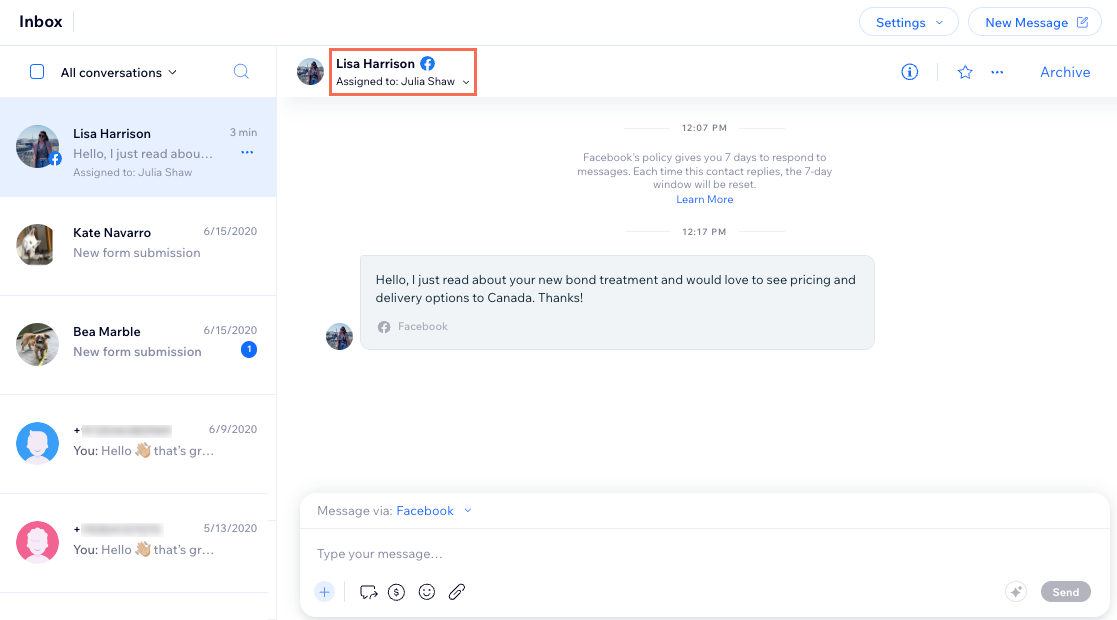
View and reply to messages sent to your Facebook page, directly from Wix Inbox. As with every other inbox message, you can star important conversations, assign a conversation to someone on your team, archive irrelevant messages, and more.
The person who sent you the message is automatically saved as a new
contact on your site. You can always
edit their contact info to add their phone number, email, etc.
To manage Facebook messages in Wix Inbox:
- Go to Inbox in your site's dashboard.
- Choose what you want to do:
View and reply to a conversation

Manage your Facebook messages
Note:
According to
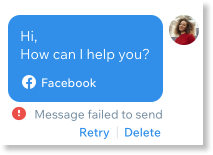
Facebook's Messenger Platform policy, you have 7 days to reply to new messages. If you try to reply after 7 days have passed, your message will not send and you'll see a
Message failed to send error.
Troubleshooting Facebook and Wix Inbox connection issues
If you are experiencing issues connecting Facebook to Wix Inbox, try the steps below:
Step 1 | Check you're connecting the correct page
Step 2 | Clear your cookies
Step 3 | Disconnect and reconnect your Facebook page
Still need help?
What information should I include if I need to reach out for assistance?
Looking for more Wix Inbox integrations?
You can
connect additional channels such as Instagram and WhatsApp.
Contact us to request integrations with apps such as Viber, Apple Business Chat and Yelp.
