


Wixel: Differences Between the Old and New Wixel
In this article
- The new Wixel
- The old Wixel
- What if I already have a Wixel account?
- FAQs
Wixel is where your ideas turn into beautiful, professional assets, whether you're creating eye-catching social posts, videos, or documents. With the release of the new Wixel, you have access to even more powerful tools, templates, and AI features, making the design journey easier and more inspiring than ever.
Understanding which version of Wixel you're using ensures you make the most of all the features available to you. Below, discover the key differences between the old and new Wixel so you can confidently start your next project.
Ready to get started?
The new Wixel
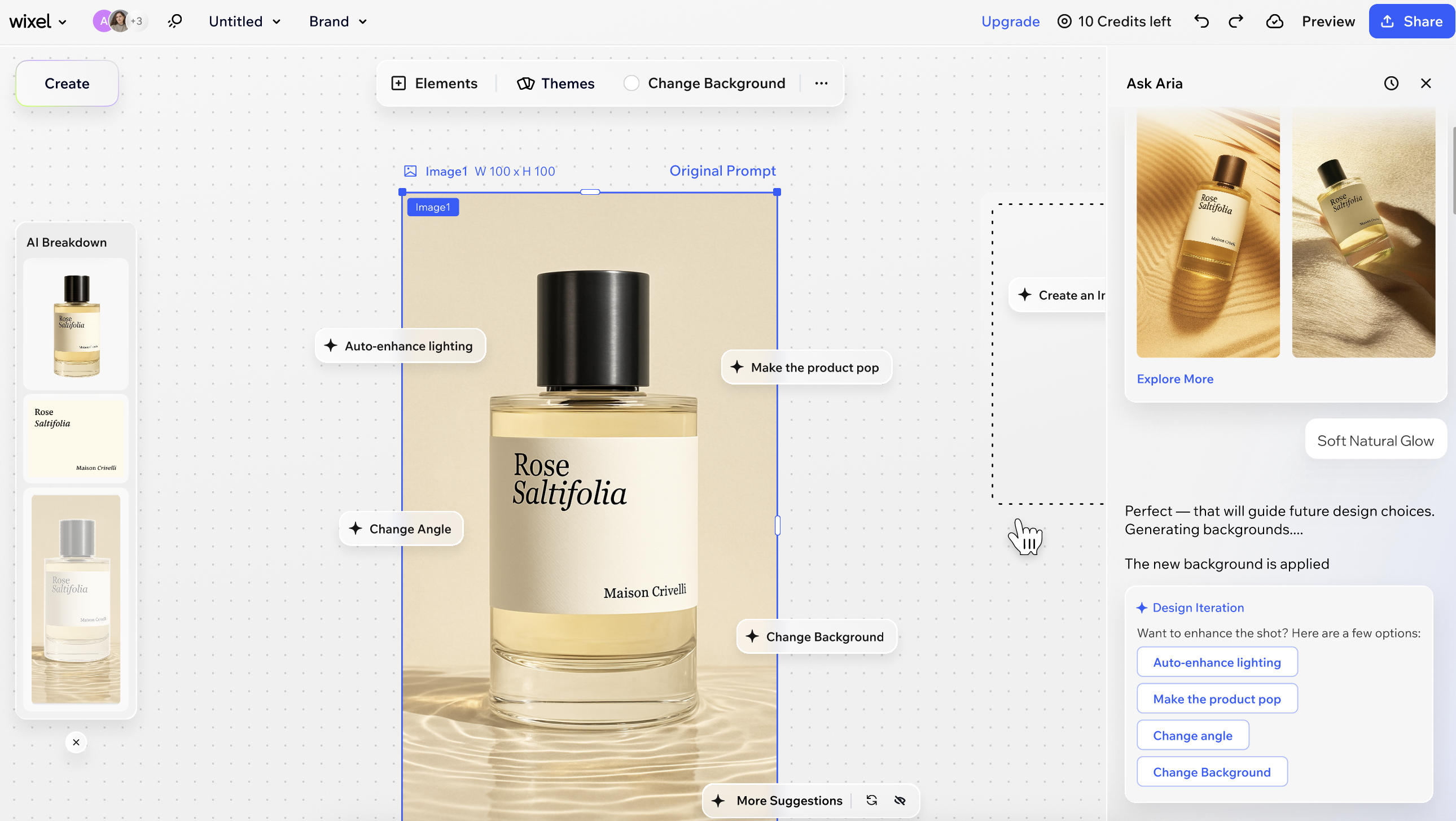
The new Wixel is a fully AI-powered design platform
with more robust, flexible tools for building a much wider range of
assets. You can build complete projects that include logos, videos, forms, and online documents, all aligned with the same visual style and messaging. It also includes all of the previous Wixel's image creation and editing tools in a new and improved format.
To generate any design, simply describe what you want to accomplish to
Aria, your AI design agent. Aria, and other tools like
AI suggestions and AI breakdown, support you along your creative journey with design ideas, tips, and inspiration tailored to your project.
The old Wixel
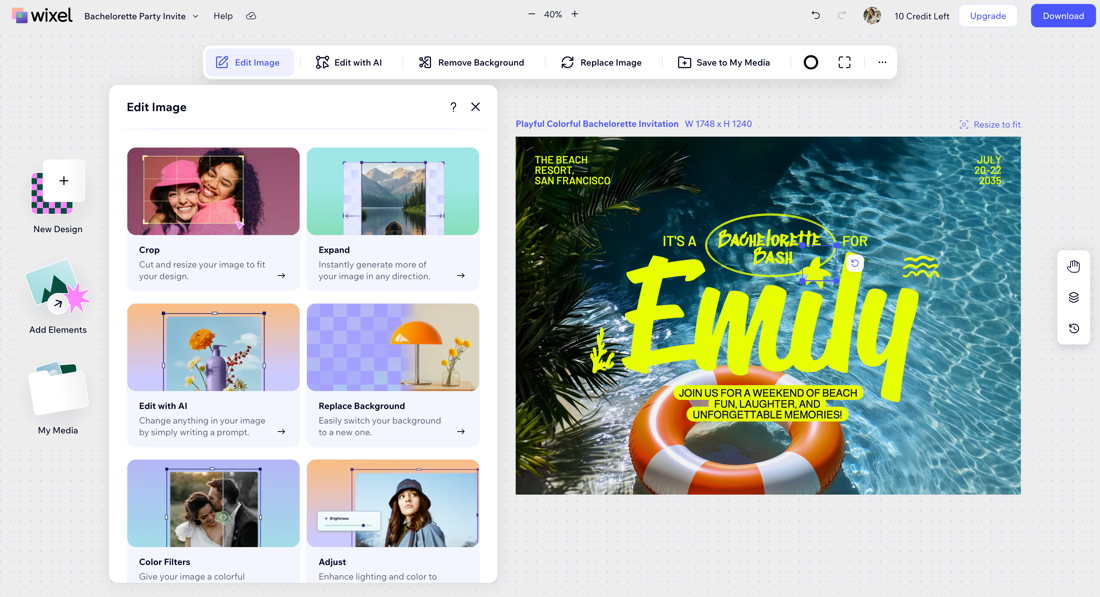
The
previous version of Wixel focuses on creating and editing images, to make social media posts, invitations, banners, and more. Alongside templates and basic design features, the old Wixel offers AI features such generating images, avatars, and professional portraits and editing capabilities to remove backgrounds, extend images, and remove and replace objects in images.
What if I already have a Wixel account?
If you already have a Wixel account from the previous platform, you can access both the old and new Wixel whenever you like. Your projects are safely stored on the platform where they were created.
Premium subscriptions are managed separately for each version and cannot be transferred. You can keep your plan for the old Wixel, or choose to cancel the automatic renewal. If you want to unlock premium features in the new Wixel, you'll need to
upgrade your account.
To switch between platforms:
Desktop browser
Mobile browser
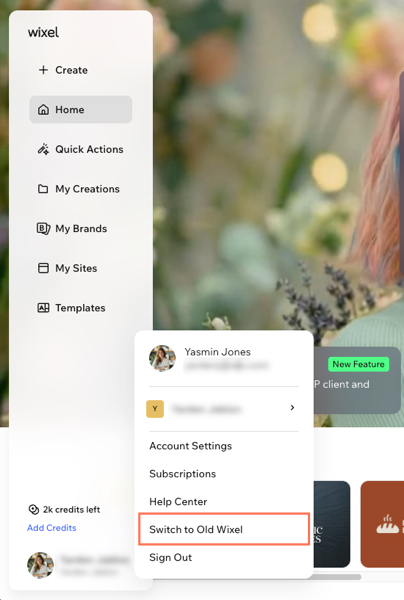
Click your profile picture at the bottom left.
Select Switch to New Wixel / Switch to Old Wixel.
FAQs
Click a question below to learn more about the new and old Wixel platforms.
How do I know which version of Wixel I'm using?
Which version does the Wixel mobile app support?
How do I upgrade my account for the new Wixel?
