


Wixel: About the Wixel Mobile App
In this article
- Design on the go, wherever inspiration strikes
- Access powerful AI features in your pocket
- Stay connected and productive
- FAQs
The Wixel mobile app puts the full power of Wixel’s AI-powered design tools in your pocket, letting you design, edit, and manage projects wherever you are. With the same features as the
Wixel dashboard, you can bring your ideas to life, stay productive, and keep your creative process flowing, even when you’re on the go.
Whether you’re brainstorming designs, updating brand assets, or refining content for a project, the Wixel app gives you the freedom to work anytime and anywhere.
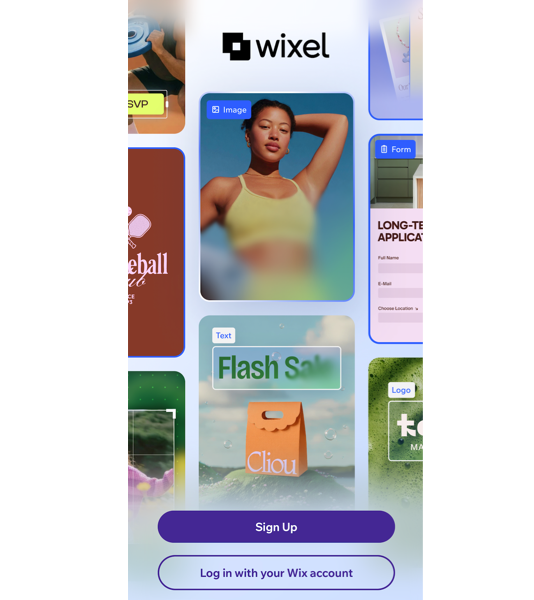
Design on the go, wherever inspiration strikes
The Wixel mobile app lets you start, edit, and finish creative projects right from your mobile device. Turn quick thoughts into ready-to-use assets, refine designs during meetings, or adjust campaign content while you are on the move.
Your projects stay in sync with your Wixel dashboard, so you always see the latest version, no matter where you last made changes.
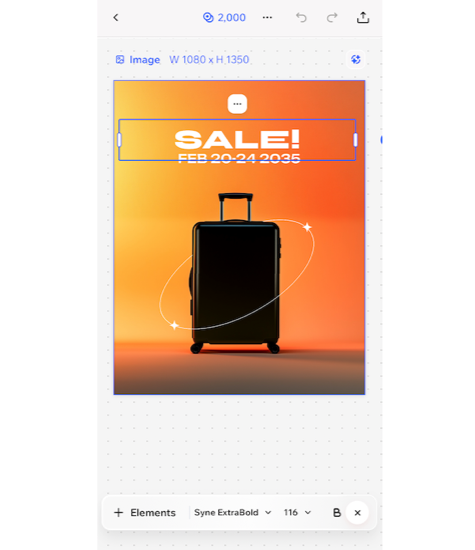
Access powerful AI features in your pocket
Enjoy the same suite of Wixel tools you know from the desktop browser, now optimized for mobile. You can quickly move from an idea to a finished project using tools designed to help you create a complete set of content.
Using the Wixel mobile app, you can:
- Create visual assets: Generate and edit visuals assets for any occasion: social media posts, documents, videos, and more.
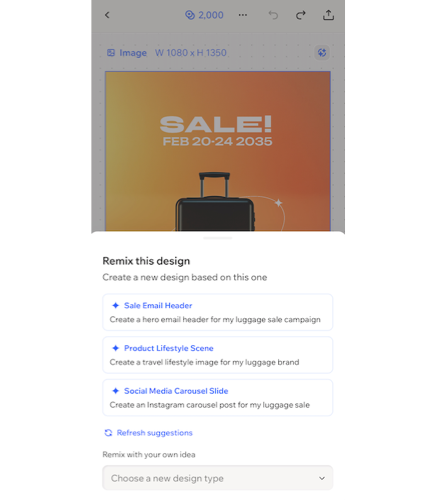
- Work with Aria on the go: Describe what you need and let Aria, your AI design agent, suggest layouts, rewrite text, or adapt an existing design into new formats when you are away from your computer.
- Expand a single idea into a full set: Start from one design and quickly build related assets, such as turning a social post into a matching video or flyer, so your project reaches a wider audience while keeping your brand easily identifiable.
Stay connected and productive
Wixel’s mobile app makes project management easy wherever you are. Start a project on your phone, finish it at your desk, and collaborate in real time with teammates and clients. You can adapt your designs and share them wherever you are.
Ready to get started?
FAQs
Click a question below to learn more about the Wixel mobile app.
What do I need to use the Wixel mobile app?
Are there differences between the Wixel mobile app and desktop?
Can I switch between mobile and desktop without losing work?
Is there a cost to use the Wixel app?
