


Wix Analytics: About Your Sales Reports
In this article
- Video tutorial
- Types of sales reports
- FAQs
Your sales reports by Wix Analytics help you to analyze all the payments that go through your site. All your sales data is translated into customizable reports to help you better understand what and how people are purchasing. You can view reports for sales by specific item, billing location, sales over time and more.
You can use your sales reports to plan your business strategy, make educated predictions about sales trends, and to get a better understanding of how your visitors are making purchases on your site.
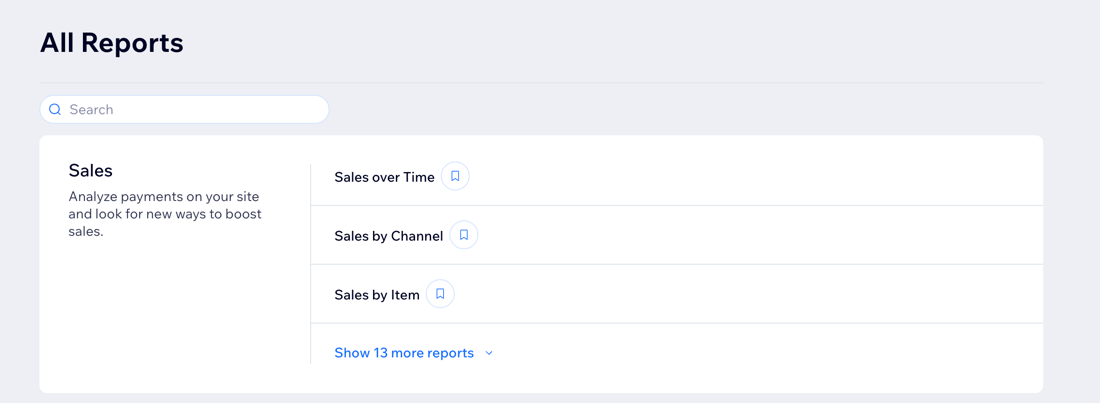
How to access your sales reports:
Go to All Reports in your site's dashboard and view the reports in the
Sales section. You can also check out the
Sales Overview to get a deeper understanding of your customers' spending trends.
Video tutorial
Watch this video tutorial to learn how to work with sales reports. Continue to read the article for more details on the types of sales reports offered.
Tip:
This video also covers payments and tax reports.
Learn more about them and other accounting reports.
Types of sales reports
Wix Analytics creates sales reports for just about everything you want to know. See a breakdown of your revenue based on sales by coupon, order source, billing location, or shipping method. You can also view reports that track sales over a specific time period.
Click a report type below to learn more about it.
Sales over time
Sales by item
Item sales over time
Sales by coupon
Sales by channel
Sales by billing location
Sales by order source
Average order value over time
Sales by traffic source
Sales by currency
Sales by business location
Sales by POS
Tips by staff
Tips by customers
Want to customize your report?
You can customize the data you're viewing and the way it's displayed. You can also save the views you want to return to later.
Learn more about
customizing your report.
FAQs
Click a question below to learn more about your Wix Analytics sales reports.
What is the difference between my sales and stores reports?
Why can't I see data for redeemed coupons in the Sales by Coupon report?
Why are some store orders showing “Unknown” under the billing location?
Why are there discrepancies between the Store Orders tab and sales reports?
Are gift card sales included in my Total Sales?
How can I see a breakdown of orders and sales data for Wix Stores only?
In the Sales by Item report, why don't I see items from sales paid via invoices?
Why are invoices showing different dates than when they were paid?
Why is the date on my invoice different from the order date shown in sales reports?
Can I check the exact hour a sale was made on my site?
Are cancelled and refunded orders removed from sales reports?