Roles & Permissions: Overview
5 min read
Invite people to collaborate on your site, and assign roles based on their expertise. Each role comes with a set of permissions, so you can control who can make changes to your site and dashboard. As their access needs change, you can update their role, or create a new role with tailored access.
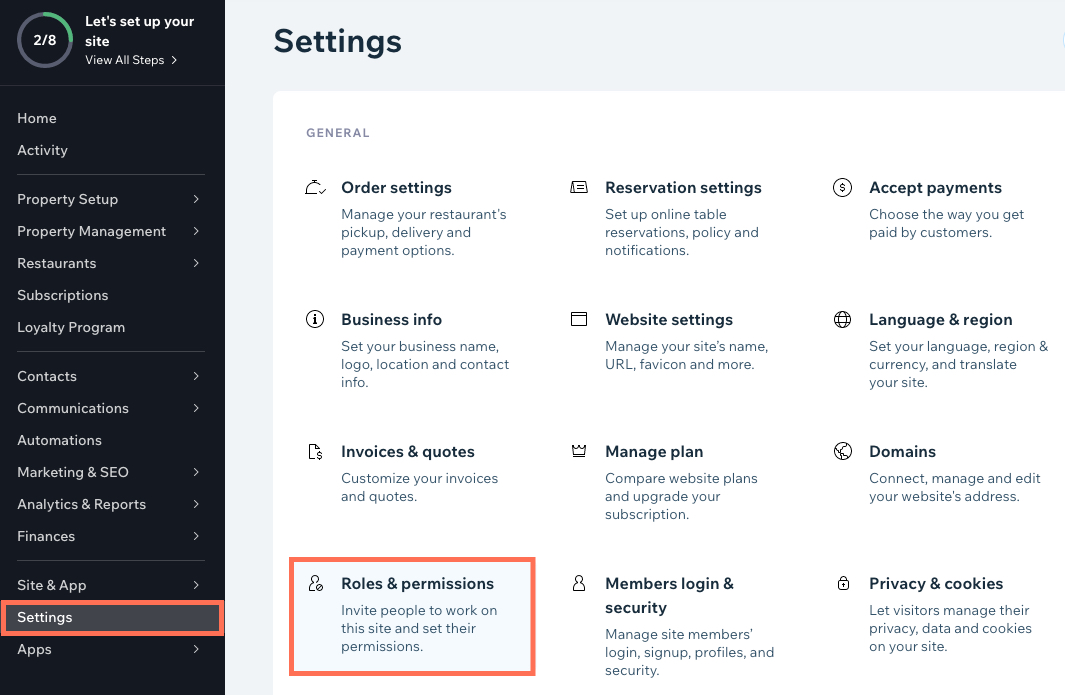
You can access Roles and Permissions from Settings in your site's dashboard.
Roles and permissions
When you invite people to collaborate on your site, you assign roles to suit their access needs. Your Manage Roles page shows the roles available for your site. Beneath each role title is a permission summary, to confirm the access the role grants.
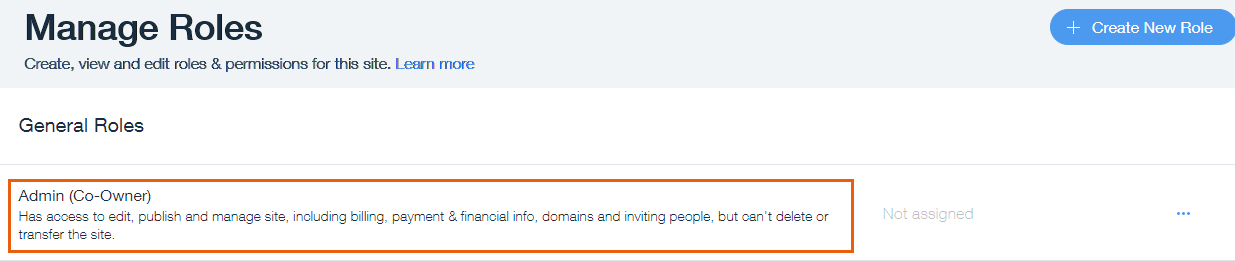
Each site has an Owner role, and General Roles for managerial support. The additional roles available in your dashboard are based on the Wix apps you use on your site. With Wix Blog, for example, you can give a collaborator a Blog Editor, Blog Writer, or Guest Writer role.
Note:
There are currently certain limitations for all site collaborators.
Site Owner role
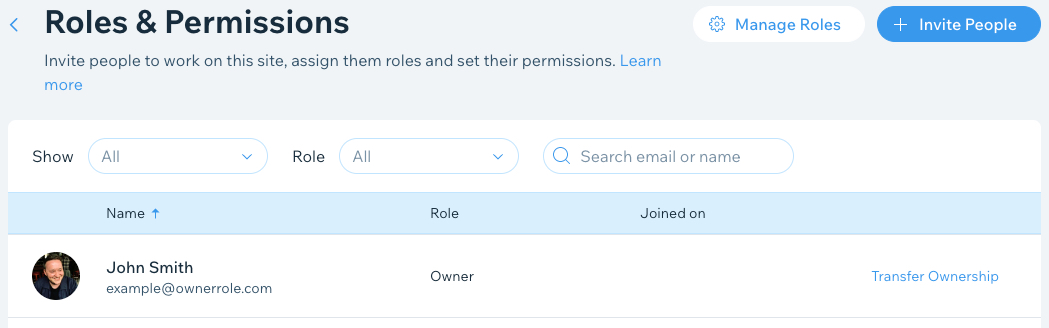
The Owner role is assigned to the person who created the site, or received site ownership. Owners can manage and make changes to everything on the site and in the dashboard. You can't duplicate or edit the role, and you can only reassign the role by transferring the site to a new owner.
General Roles for site management
General Roles have management-level permissions for co-owners, web designers, and back office support.
General Role | Permissions |
|---|---|
Admin (Co-Owner) | Full access to manage, edit and publish site, including billing, inviting people and managing groups, but cannot delete or transfer a site, or connect a domain. The Admin (Co-Owner) also has full access to manage the Accept Payments dashboard with the same permissions as a Payments Admin (see below). This includes access to personal information and bank details. Note: Co-Owners in Brazil have limited Payments permissions. |
Website Manager | Access to manage, edit & publish site, but cannot manage billing, delete, duplicate or transfer site |
Website Designer | Can edit the site, manage settings and apps but cannot access Inbox, contacts and other sensitive info |
Back Office Manager | Can access the Dashboard to manage site settings and apps but cannot edit the site |
Roles for integrated Wix apps
When you integrate a Wix app to your site, your dashboard updates to include relevant roles.
Role Category | Role Title and Permissions |
|---|---|
CMS Roles | CMS Editor: Can add and modify content for all collections but cannot edit other areas of your site. CMS Admin: Can modify content and field structure for all collections, but cannot edit other areas of your site. |
Billing Roles | Billing Manager: Can make purchases, manage subscriptions, add payment methods and connect a domain to the site. Domains Manager: Can connect and manage domains but cannot make purchases. |
Marketing and Customer Management Roles | Marketing Manager: Can manage all marketing tools, contacts, automation, and view site analytics. Customer Relations Manager: Can manage, contacts, forms, tasks, workflows, automations, and communicate in inbox, but cannot export contacts. |
Stores Roles | Store Manager: Can view and manage store products, categories, orders, sales channels, store settings, shipping and tax. |
Blog Roles | Blog Editor: Can fully manage the blog but not other areas of your site. Blog Writer: Can write and publish posts. Cannot create or manage categories. Guest Writer: Can write posts but cannot publish them. Posts must be approved and published by a Blog Editor or site owner. |
Bookings Roles | Bookings Admin: Has full access to your bookings calendar and contacts page, but cannot edit other areas of your site. Bookings Staff Member: Can book their own clients, access their personal calendar and manage their sessions. |
Events Roles | Events Check-In Assistant: Can see the guest list, check-in guests and scan tickets on the Wix Owner app. Tip: Alternatively, add dedicated staff members to an event so they can assist with guest check-ins and ticket scanning at the door with the Check-in by Wix app. |
Payments Roles | Payments Admin: Has full access to set up a Wix Payments account as well as connecting third-party payment providers. This includes access to personal information, tax documents and bank details. They can connect and manage payment methods and view payments. With Wix Payments they can also view payouts & settlement reports and manage funds, including adding funds, issuing refunds and disputing chargebacks. Payments Admins cannot edit, delete, or duplicate your site. This role is not compatible with Wix Payments Brazil accounts. Financial Manager: Can manage funds in the account and view payments, payouts & settlement reports in Wix Payments. They can also issue refunds and dispute chargebacks. This type of role is especially useful for accountants. A Financial Manager has no access to your other site settings. Financial Managers cannot edit, delete, or duplicate your site. This role is not compatible with Wix Payments Brazil accounts. Payments Manager: This role has been deprecated for new users in all countries (with the exception of Brazil). However, the Payments Manager role is still active for existing users who have that role currently assigned. A Payments Manager can manage payment methods under Wix Payments, as well as third-party payment providers. They can also add funds and manage refunds & chargebacks in Wix Payments. They cannot edit, delete, or duplicate your site. In Brazil, the Payments Manager can manage payment methods under Wix Payments Brazil, as well as third-party payment providers. The Payments Manager cannot connect Wix Payments Brazil. They also cannot edit, delete, or duplicate your site. If you’d like to see additional roles and permissions for Wix Payments Brazil, you can vote for that feature. Important: Emails from Wix Payments are sent to the email address of the site owner, as well as the relevant collaborator roles (Payments Admin, Financial Manager & Payments Manager). If a site is transferred or deleted, only the site owner will receive further emails from Wix Payments. |
Create custom roles
You can create custom roles from scratch, and duplicate and edit existing roles to match your permission needs. Learn more about creating custom roles

Manage collaborator access
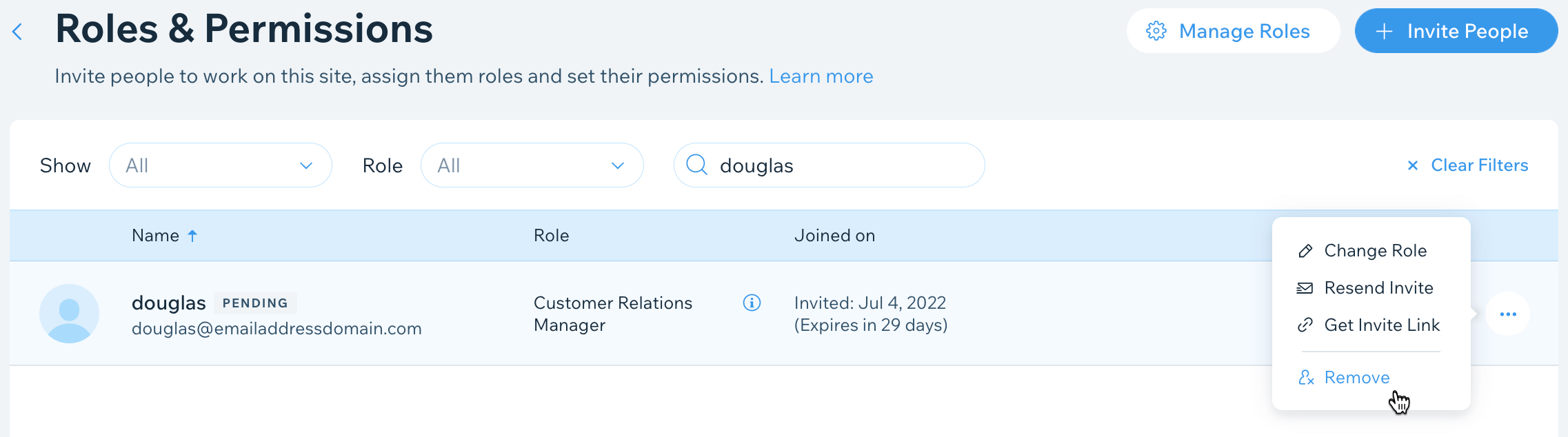
Update your collaborator's roles and permissions as their contribution to your site changes over time. You can assign different collaborator roles, edit custom roles, and remove collaborator access as needed. Learn more about managing collaborator roles
Did this help?
|