


Creating a Free Shipping Coupon
5 min
In this article
- Creating a free shipping coupon
- Video tutorial
- FAQs
Important:
Free shipping coupons can be used only with Wix Stores.
Encourage your customers to complete purchases by offering them a free shipping coupon. You can limit the coupon so that it can only be used for purchases above a set price.
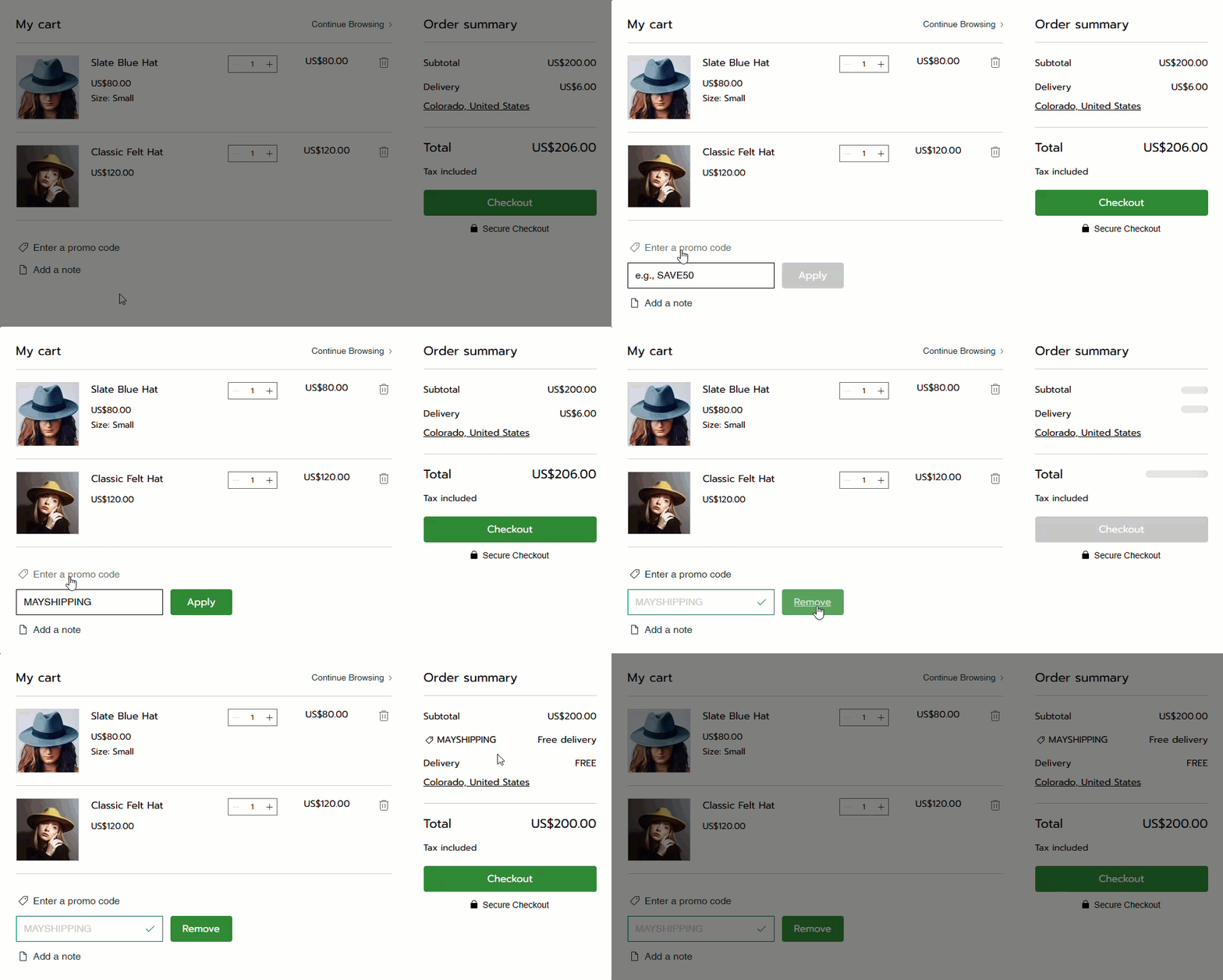
Creating a free shipping coupon
After you give your coupon a name and add the details, you can choose exactly when and how it can be used.
Dashboard
Wix app
- Go to Coupons in your site's dashboard.
- Click + New Coupon.
- Select Free shipping.
- Enter the Coupon code customers need to enter.
- Enter the Coupon name.
Note: This name is for internal use only. Customers won’t see it. - Select an option from the Apply to drop-down:
- All orders: The coupon can be used for any purchase.
- Minimum order subtotal: The coupon can be used when the order subtotal is over a specific amount. Enter the amount.
- (Optional) Select the Include subscriptions checkbox to apply this coupon to store subscriptions.
Note: The discount applies to every billing cycle (e.g. every month of a monthly subscription). - Set when the coupon is valid:
- Enter the start date.
- Enter the end date or select the Don't set an end date checkbox.
- (Optional) Set coupon limitations:
- Limit the total number of uses for this coupon: Enter the total number of times it can be used.
Tip: Multiple purchases by the same customer count separately. - Limit to one use per customer: Each customer can use the coupon only once.
- Limit the total number of uses for this coupon: Enter the total number of times it can be used.
- Click Create Coupon.
Video tutorial
Watch the video tutorial, or scroll down to read the FAQs.
FAQs
Click a question below to learn more about coupons.
Can I temporarily deactivate a coupon?
 next to the coupon and select the relevant option.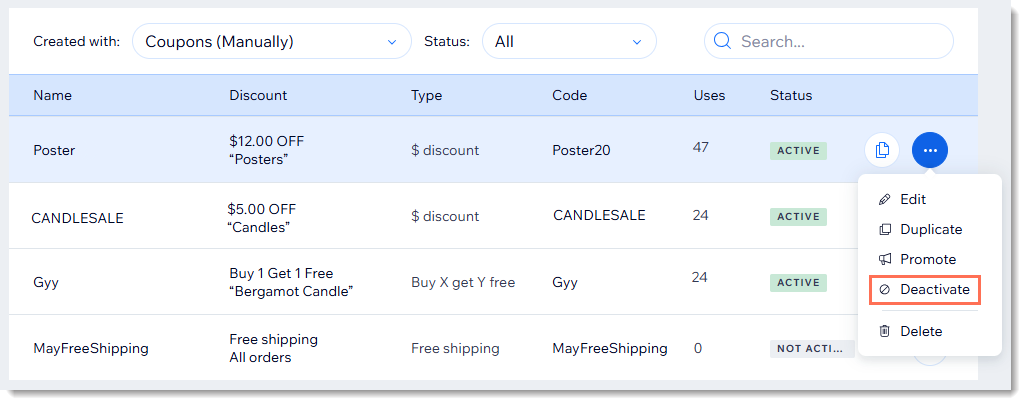
Are coupon codes case sensitive?
Why isn't the promo code visible on the cart page?
Can I offer discounts without coupon codes?
For purchases with the manual payment method, when does the available coupon count update?
Can I create a coupon with unique codes for each use?
How can I promote or share my coupon?
 next to the relevant coupon.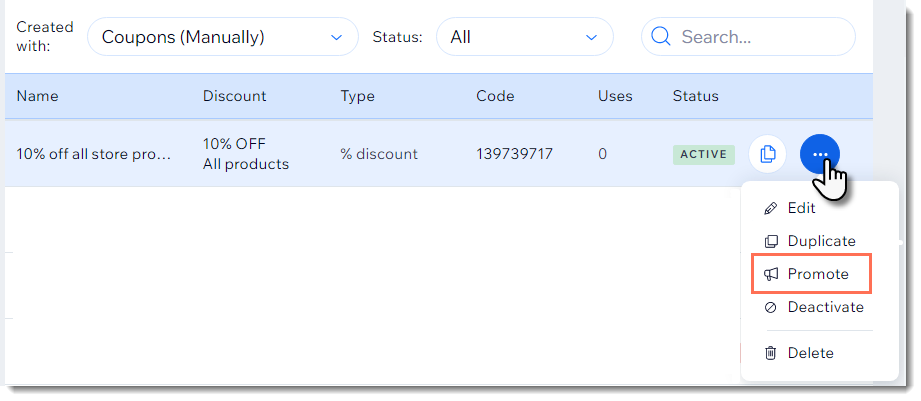
How can I apply a coupon to a group of store products?
Where can customers enter coupon codes?
How are coupons applied to store product subscriptions?
