


Wix Editor: About PayPal Buttons
In this article
- Paypal Donate buttons
- Paypal Buy Now buttons
- Additional information about PayPal buttons
If you have a PayPal Business or Premier account, you can set up a PayPal button on your site.
PayPal buttons make it easy to collect donations or accept payment on your site, without needing to have an online store. There are 2 types of PayPal button available in the Editor: a Buy Now, and a Donate button.
Important:
This article is about PayPal buttons in the Wix Editor, which is separate to
adding PayPal as a payment method for use with Wix Stores, Wix Bookings, and other business solutions.
Paypal Donate buttons
PayPal Donate buttons make it easy for your visitors to contribute to the causes you care about most.
Once you've added the button, you can add the relevant information such as the organization's name and ID number. You can also set a predetermined amount, or allow your visitors to choose how much they want to donate.
Learn how to add and set up your PayPal Donate Button
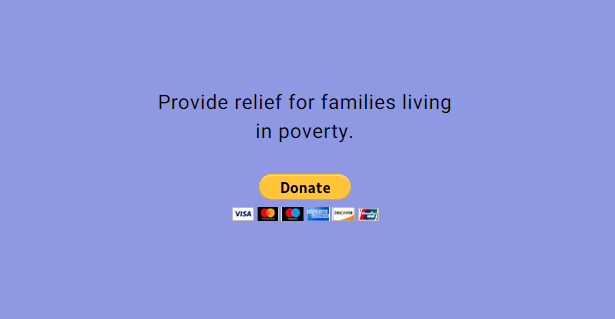
When visitors click the button on your live site, they're directed to PayPal so that they can complete the donation. Funds usually arrive in the linked account instantly, which means you don't need to worry about wait times.
Have more causes you want to support?
Donate buttons can only be linked to one PayPal account. If you have more than one organization, you can add multiple Donate buttons to your site, and link them to the relevant accounts.
Paypal Buy Now buttons
Visitors can buy products and items and pay directly to your PayPal account with a Buy Now button, so you don't need to set up an online store. Simply enter the details, such as the product name and ID number, to start selling.
When your visitors click the button to purchase on your site, they're brought to the PayPal checkout page where they can enter their information and complete the purchase.

Buy Now buttons allow you to sell one product per button. If you want to sell multiple products, you can add multiple buttons to your site and link them to the relevant products.
Ready to begin selling?
Additional information about PayPal buttons
When adding PayPal buttons to your site, you should keep the following information in mind:
- In order to set up and use a PayPal Donate or Buy Now button on your site, you must have a PayPal Business or Premier account. The features offered to you by PayPal depend on your country and region.
- Certain fields are required in order to successfully complete the set up of your chosen button. If you do not fill out these settings, your visitors are unable to complete the transaction / donation.
- You do not get notifications on your Wix account for purchases or donations made through PayPal buttons. This is because the payments are made to the PayPal account, and not your Wix account.
