


Wixel: Working with Aria
4 min
In this article
- Accessing Aria
- What can Aria help me with?
- FAQs
This article refers to the new Wixel, released in December 2025. If you're unsure whether you’re using the new or previous Wixel, view more information here.
Bringing your creative ideas to life in Wixel is simple and intuitive with Aria, your built-in AI design agent. Aria works alongside you in every project, helping you create designs, generate content, and explore new directions. With Aria, you can move from an initial idea to a finished project faster, and enjoy a more flexible, inspiring creative process.
Important:
Aria is powered by AI and as such may produce unexpected or inaccurate results. Always review Aria’s suggestions or changes before finalizing your design.
Accessing Aria
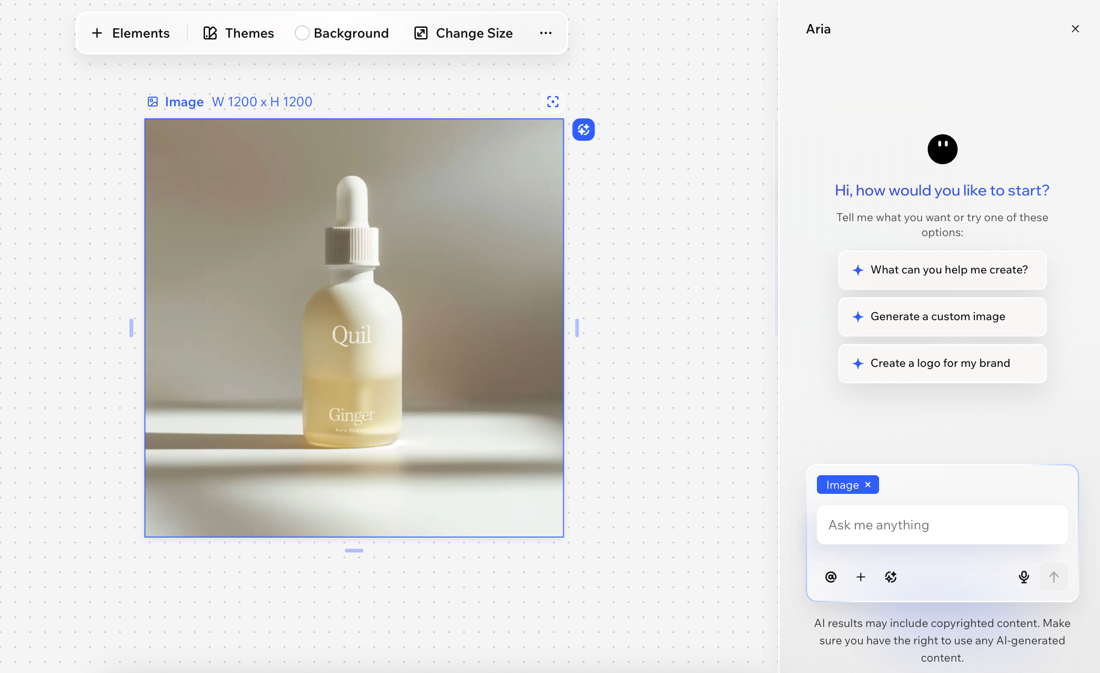
You can access Aria in any Wixel project by clicking Ask Aria at the bottom right of the project. Any time you want to try something new, improve your design, or have a question, open the chat and start a conversation.
When using Aria you can:
- Send a message: Type your message in the text box or click the Dictate icon
 to use a speech-to-text option.
 - Share files and images: Click the Add icon + at the bottom to upload images or files from your computer.
- Mention a design or element: For Aria to focus on the right part of your design, click a design (e.g. a video or form) or a specific element (e.g. an image or text box) in your project to automatically tag it in the chat. Then, describe what you want to edit without needing to explain the context.
Tip: Click the Mention icon in the chat to choose a specific element within the asset.
 - Remix a design: Click the Remix design icon
 in the chat to create new designs based on your selected design. Learn more about remixing your designs.
What can Aria help me with?
Aria’s capabilities cover a huge range of creative needs, so you can focus on your ideas, experiment, and achieve polished results even faster. For example, Aria can help:
- Design and edit assets: Describe your vision to Aria and let it add, edit, and refine elements for any type of asset - logos, images, videos, forms, documents, or PDFs.
- Offer inspiration and suggest next steps: Get creative ideas on color palettes, mood, or next steps for your design.
- Get answers quickly: Ask any question about your design. Aria can explain features and provide guidance, all in the context of your current project.
- Manage your account: Chat to Aria about upgrading your Wixel plan and adding more AI credits to keep creating without interruptions.
Tip:
You always have full control of your design. Anything Aria can do, you can also do manually.
FAQs
Click a question below to learn more about this.
What should I know about using AI-generated content?
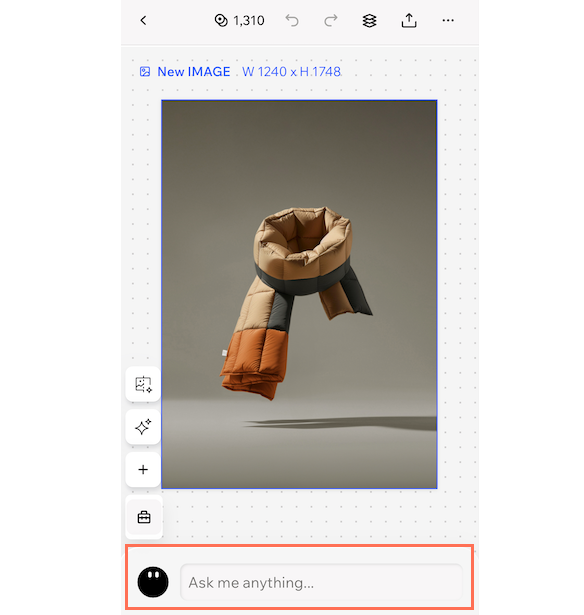
Can I use Aria on mobile?
Does using Aria cost AI credits?
What should I do if Aria's results aren't what I expected?
Why didn't Aria generate what I asked for?
