


Tax Exemptions
4 min
In this article
- Giving an individual customer full tax-exempt status
- Setting up conditional tax exemptions (exemptions for groups)
- What does my customer see at checkout?
- FAQs
Some of your customers may not be required to pay certain taxes on their purchases. This may include:
- B2B customers
- Non-profit or charitable institutions
- Religious institutions
- Individuals with disabilities
- US veterans (exempt from tax on medical products)
- Canadian indigenous communities (exempt from some types of sales tax)
Important:
Available tax exemptions vary by location. Consult a local tax authority to learn which of your customers qualify for a tax exemption.
Giving an individual customer full tax-exempt status
Click Manage Exemption to access your tax exemptions settings, then click Add Customer to select a contact from your conact list. If the individual isn't yet listed, you can add that contact manually and then select them.
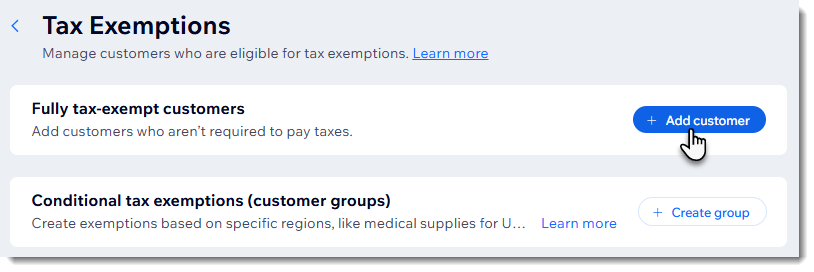
Providing an individual customer with tax-exempt status gives them an exemption from all forms of tax that you set up.
Important:
- The contact must have an email address.
- To automatically receive tax-exempt status while checking out, the customer must enter the same email address.
Setting up conditional tax exemptions (exemptions for groups)
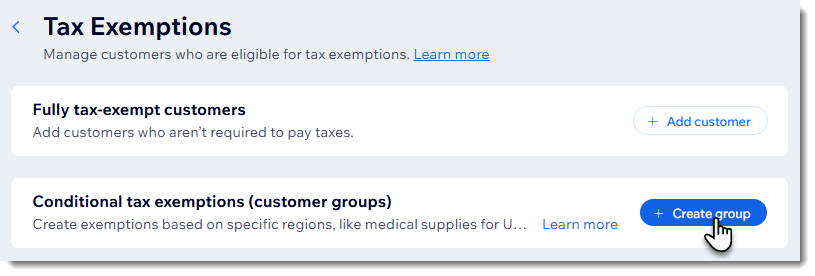
Rather than providing exemptions to individual customers, you can create a tax exemption for special populations and decide which tax types are exempt for them. To get started, click Manage Exemption to access your tax exemptions settings, then click Create group.
Next, select a region and choose which tax type are included in the exemption.
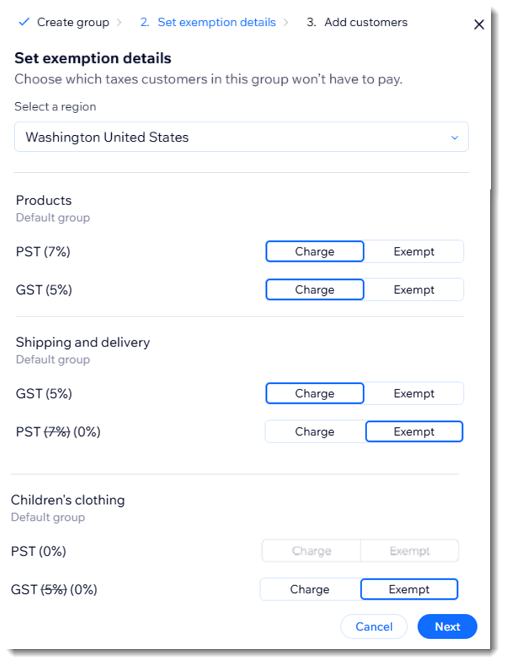
Setting up tax exemptions for groups can be useful in a number of circumstances. For example:
- Exempting special populations from paying tax on specific products: Start by adding all your products to a product group. Then, create a tax exemption group and apply the exemption only to the relevant products.
- Create a group tax exemption for a company or non-profit: You can add all the relevant site contacts to the group.
Learn how to set up tax exemptions for groups.
What does my customer see at checkout?
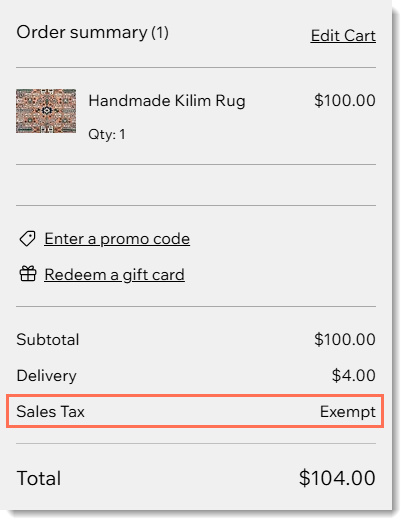
The tax exemption display varies depending on whether you include tax in product prices or add it at checkout.
When you include tax in product prices, customers see the amount that was subtracted.
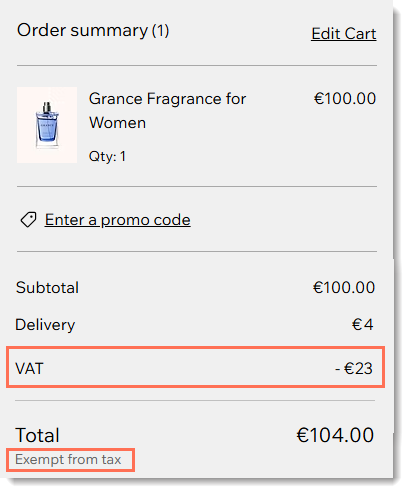
If tax is not included in the price, a notification appears stating that the customer is exempt from tax.
FAQs
Click below for answers to common questions about providing tax exemptions.
Can my customer add their VAT ID at checkout?
Can my customer add their VAT ID at checkout?
Can I provide a customer with a partial tax exemption?
Are there any cases where the tax exemption cannot be applied?
What happens if my customer's phone details don't match those in Wix Contacts?
