


Setting Tax Calculations for Your Services
2 min
In this article
- Setting tax calculations for your services
- FAQs
You now have more control over how taxes are calculated for your booking services. Choose whether tax is based on your business location or your client's billing address, giving you the flexibility to set accurate tax rates for every service you offer. This is especially helpful if you offer online services or serve clients in different locations.
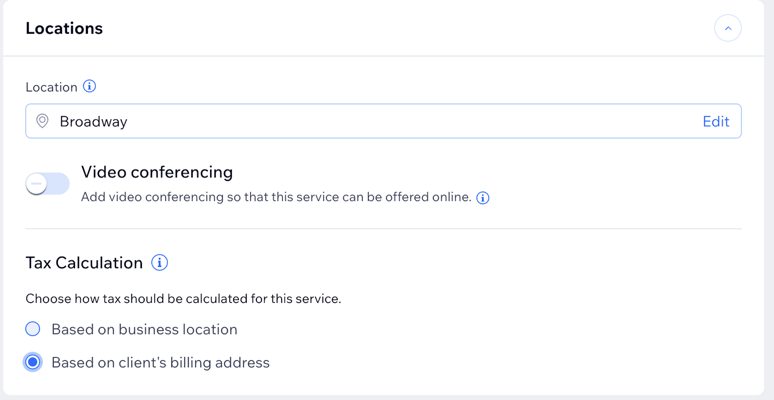
Setting tax calculations for your services
Set up how taxes are calculated for each of your booking services, whether you offer them online or in-person. Manage tax settings individually for each service to match your business needs.
To set tax calculations:
- Go to Booking Services in your site's dashboard.
- Click the relevant service you want to edit.
Tip: Alternatively, click + Add a New Service to choose a template and set up taxes for the new service. - Scroll down to the Locations section.
- Select the location of your service.
- Choose how to calculate tax for this service:
Note: Make sure to choose how your business collects tax in your site's tax settings.- Based on business location: Tax is calculated using your business address.
- Based on client’s billing address: Tax is calculated using your client’s billing address.
FAQs
Click a question to learn more about calculating taxes for your booking services.
How can I set up taxes if I provide services both online and in-person?
How does this affect my clients during booking?
Can I apply different tax rates to each of my booking services?
