header-logo
Learn how to build your website and business using Wix.
Design and manage your site with smart functionalities.
Manage subscriptions, plans and invoices.
Run your business and connect with members.
Learn to purchase, connect or transfer a domain to your site.
Get tools to grow your business and web presence.
Boost your visibility with SEO and marketing tools.
Get advanced features to help you work more efficiently.
Find solutions, learn about known issues or contact us.
placeholder-preview-image
Improve your skills with our courses and tutorials.
Get tips for web design, marketing and more.
Learn to increase organic site traffic from search engines.
Build a custom site using our full-stack platform.
Get matched with a specialist to help you reach your goals.
placeholder-preview-image
In this article
  • What is a Performance Max Leads campaign?
  • Creating a Performance Max Leads campaign
  • FAQs

Google Ads with Wix: About Google Ads Performance Max Leads Campaigns

5 min
In this article
  • What is a Performance Max Leads campaign?
  • Creating a Performance Max Leads campaign
  • FAQs
Important:
Performance Max Leads campaigns replace Google Smart campaigns for new leads campaigns created with Google Ads with Wix. If you already have a Smart campaign running, it will continue to run and you can still manage it, but you can no longer create new Smart campaigns.
Reach potential customers and turn their interest into leads with a Google Ads Performance Max Leads campaign. These campaigns are designed to help you get more leads for your business or services, and show your ads across multiple Google channels at the same time, so you can connect with people wherever they are searching, watching, or browsing online.
You set up and manage Performance Max Leads campaigns directly from the Google Ads tab in your site’s dashboard. During setup, you choose your goal, target locations, campaign language, budget, and add ad assets such as headlines, descriptions, and images.
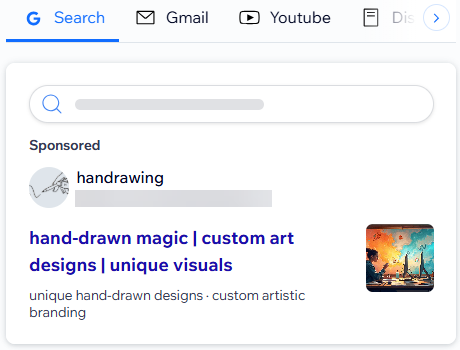
A screenshot of a PMAX Leads campaign ad preview.
New to Google Ads?
Get $500 in ads credit when you spend your first $500 within 60 days (Terms and conditions apply).

What is a Performance Max Leads campaign?

Google’s Performance Max Leads campaigns help you promote your business or services and collect leads, such as contact form submissions, quote requests, signups, or calls. They leverage machine learning to decide where and when to show your ads based on your goal and the assets you provide. Your ads can appear across Google channels including Google Search, YouTube, Google Maps, Gmail, and the Google Display Network.
Unlike the previous Smart campaigns, Performance Max Leads campaigns let you add images and other creative assets. Google combines your headlines, descriptions, and images to create different ad variations for each placement, helping your business stand out in more places.
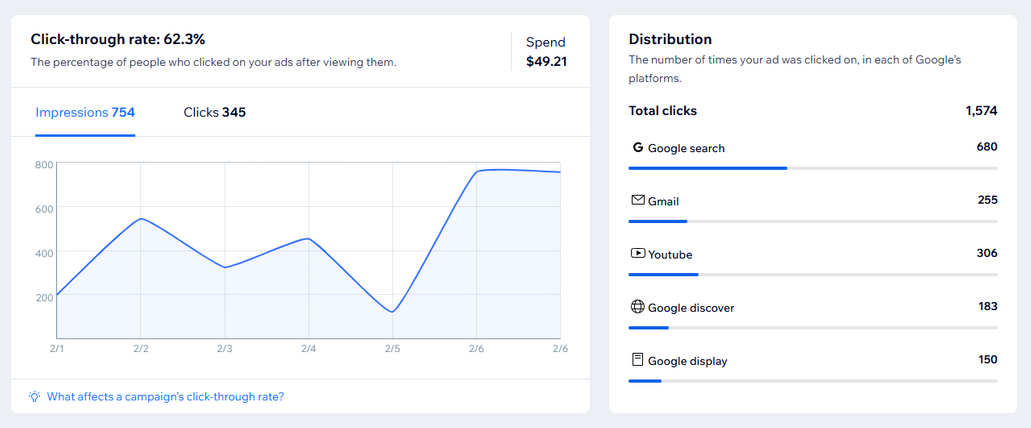
A screenshot of a PMAX Leads campaign in the Google Ads with Wix dashboard.

Creating a Performance Max Leads campaign

Create a Performance Max Leads campaign from your Google Ads with Wix dashboard. The setup for this campaign type is different from the previous Smart campaigns and gives you more control over your ad's assets and how your campaign is configured.
Select a leads-focused goal, choose where to send people who click your ad (for example, a contact or homepage), set your language and locations, upload images, and set your daily budget.
Note:
Before creating a campaign, make sure your site is eligible for Google Ads with Wix. Your site must be published, upgraded with a plan, and connected to a custom domain.

To create a Performance Max Leads campaign:

  1. Go to Google Ads in your site's dashboard.
  2. Click Create New Campaign.
  3. Click Create Leads Campaign under the Drive traffic and get leads advertising goal.
  4. Follow the guided steps to set up your campaign:
    • Choose the site page people go to after clicking your ad, such as a contact, quote request, or booking page.
    • Choose your campaign language and the location(s) where you want your ads to appear.
    • Add Search Themes that reflect what your customers would be searching online. 
    • Add your ad assets, including headlines, descriptions, logo, and images that represent your business.
      Tip: Use high quality images and use a variety of images. Having more assets allows your PMAX Leads campaigns to use a variety of combinations to make sure the right ad shows up for the right person.
    • Set your campaign’s daily budget.
  5. Purchase a subscription and launch your campaign.
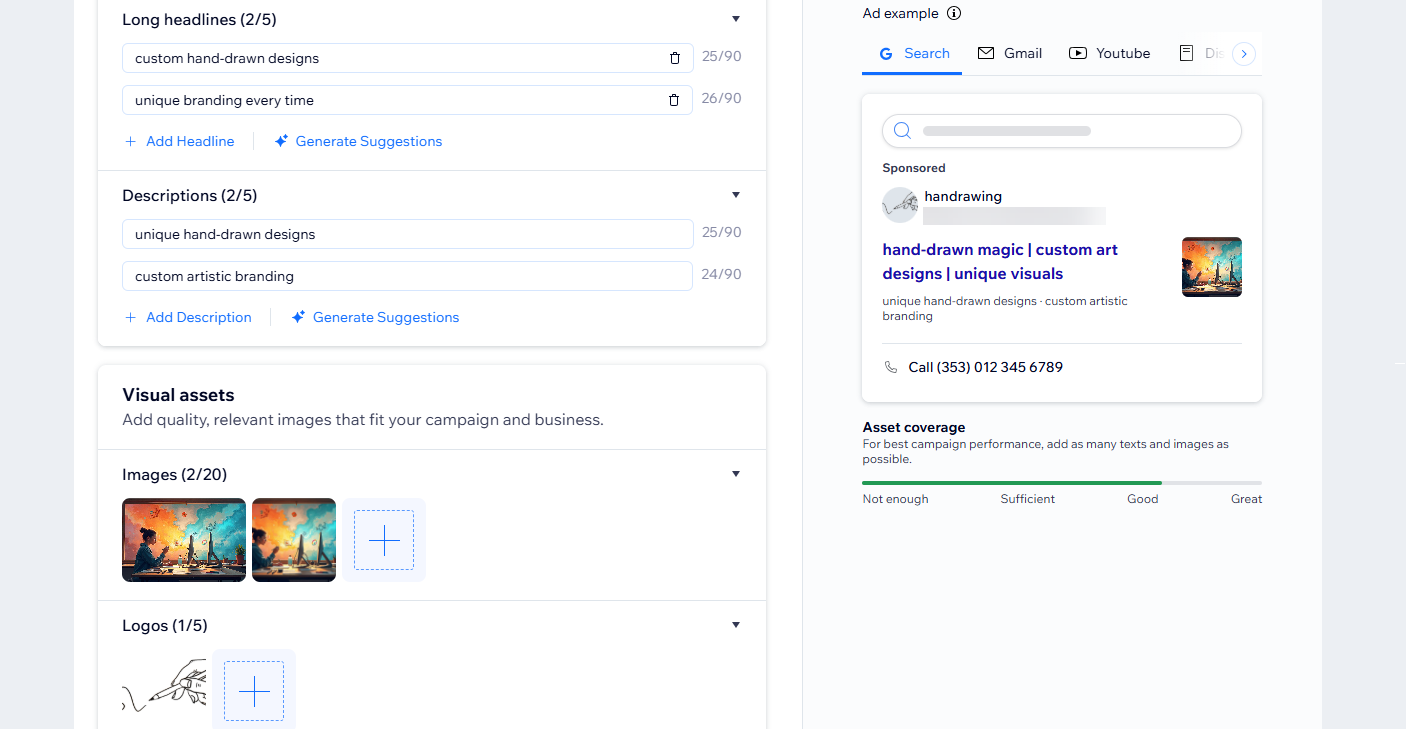
A screenshot of the setup process for a PMAX Leads campaign.
Tip:
After your campaign runs for a while, use the asset performance section in your Google Ads with Wix dashboard to see which headlines, descriptions, and images perform best. Keep strong performers, then replace or update low-performing assets and test new variations to improve your results over time.
A screenshot of the asset performance section of the Google Ads with Wix PMAX Leads campaign dashboard.

FAQs

Click a question below to learn more about Performance Max Leads campaigns.

Helpmate

Hello

Need a bit more guidance?
Summary of this article
Unlock personalized helpLog in to get the most out of Helpmate.