


Front Desk Agent: An Overview
In this article
- Increase engagement through recommended actions
- Automatically prioritize messages by importance
- Deliver faster, on-brand replies with suggested responses
- Turn conversations into actionable business insights
- FAQs
The Front Desk Agent, Juno, is an AI-powered tool that proactively drives business success through customer interactions. Juno automatically prioritizes incoming messages, suggests on-brand responses, and offers actionable insights based on cross-channel communications. It also helps grow your business by enhancing and seeking opportunities for customer engagement.
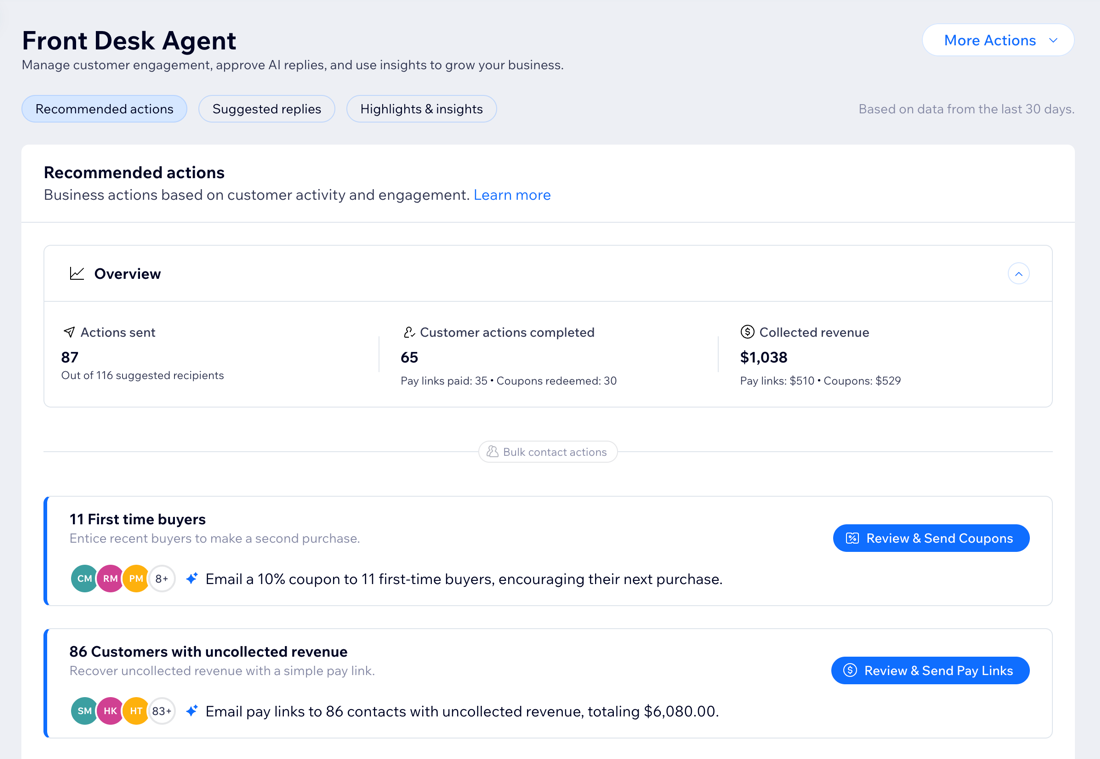
Increase engagement through recommended actions
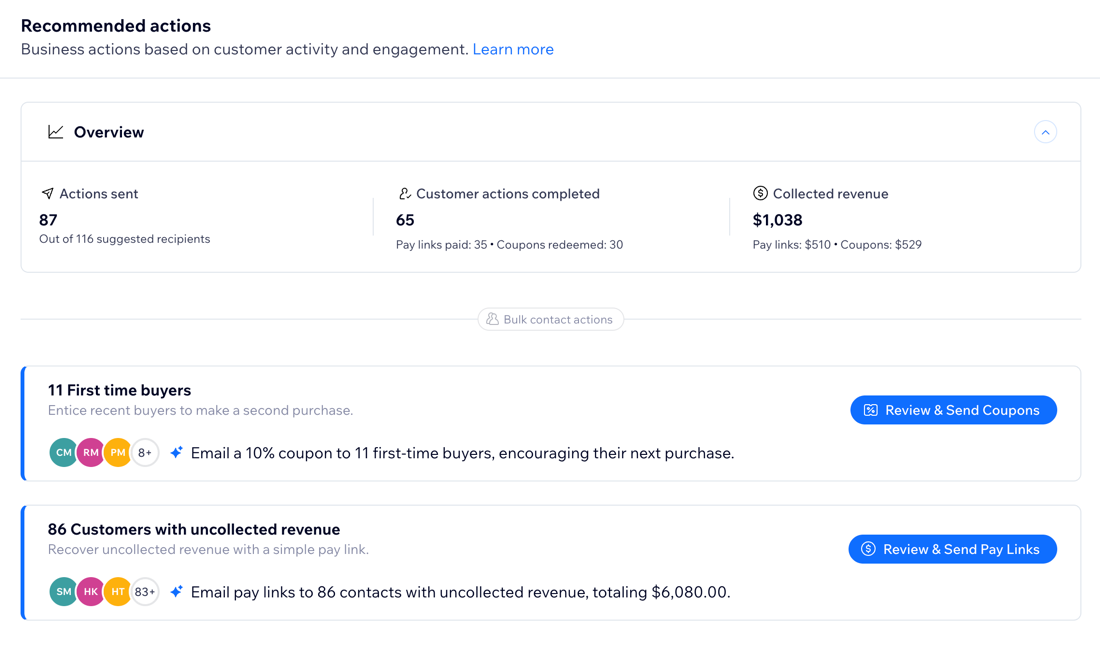
Juno continuously reviews your customers’ activity to spot moments where a simple action can make a difference. Instead of manually searching for uncollected revenue or inactive customers, you get clear recommendations on who to reach out to and how.
For example, send a pay link to recover uncollected revenue or share a coupon to re-engage a past customer. By acting on these suggestions, you turn everyday interactions into chances to grow sales and improve the customer experience.
Automatically prioritize messages by importance
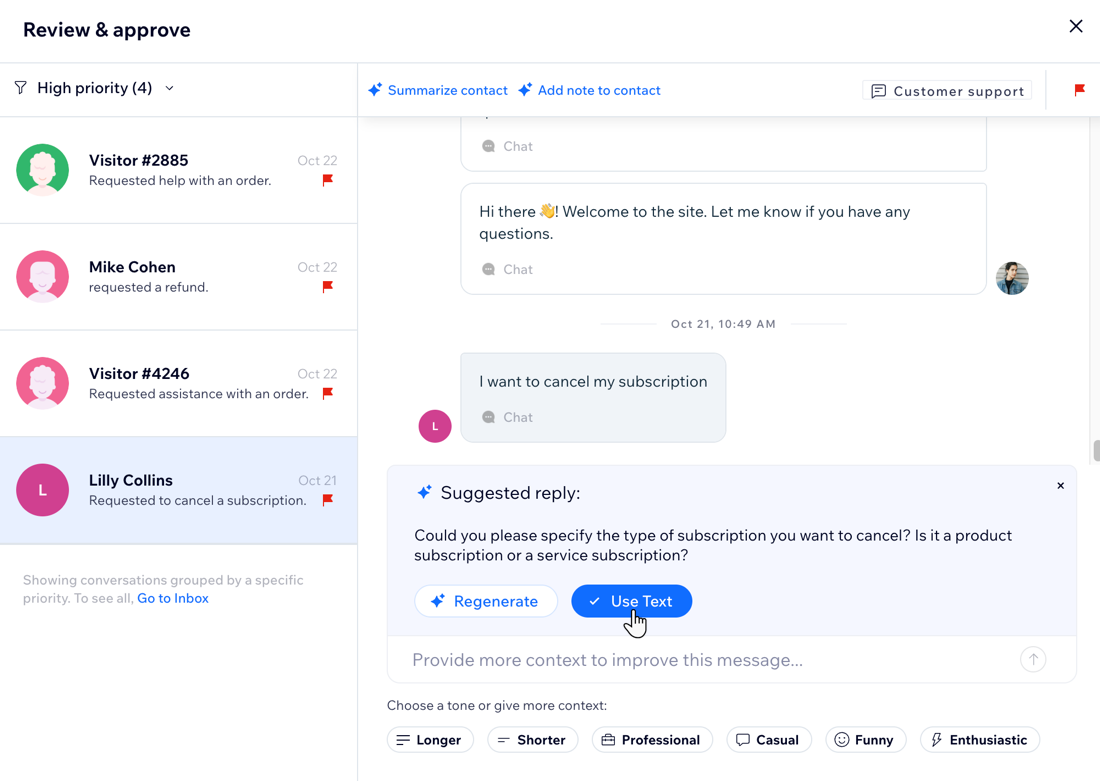
Let Juno focus your attention where it counts. Juno reviews every incoming message and flags high-priority conversations based on their context, your site information, and
custom guidelines so you get to the issues that impact your business first.
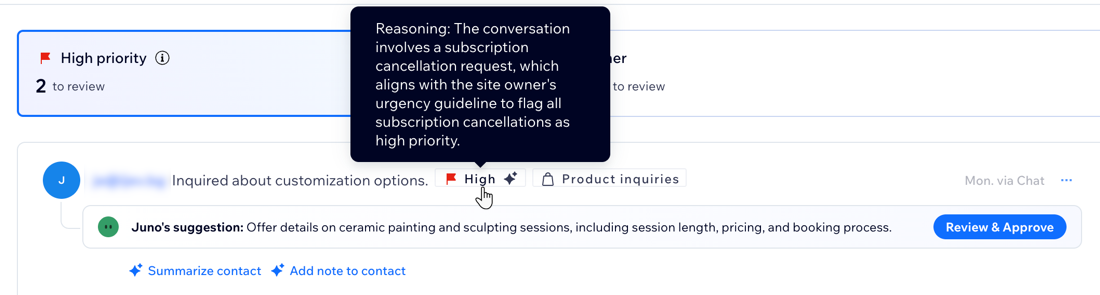
For every flagged conversation, Juno specifies why it was marked as high priority, so you know why it needs immediate attention. This works in addition to any manual priority you set in your Inbox. Conversations that match high-priority criteria are grouped under
High priority while other priority levels are grouped under
Other, so you can efficiently review conversations by order of importance.
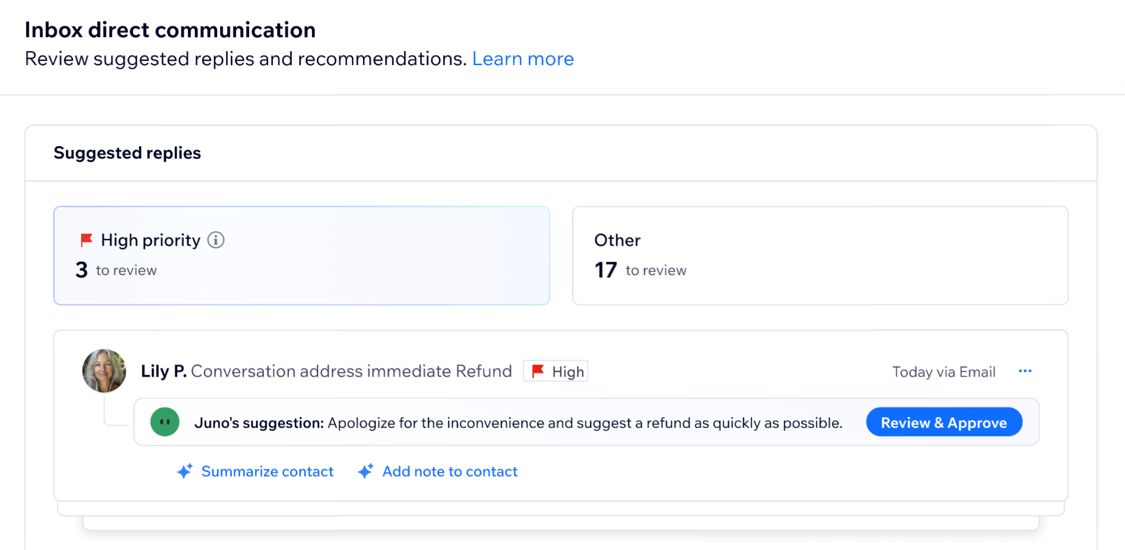
Deliver faster, on-brand replies with suggested responses
Juno prepares instant, high-quality responses for every message you receive, tailored to your brand's tone of voice and style. Each suggestion is customized to fit the message type, so all you need to do is review and approve each reply before it's sent.
Tip:
Adjust Juno's communication style to keep your communication tone consistent. For example, choose a formal tone for emails or a more casual touch for friendly interactions over DMs.
Turn conversations into actionable business insights
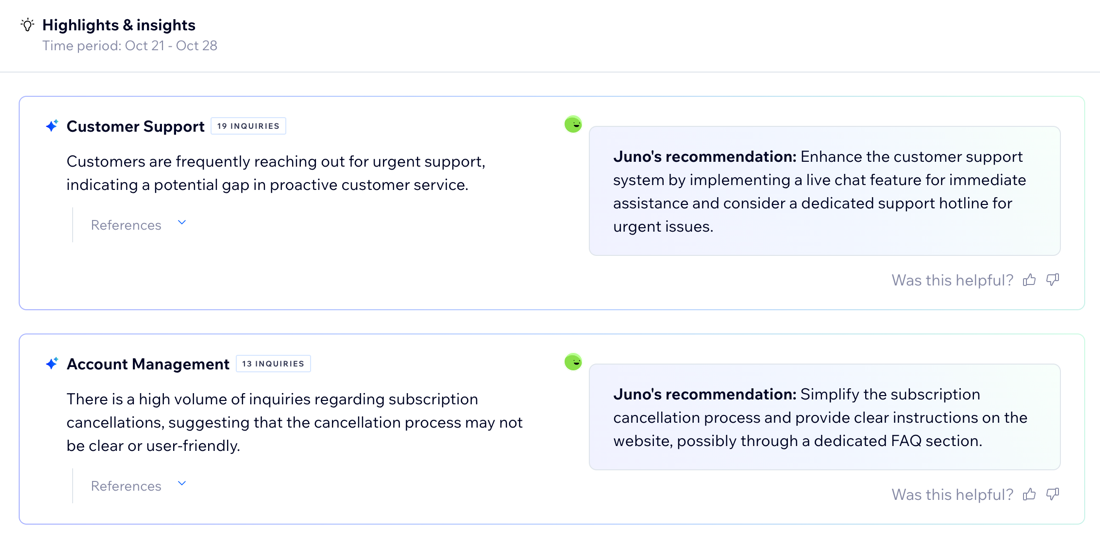
By analyzing interactions across all your channels, Juno uncovers key patterns and delivers actionable recommendations to help you enhance business performance. Each insight is backed by real conversations, with examples for context, so you can take informed action to boost your business.
What's next?
Learn how to
activate the Front Desk Agent in your dashboard and make it work for you.
FAQs
Click a question to learn more about the Front Desk Agent.
Does it cost money to use the Front Desk Agent?
What's the difference between Wix Smart Chat and the Front Desk Agent?
Does the Front Desk Agent automatically answer messages?
Can I still use my Wix Inbox?
