


Accessing Your Site's Dashboard
4 min
In this article
- Accessing your site's dashboard when signing in
- Accessing your dashboard while editing your site
- Switching to another site dashboard in your account
- FAQs
Your site's dashboard contains everything you need to manage your site and online business.
From one central location, you can access your editor, set up payment methods, contact your site's contacts, or perform other critical tasks. You can also view your site's analytics which gives you insights to understand your visitors better. Learn more about your site's dashboard
Accessing your site's dashboard when signing in
If you only have one site in your Wix account, when you sign in, you are taken directly to your site's dashboard.
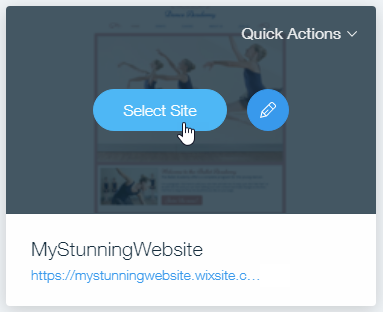
If you have multiple sites, you're directed to the Sites page, where you can access the dashboards of all your sites and easily switch between them. Just click Select Site on the one you want to access.
Accessing your dashboard while editing your site
If needed, you can access your site's dashboard directly from within your editor, allowing you to make updates without leaving your editing environment.
Wix Editor
Studio Editor
Harmony Editor
Wix app
- Go to your editor.
- Hover over the Wix logo on the top left of the editor.
- Click Go to Dashboard.

Switching to another site dashboard in your account
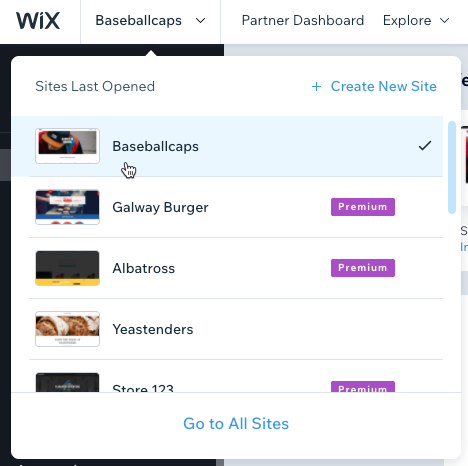
You may have multiple sites in your Wix account. You can easily switch from one site's dashboard to another.
To switch to another site's dashboard:
- Click the name of the current site you're working on at the top left of the dashboard.
- Click the site you want to access.
FAQs
Click a question below to learn more.
Why can't I find my site in my account?
Why can't I see some sections in the site dashboard?
What do I do when my dashboard is displaying incorrectly on my desktop?
Why can't I log into my account?
Why can't I find what I'm looking for in the site dashboard?
Can I assign tags to my sites?
Can I restore my site if I accidentally deleted it?
