


Wixel: Creating Widgets With AI
4 min
In this article
- Ways to use widgets in your designs
- Creating a widget
- Sharing your widgets
- FAQs
Widgets in Wixel let you add interactive experiences to your designs by creating custom elements with AI. Instead of working only with static content, you can build widgets that respond to clicks, hovers, inputs, and other actions.
Because widgets are custom, you are not limited to the options that currently exist in Wixel. If there is a type of interaction or element you cannot build yet with the regular tools, you may be able to create it as a widget instead.
Note:
Actions that involve generating and editing widgets with AI use AI credits.
Ways to use widgets in your designs
Widgets can cover a wide range of small, focused experiences. You decide what they do and how complex they are, from a single animated number to a mini app with logic.
Here are some ideas for what you can create:
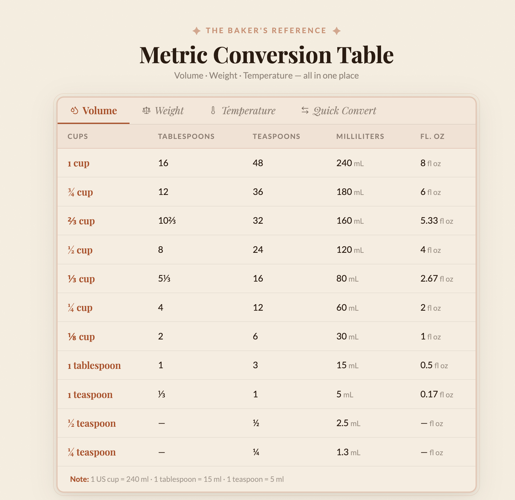
- An interactive table that lets people sort or explore data.
- A mini game, such as a Snake or Tetris‑style experience for a campaign.
- An interactive infographic that highlights data as people interact with it.
- A calculator, such as a pricing or mortgage calculator.
- A mini-app, such as a password generator.
Creating a widget
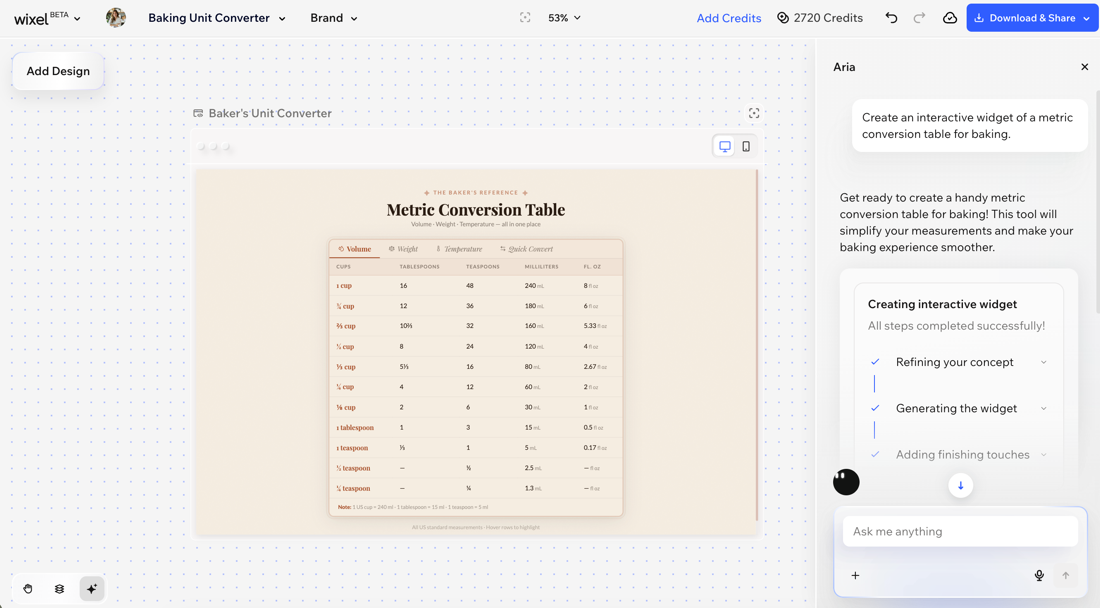
Create a widget by describing to Aria what you want to build. A good description should include what the widget should do, how people should interact with it, and the style you want it to have. The more specific your prompt is, the easier it is to generate a result that fits your vision.
To create a widget:
Desktop browser
Wixel app
- Go to your project in Wixel.
- Ask Aria to create the widget you want. For example, “Create an interactive widget that is a pricing calculator with 3 plan options with a clean, professional look.”
Tip: Aria will generate the widget and add it as a new asset to your project. - (Optional) Change the theme to adjust the widget's colors and fonts to match the rest of your project.
Not happy with the result?
Tell Aria what to change in the widget or click Regenerate on the action bar to have Aria generate a different version of the widget. If you want to keep the original widget as an option, duplicate the widget first and then regenerate the copied widget.
Sharing your widgets
You can use widgets in different ways depending on how and where you plan to share them. When you finish a widget, you can create a live, shareable link that keeps the widget interactive.
This lets you embed it in other tools that support URLs, such as documents, presentations, and other platforms. You can design an interactive widget once in Wixel and then reuse it across many different channels.
Tip:
Widgets live inside the project you are working on, alongside your other designs. This keeps everything for a specific client or campaign in one place. Over time, your projects can become a reusable toolkit of widgets and designs you adapt for different formats, audiences, or campaigns.
FAQs
Click a question below to learn more about widgets in Wixel.
Are there widget templates I can start from?
Where are my widgets stored?
Can I use widgets outside of Wixel?
