


Wix Vibe: Creating a Site from a Figma Design or Website URL
3 min
In this article
- Generating a site from a Figma file
- Generating a site from a URL
- FAQs
Bring your vision to life by using an existing design as your foundation. Instead of writing a text prompt, you can generate a new Wix Vibe site directly from a Figma file or by using a website URL. Wix Vibe uses these sources to create a fully responsive site that matches your design or reference.
Generating a site from a Figma file
Wix Vibe allows you to convert Figma designs directly into responsive websites. The AI analyzes your Figma file and builds a site that mirrors the layout and style.
Best practices for optimizing your Figma design for accurate conversion
- Structure your layout: Divide your page into logical sections by wrapping content in frames or groups.
- Use Auto Layout: Use Auto Layout to represent relationships between elements. For example, group an image, title, and description using Auto Layout to define the hierarchy.
- Flatten vectors: Combine multiple vector paths into a single vector whenever possible. Use Outline Stroke for shapes like lines or circles, then flatten them into a single element.
- Clean up your file: Remove hidden elements and extra fills (only the top fill is imported) to avoid issues.
Important:
- File Type: Only Figma Design files are supported (not Figma Slides or FigJam).
- Link Type: You must use a link to a specific frame or section, not the full file or a page-level link.
- Permissions: Set the Figma link permissions to "Anyone with the link – Can view". You can make the file private again after the import is complete.
To generate a site from Figma:
- Go to vibe.wix.com.
- Click Figma link below the prompt field.
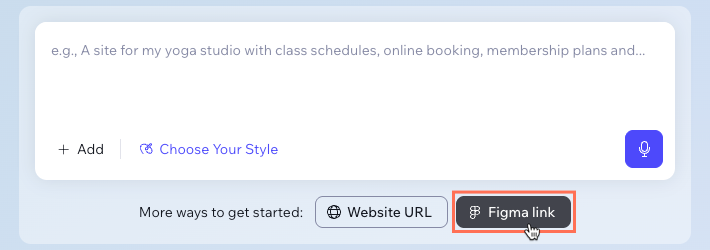
- Paste the link to your specific Figma frame.
Tip: Learn how to copy frame links from Figma. - Click Generate Site.
Generating a site from a URL
You can use an existing website to create your new Wix Vibe site. When you provide a URL, Wix Vibe recreates the look and feel of that site, matching the page's design, text, and images as closely as possible.
Note:
This process recreates the homepage based on your link. All other internal pages (e.g., About, Services) are generated by AI to match the style of the homepage.
To generate a site from a URL:
- Go to vibe.wix.com.
- Click Website URL below the prompt field.
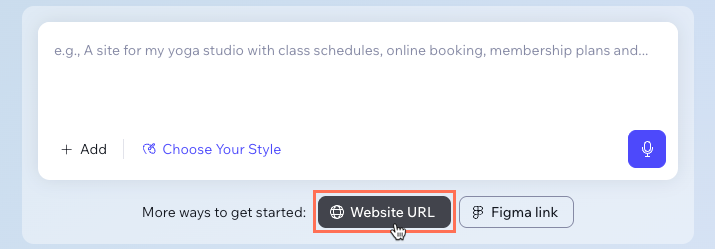
- Paste the URL of the website you want to use.
- Click Generate Site.
FAQs
Click a question below to learn more about importing designs to Wix Vibe.
Can I generate more pages from my Figma design?
Which fonts are supported in Figma imports?
Are all Figma design effects supported?
Can I include a text prompt or attach files when starting with a link?
