Wix Restaurants: Troubleshooting Thermal Printing of Online Orders from the Wix App
3 min
Having trouble
auto-printing Wix Restaurants orders from the Wix app? Click the error message below to see the steps to resolve the issue.
Before you begin:
- With the Wix app, you can print receipt-sized orders using the supported printers.
- The supported thermal printers connections are: Bluetooth, WiFi and Ethernet.
Make sure the bluetooth status indicator light is on
Pair the bluetooth printer to your mobile device/iPad
Turn on location services
Enable nearby devices permissions
Printer was added but not connected
Low paper
Lid open
Couldn't print test order due to connection error
Read your printer's manual:
Still need help?
If the problem persists,
contact us with the following information:
- The name or URL of your Wix site.
- The manufacturer, model and operating system of your mobile device (e.g. Apple iPhone 6s, Samsung Galaxy S4).
- The manufacturer and model of your printer.
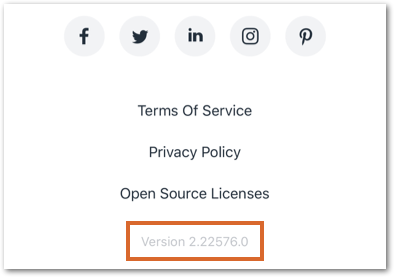
- The version of the Wix app you're using. To find this:
- Open the Wix app.
- Tap the Profile icon at the top left.
- Tap About the App under Help & Feedback.
- Scroll down to the bottom of the screen and copy the number next to Version.