Wix Restaurants: Troubleshooting Printing Orders from the Wix App
Important:
- This article is about the original Restaurants Orders app.
- We've released a new online ordering app. Learn how to add and set up the new Wix Restaurants Orders (New) app.
If you're having trouble printing Wix Restaurant orders from the Wix app, try the troubleshooting steps below.
Before you begin:
Check that you are using a compatible printer. To print orders from the app, you must have a network/WiFi printer or Star Micronics TSP143
/
Star Micronics TSP654II bluetooth receipt printers.
Make sure the bluetooth status indicator light is on
Pair the bluetooth printer to your mobile device/iPad
 at the bottom.
 at the top right.
Reset the bluetooth settings on your printer
 to the right of the printer name.
Troubleshooting the Star Micronics TSP654II
 to the right of the printer name.
 Still need help?
If the problem persists,
contact us with the following information:
- The name or URL of your Wix site.
- The manufacturer, model and operating system of your mobile device (e.g. Apple iPhone 6s, Samsung Galaxy S4).
- The manufacturer and model of your printer.
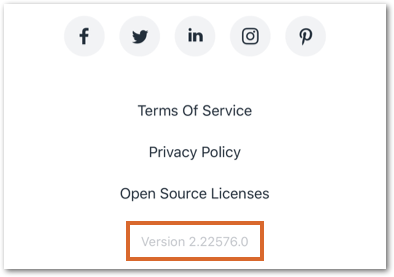
- The version of the Wix app you're using. To find this:
- Open the Wix app.
- Tap the Profile icon at the top left.
- Tap About the App under Help & Feedback.
- Scroll down to the bottom of the screen and copy the number next to Version.