


Wix Restaurants: Setting Up Menus for Multiple Locations
In this article
- Step 1 | Add new restaurant locations
- Step 2 | Add menus to your new restaurant location(s)
- FAQs
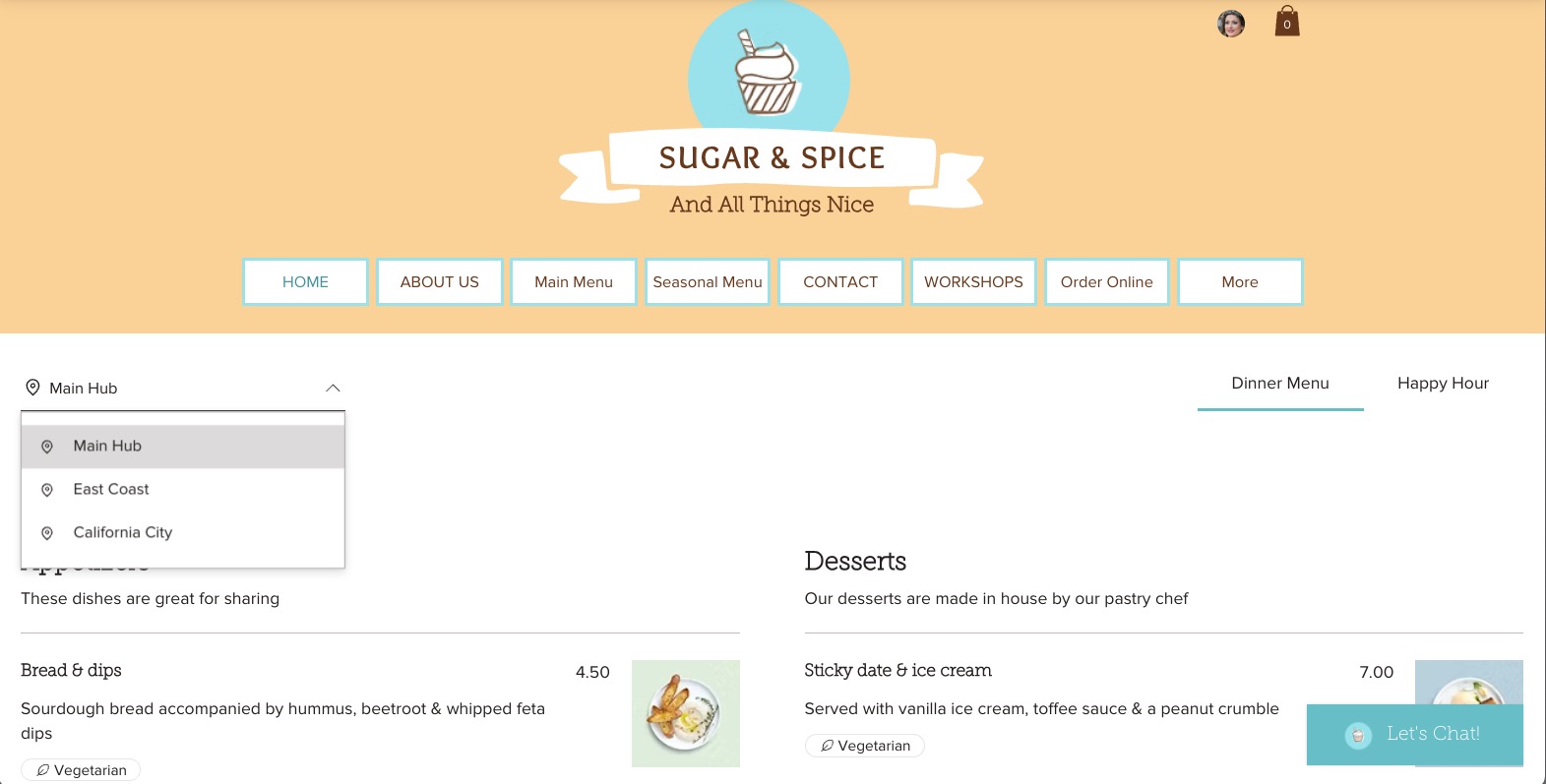
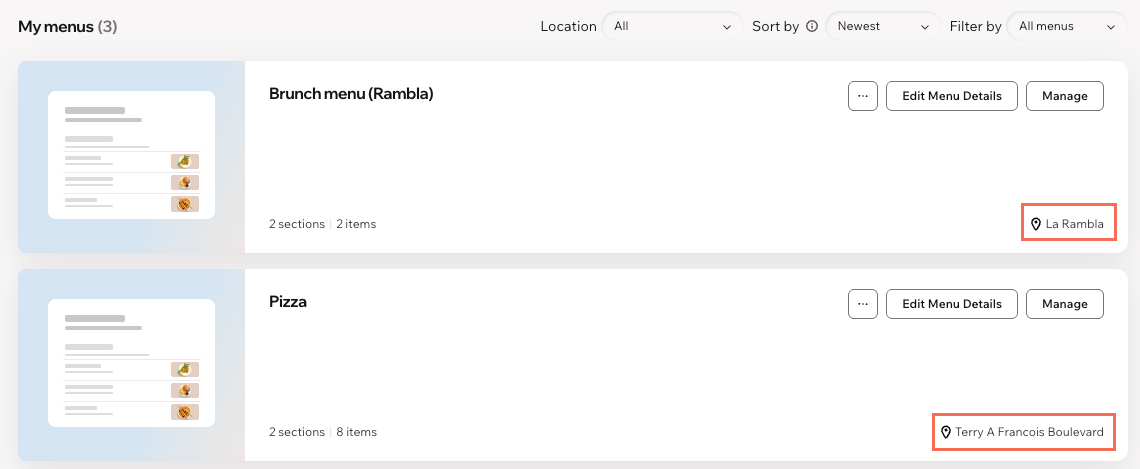
With the Wix Restaurants Menus (New) app, each location can have its own menu so customers who visit your site can choose their preferred location and see what is available.
Step 1 | Add new restaurant locations
Start by adding your restaurant locations to customize their menus.
To add a restaurant location:
- Go to Business Info in your site's dashboard.
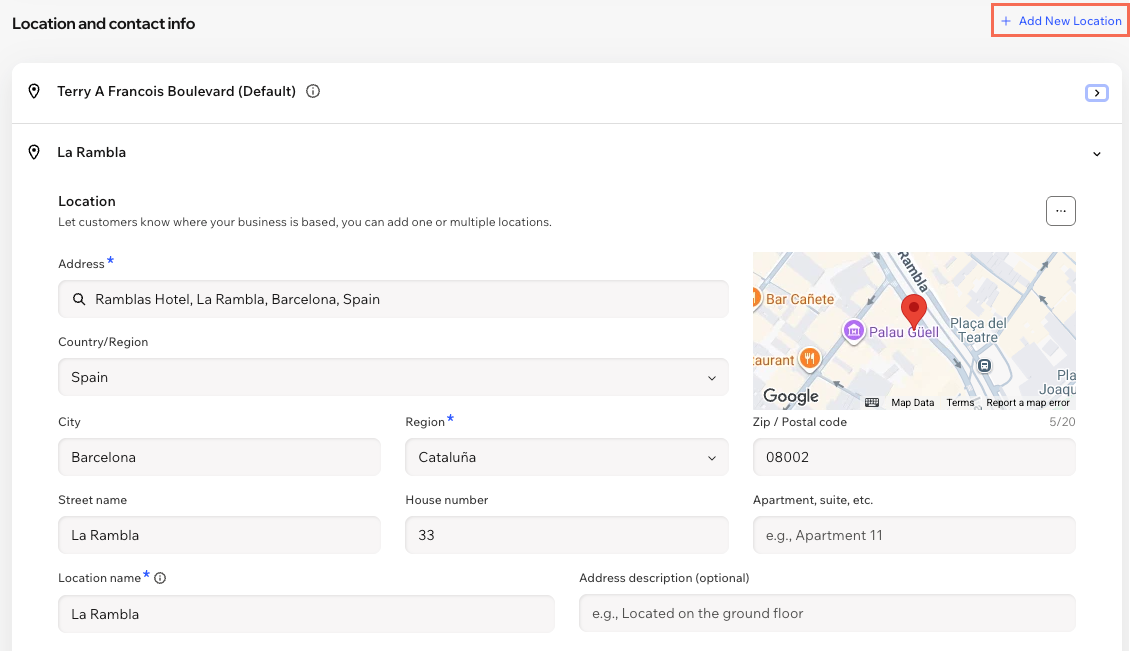
- Click + Add a Second Location next to Location and contact info.
Tip: If you've already added a second location, click + Add New Location. - Enter your location details:
- Address: Start typing your restaurant's street address and select it from the drop-down list.
- Location name: Enter a name for this restaurant location.
Tip: The default location name is based on your address, but you can always change it here. - Address description (optional): Enter an address description to help customers find you (e.g. side entrance).
- Enter the Contact info for your new location (email, phone, fax).
- (Optional) Click the Time zone drop-down and select the relevant option.
- Click Save.
Step 2 | Add menus to your new restaurant location(s)
Create location-specific menus and display them on your live site based on where they're offered. For special menus, you can
choose their online availability by limiting them to specific weekdays, times, or special dates.
To add menus to a restaurant location:
Go to Restaurant Menus in your site's dashboard.
Choose the relevant option:
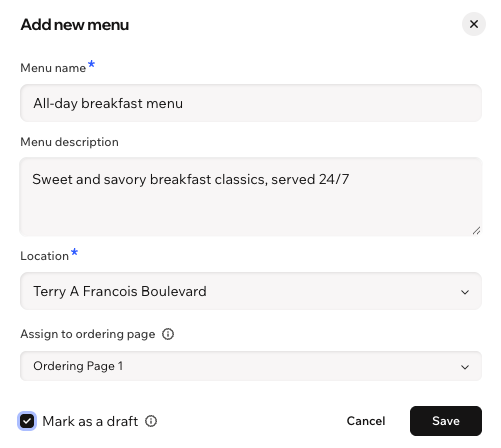
Create a new menu for a location
Duplicate an existing menu
 next to the relevant menu.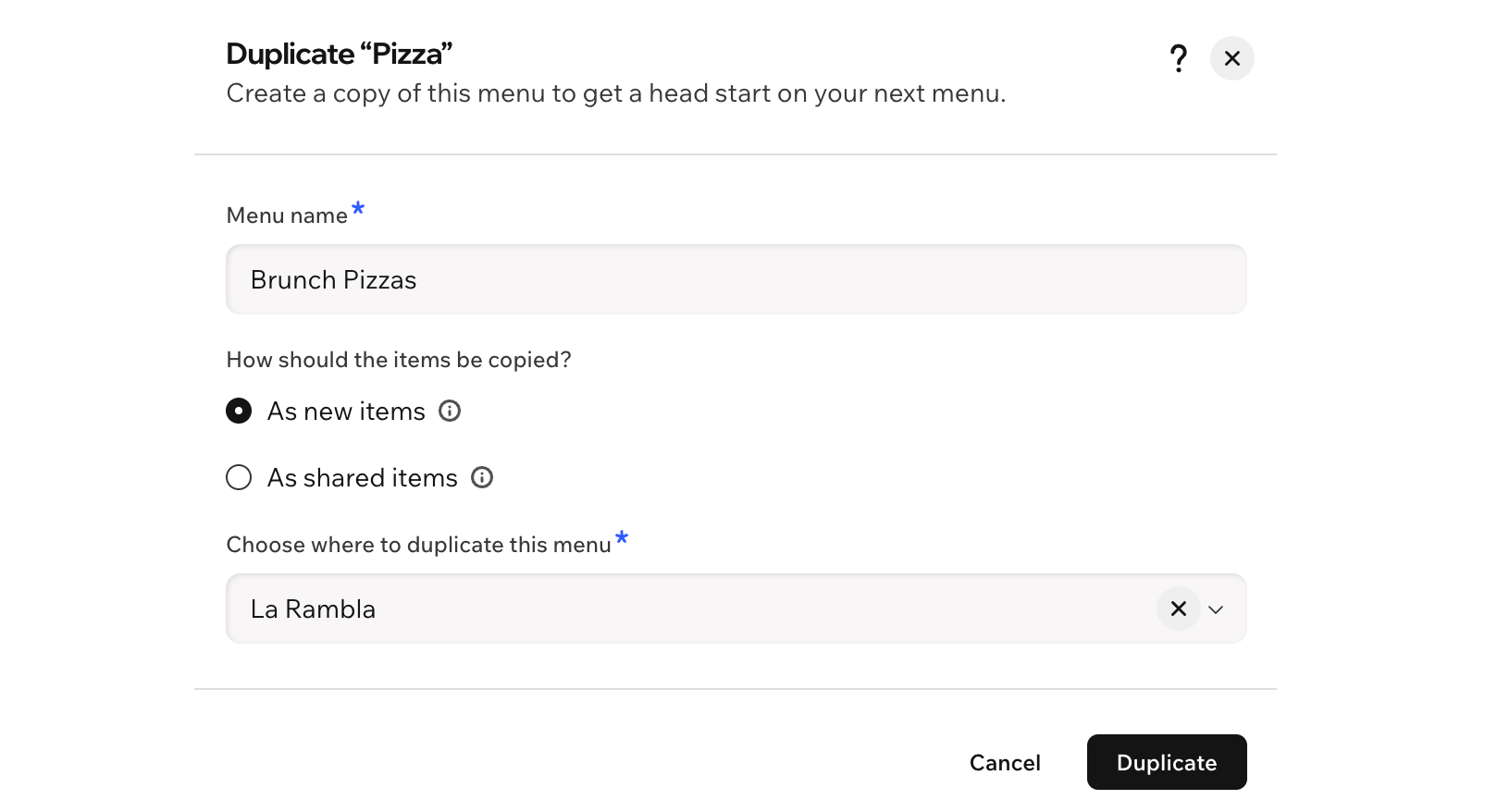
FAQs
Click a question to learn more about setting up additional restaurant locations for menus.
Can my customers visit a specific location instead of the default page?
Can I delete a restaurant location?
 next to the relevant location.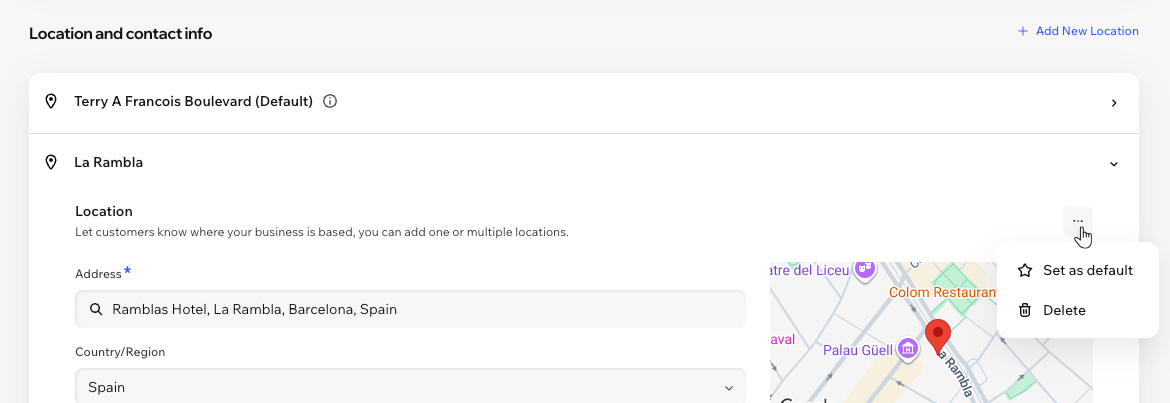
Can I assign a menu to more than one location?
Can I change the location of a menu?
Can I assign a menu to a location from my Restaurant Orders Settings page?
Can I design the page of each location?
Can I give different team members access to specific locations?