


Wix Harmony Editor: Embedding a Link or HTML Code
In this article
- Embedding code or a site
- Adjusting the sizing of the displayed content
- Guidelines
- Troubleshooting your embed
Show content from other platforms right on your site by embedding a code snippet or URL. Use it to bring in helpful widgets like a countdown timer or a weather forecast, or display content from another site directly on your page — so everything your visitors need is in one place.
Embedding code or a site
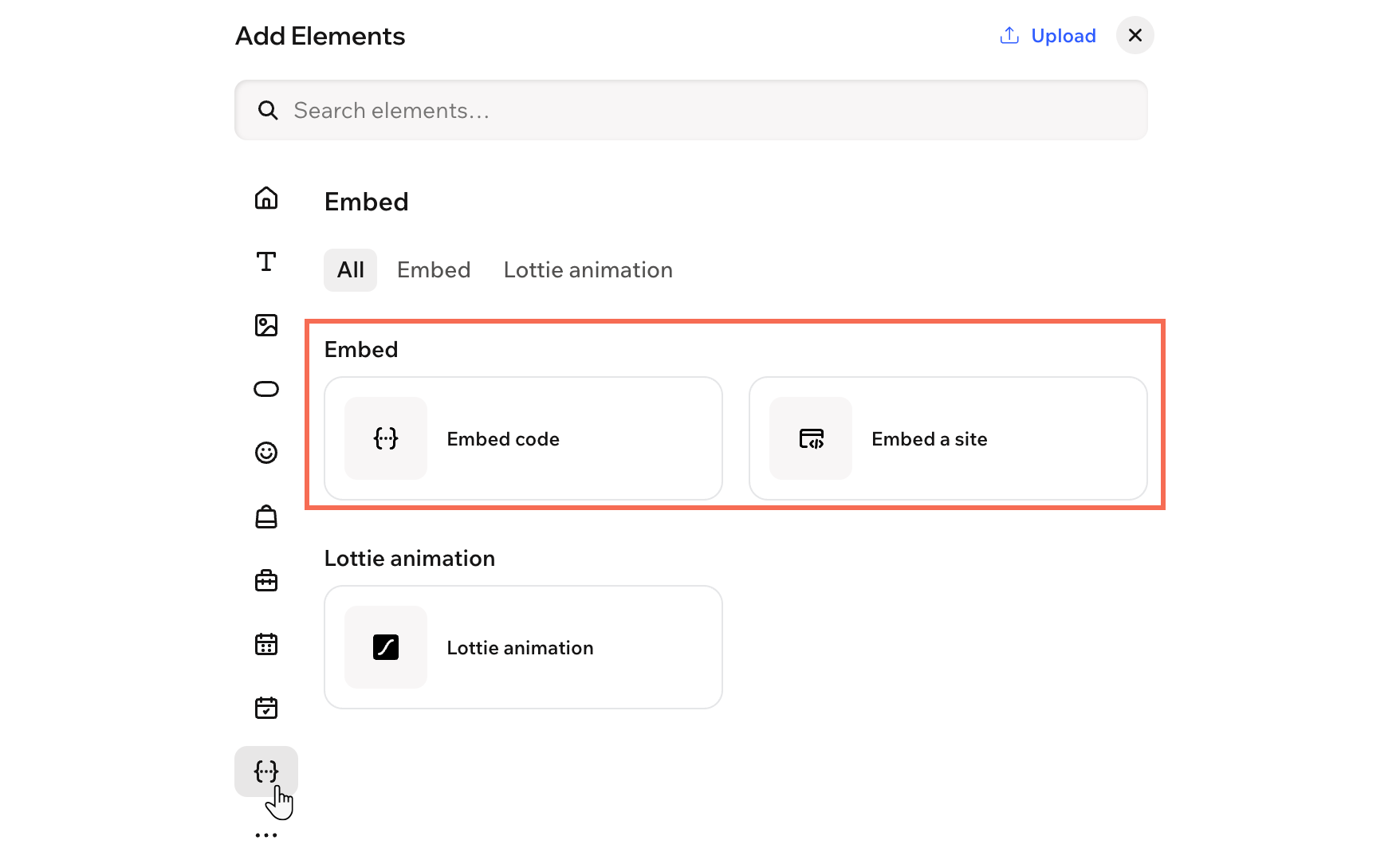
Head over to the Add Elements panel to add a new embed to your site. Choose whether you want to embed a code snippet or display content from an external URL, then set it up as needed.
Important:
Make sure to read our
guidelines before embedding your code or link.
To add an embed:
- Go to your editor.
- Click + Add at the top left of the editor.
- Select Elements.
- Hover over the More Options icon
 , then scroll down and click Embed
  .
. - Drag the Embed code or Embed a site element onto the page.
- Click the Settings icon
 on the action bar.
 - Set up the link or code you'd like to embed:
Embed code
Embed a site
Adjusting the sizing of the displayed content
When you add embed code from another service, it often includes fixed width and height values in pixels, just like in the example below.
1<iframe width="560" height="315"
2       src="https://www.wix.com"
3        frameborder="0">
4</iframe>
If your iFrame container is smaller than those values, part of your content may get cut off on the page. For a smoother fit, replace the pixel values with percentages set to 100%. This way, your embedded content automatically resizes to match the space you give it.
1<iframe width="100%" height="100%"
2       src="https://www.wix.com"
3        frameborder="0">
4</iframe>
Guidelines
Before embedding your code or link into the iFrame, we recommend reading the following guidelines.
Code
- Always make sure the code you are embedding is up to date and HTML5 compatible. Most browsers don't display pages and scripts properly if they were written using older versions of HTML.
- HTML code contains the core elements of the page, but the design settings and other complex functionalities are usually stored separately. Therefore, some elements may not function or look the same if the relevant elements aren’t included as a reference within the HTML code, for example the CSS and JS files.
Link
- If you are not sure how to use the target attribute, read about it here or contact the code creator.
- Make sure that your link contains HTTPS, not HTTP, or it will not be displayed on your live site.
Troubleshooting your embed
Encountered issues while embedding your code or link? Click an issue below to learn more about it and get troubleshooting steps.
Important:
We cannot provide support for external code that was not created or tested by Wix. If the below steps do not resolve the issue with your code snippet, please contact the provider directly.
The content in my embed looks cropped
Elements don't look / function as they should
The links in my iFrame are not working
The content in my iFrame is not responsive to different screen sizes
My iFrame isn't displaying the website
