


Wix Bookings: Allowing Clients to Cancel or Reschedule Sessions
4 min
In this article
- Allowing clients to cancel / reschedule bookings
- FAQs
Give your clients more control over their bookings by allowing them to view, reschedule, or cancel sessions online. Both site members and non-members can manage their bookings directly from your site without needing to contact you.
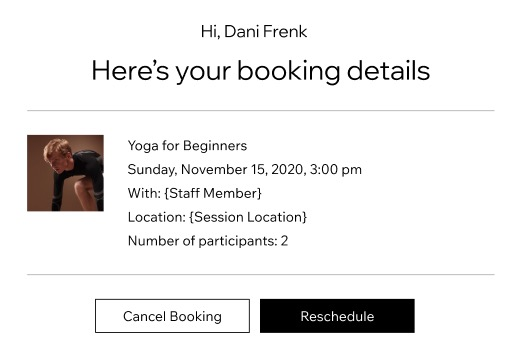
Each client receives a unique link to their booking, where they can view booking details and cancel or reschedule sessions according to your booking policy.
Allowing clients to cancel / reschedule bookings
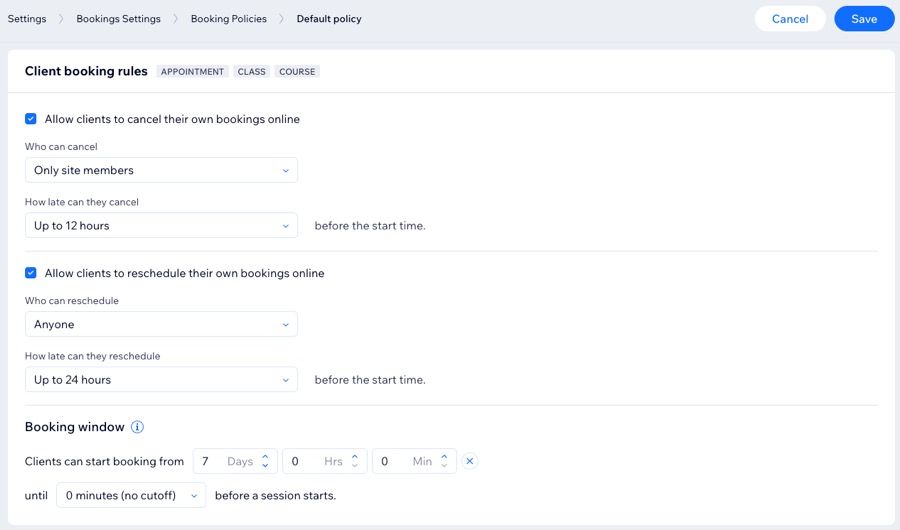
Set your client booking rules by choosing who can cancel or reschedule bookings, how late clients can make changes, and when booking availability opens and closes.
To allow clients to cancel / reschedule a booking:
- Go to Booking Settings in your site's dashboard.
- Scroll down and click Booking policies.
- Choose the relevant option:
- Add a new policy: Click + Add a New Policy.
- Edit an existing policy: Click the More Actions icon
 next to the relevant policy, then click Edit.
- Scroll down to Client booking rules and set the relevant rules:
Allow clients to cancel their own bookings online
Allow clients to reschedule their own bookings online
FAQs
Click a question below to learn more about cancelling or rescheduling a booking session.
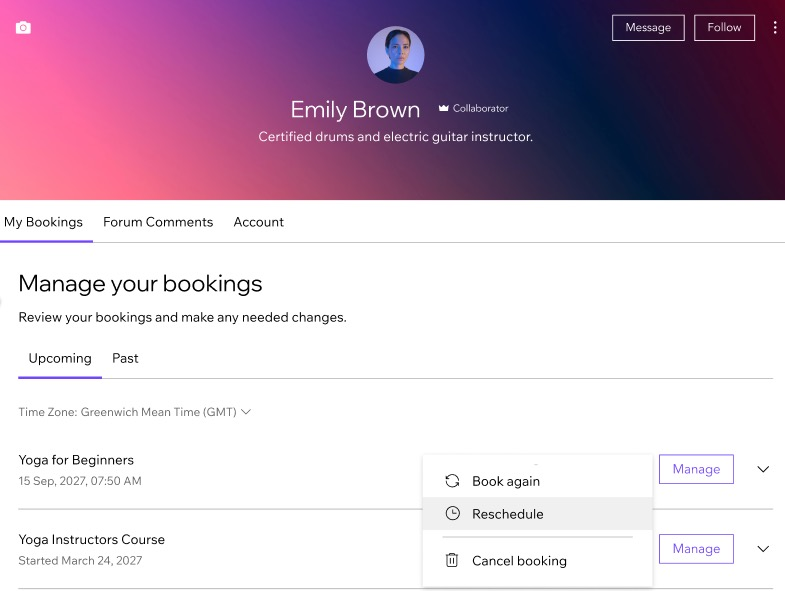
Can clients cancel or reschedule bookings from the members area?
Do non-members need to contact me to cancel or reschedule a booking?
Why can’t my clients reschedule certain sessions themselves?
How can I reduce last-minute cancellations and no-shows?
Can clients manage their bookings from the Wix mobile apps?
What happens to a pricing plan session when a client cancels?
How can clients manage their booking?
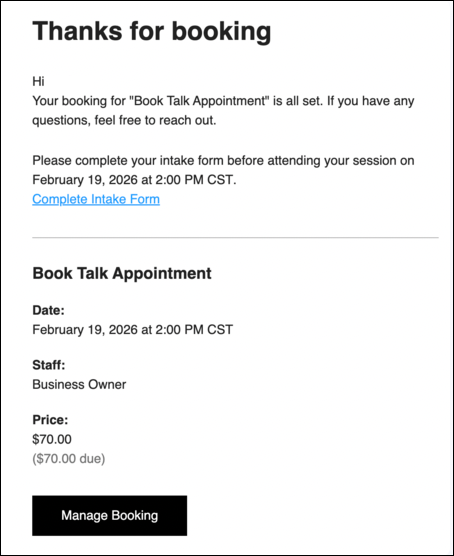
Why don't I see the 'Manage Booking' button in my email?
