Wix Legends: Previewing and Testing Your Legend
In this article
- Previewing and testing your Legend
- FAQs
The Preview page lets you experience your Legend exactly as your visitors will. You can test out how your Legend responds to messages, voice calls, and video calls before making it public. Make sure everything sounds and looks the way you want and make adjustments to improve your Legend's performance.
Note:
There is a 10 minute limit on voice and video calls, there is no limit to chat conversations.
Previewing and testing your Legend
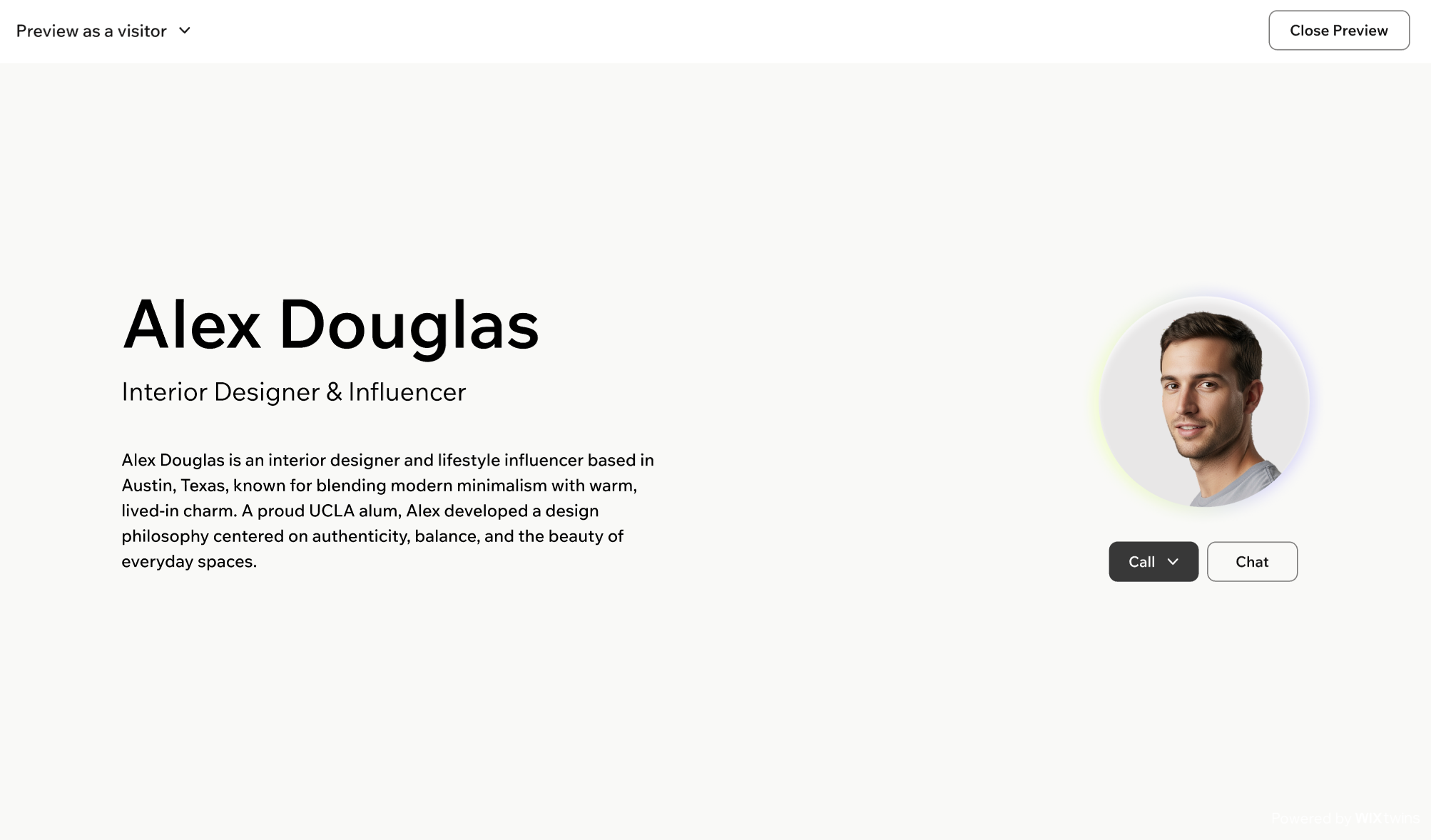
Try chatting, have a voice call or video call to make sure your Legend feels right. You’ll also see key details about your Legend, such as your title and bio, that shape your visitors' first impression.
To preview and test your Legend:
Desktop browser
Mobile browser
- Go to Wix Legends.
- Click Preview at the top right.
- Use the dropdown at the top left to choose how to preview your Legend:
- View as a visitor: See your Legend exactly as a visitor sees it. Review the name, title, and bio and interact with your Legend as a visitor would.
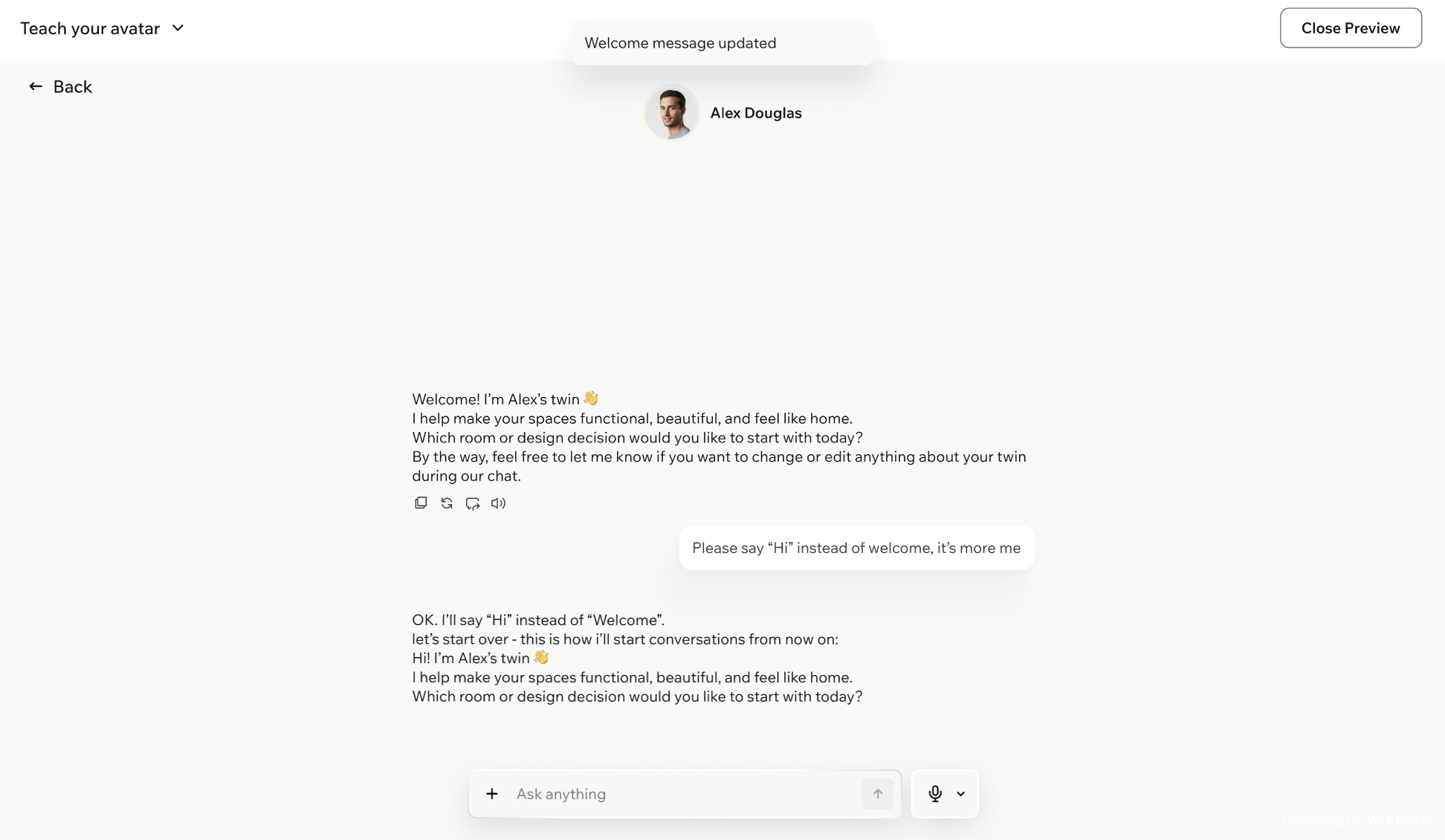
- Teach your Legend: Test your Legend's knowledge and responses, and update it in real time during the conversation. If something sounds off or they're missing information, you can correct it on the spot by telling your legend what to change.
Tip: This mode applies your feedback immediately, so you don't have to go back to your workplace and updating the settings manually.
Notes:
- Your conversations in the Preview page aren't saved, so take notes of what you want to improve before exiting the page.
- The Preview page will only show the call options you enabled in the Appearance tab.
FAQs
Click a question below to learn more.
What should I check for on this page?
Can I test all communication modes on the Preview page?
When should I talk to Atlas or use the 'Teach your Legend' mode?
How do visitors experience my Legend's page?