


Wix Forms: Managing Access To Form’s Submissions
- Managing access to form submissions
- To manage access to form submissions:
- FAQs
By default, only the site owner and collaborators with the relevant permissions can view form submissions. You can also open access to logged-in site members or to anyone on the web.
This article explains how to manage who can access submissions for each form, including how to allow access for site members, allow public access, and remove access you already granted.
Giving people access to form submissions does not automatically show those submissions on your live site. To display submissions on your site, you need to create a section or page for them and connect it to your form submission data.
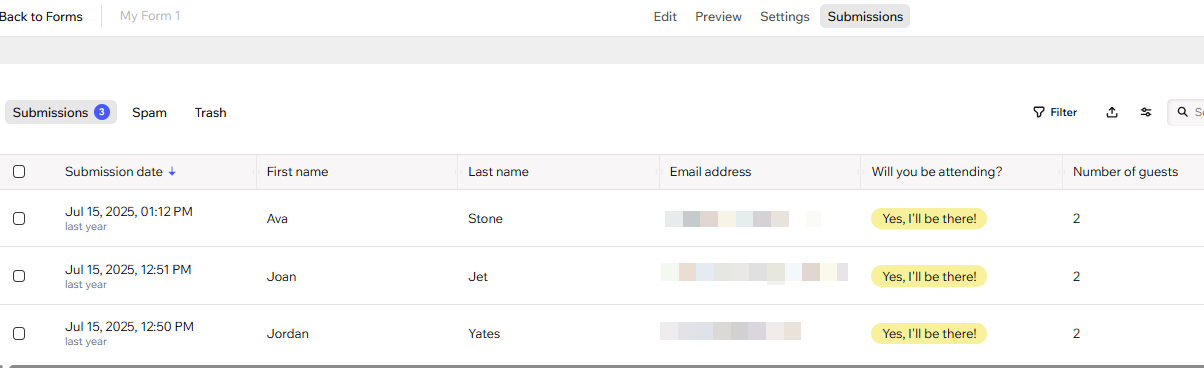
Managing access to form submissions
When you allow site members to access your submissions, any site visitor who is signed in as a member can view the responses for that form.
To manage access to form submissions:
Go to Forms & Submissions in your site's dashboard.
Click the More Actions icon
 next to a form.
Click Form Settings.
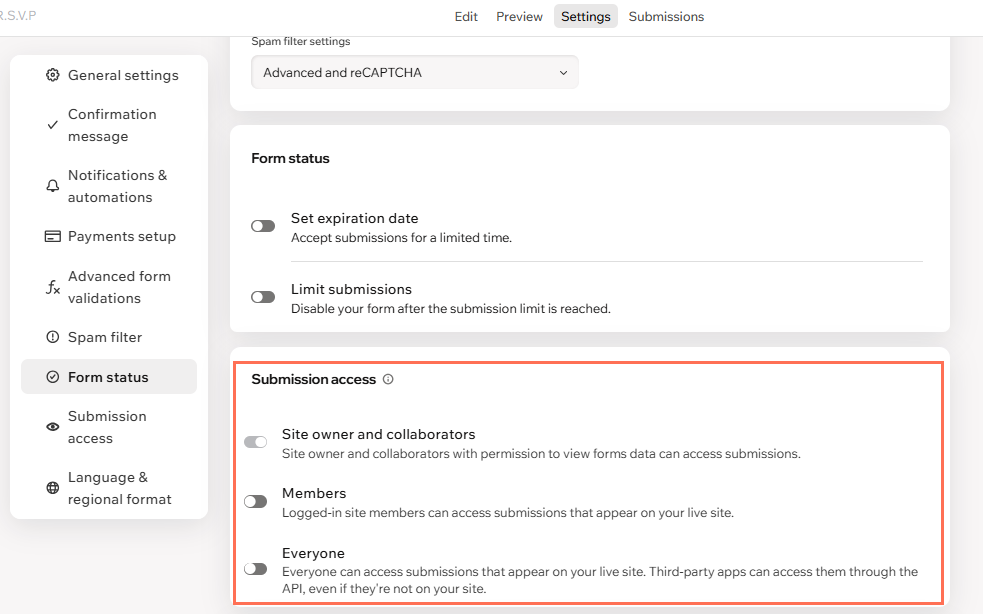
Scroll to Submission access.
Choose who can access submissions:
Site owner and collaborators: Enable the toggle to allow the site owner and collaborators with permission to view forms data to access submissions.
Members: Enable the toggle to allow logged-in site members to access submissions that appear on your live site.
Everyone: Enable the toggle to allow anyone to access submissions that appear on your live site. Third-party apps can also access these submissions through the API, even if they are not installed on your site.
Click Save.
FAQs
Click a question below to learn more.
