


Site Members: Adding and Customizing the Profile Page
In this article
- Adding the Profile page
- Customizing the Profile page
Give site members their own profile where they can introduce themselves to your community. They can customize it with a short bio, images, videos, and more.
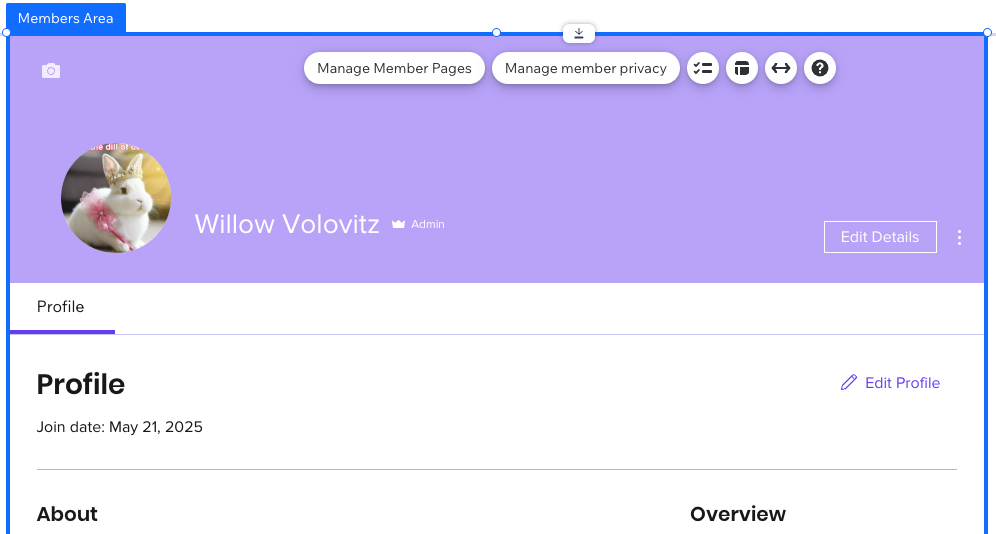
Adding the Profile page
When you use social apps such as Wix Groups, a Profile page is usually added to your site automatically. If it is not already part of your members area, you can add it at any time.
Wix Editor
Studio Editor
- Go to your editor.
- Click Pages & Menu
 on the left side of the editor.
 - Click Members Area.
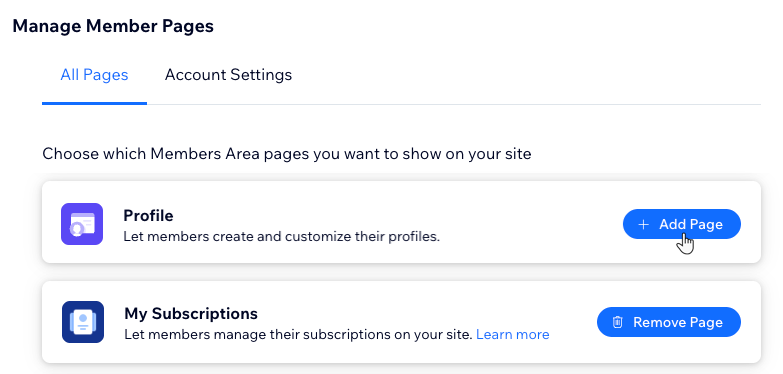
- Click + Manage Member Pages.
- Click + Add Page next to Profile.
Customizing the Profile page
Customize the Profile page so it reflects your brand and gives members the info they need at a glance. You can adjust the profile card, layout, and text so the design, content, and actions on this page all match your style.
Wix Editor
Studio Editor
- Go to your editor.
- Click Pages & Menu on the left side of the editor.
- Click Members Area.
- Click the Profile page.
- Choose what you want to customize:
Member Profile Card
Profile element
Tip: