Hopp by Wix: About Hopp Blocks
6 min
In this article
- Basics
- Links
- Commerce
- Leads & Forms
- Content
- Integrations
- FAQs
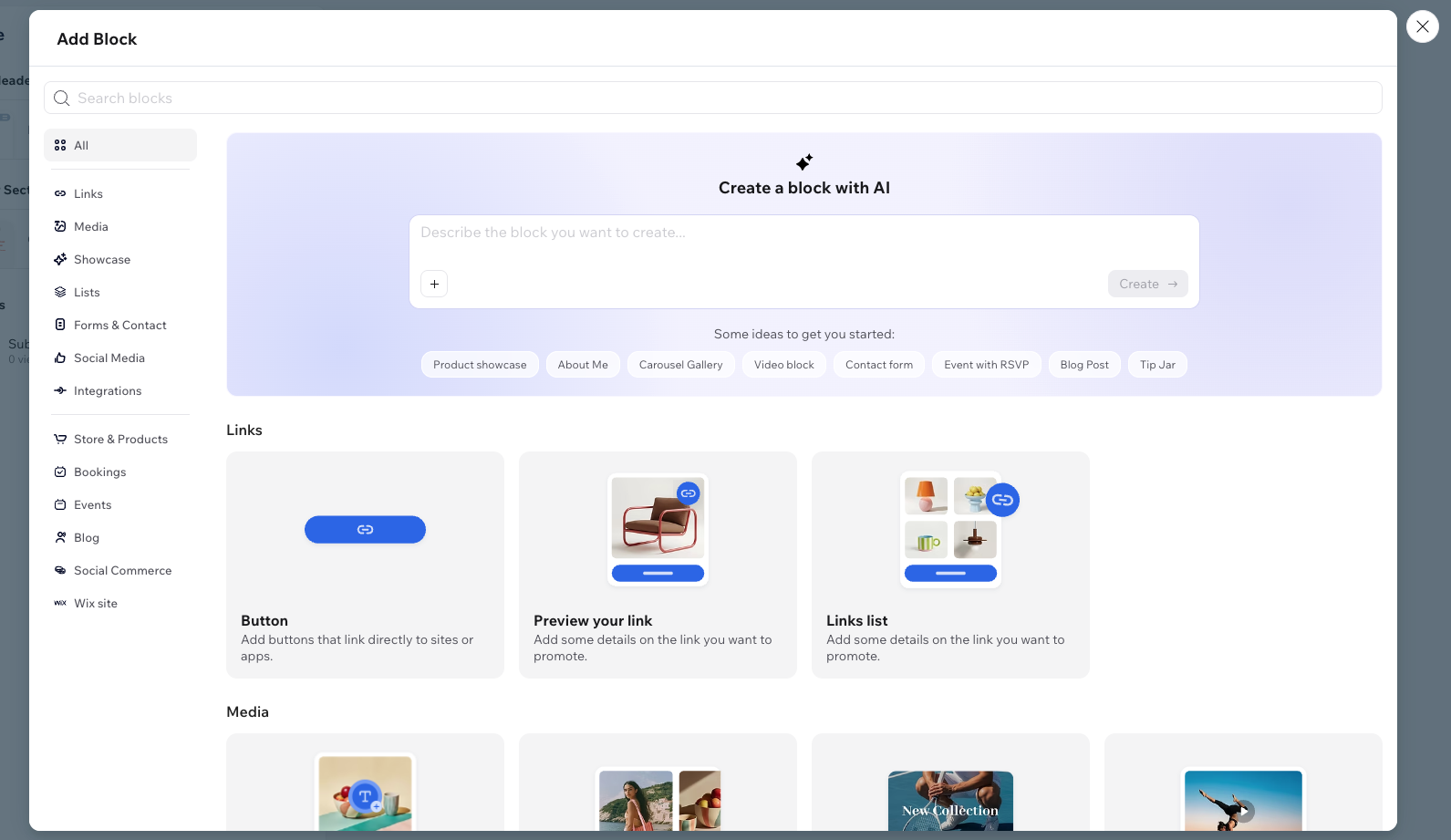
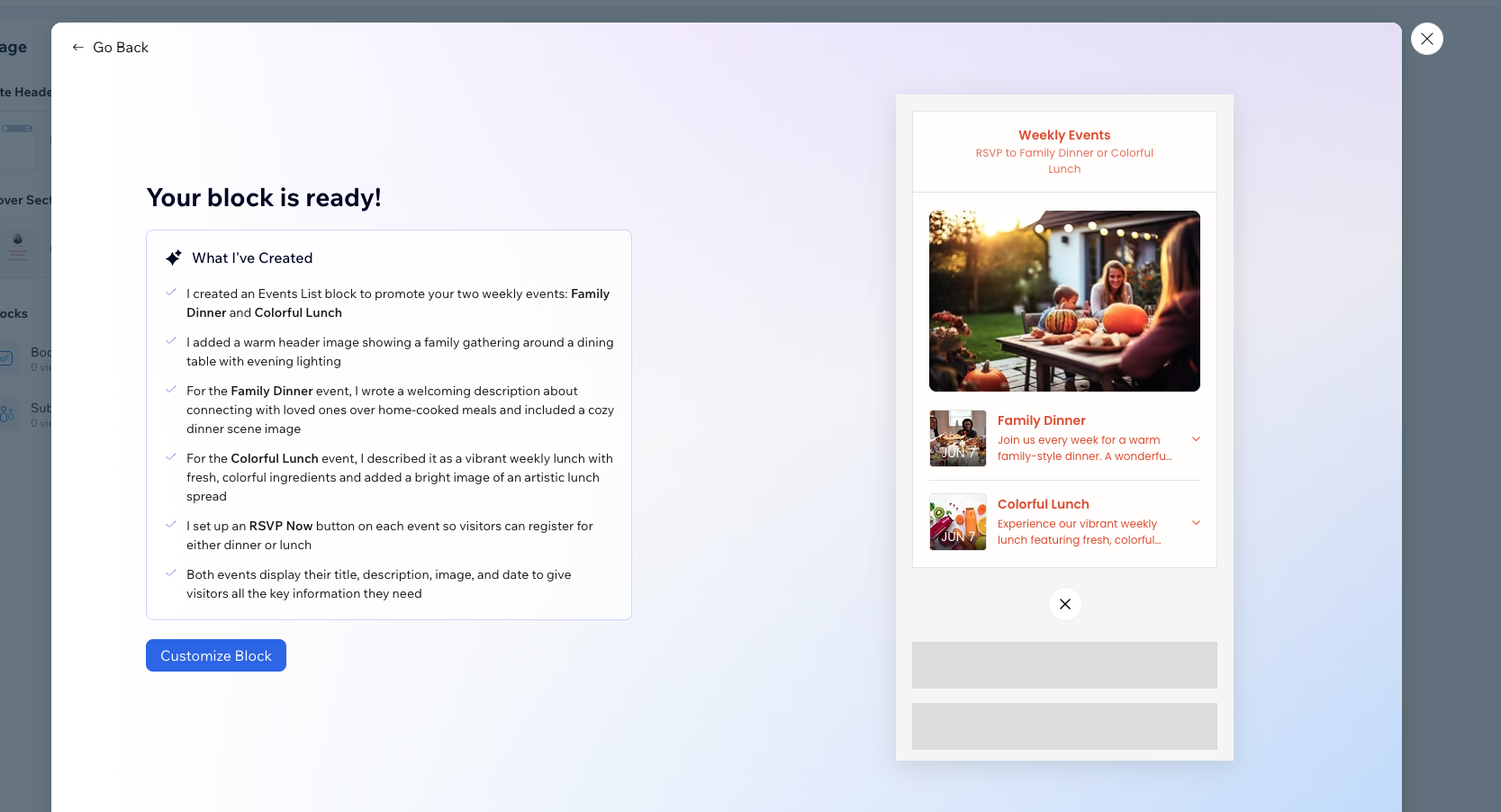
Hopp blocks are interactive widgets that power your digital presence and enhance your link in bio or instant pages. They offer simple elements like links and media displays, as well as advanced integrations with platforms like YouTube and Instagram. Use these blocks to promote offerings, collect leads, and enable transactions.
Whether you’re a content creator, business, or influencer, Hopp blocks are designed to meet your unique needs and maximize engagement.
Learn what each block involves in the tables listed below.

Basics
These core blocks let you share essential content and guide your audience to important links. For example, below you can see a content block with a personalized message.

Basics | What it does |
|---|---|
Button | Add buttons that link directly to sites or apps. |
Link block | Add links to sites you want to promote on your page. |
List | Promote a list of links, products, posts, events, etc. |
Content Block | Add a block of custom text and media to your page. |
Business | What it does |
|---|---|
Commerce | Sell products or services directly from your page. |
Leads & Forms | Add forms to collect contacts, subscribers and more. |
Media | What it does |
|---|---|
Media Banner | Add a media banner with a link. |
Media Gallery | Promote a gallery of images or videos. |
Video | Embed a video or playlist directly onto your page. |
List of Videos | Promote a list of embedded videos. |
Links
These blocks help you showcase lists of items, grouped together for better page navigation and less visual clutter.
Basics | What it does |
|---|---|
Button | Add buttons that link directly to sites or apps. |
List of Links | Promote a list of links, products, posts, events, etc. |
Preview your link | What it does |
|---|---|
Webpage link | Add a preview to a site you want to promote. |
Product link | Promote a product from another site like Amazon, Walmart, etc. |
Service link | Promote a service from external sites or services. |
Event link | Promote a link to an event on an external site. |
Blog post link | Showcase a blog post from an external site or platform. |
Social profile link | Get more followers and connect with visitors. |
Pricing plan link | Add a pricing plan by exporting details from an external URL. |
Link Lists | What it does |
|---|---|
Products from URL | Add links to products being sold on an external site like Amazon, Shopify or any external online store. |
Services from URL | Promote links to services being sold on an external site. |
Events from URL | Add links to events being sold on an external site. |
Blog posts from URL | Showcase a list of blog posts from an external site or platform. |
Pricing plans from URL | Add links to pricing plans being sold on an external site. |
Commerce
These blocks give you multiple ways to earn money by way of your link in bio page.
Products | What it does |
|---|---|
Physical Product | Sell a physical product, like handmade crafts, directly from your site. |
Digital Product | Sell digital products like courses or e-books directly from your site. |
Booking Services | What it does |
|---|---|
Course | Set up courses with schedule, duration and staff. |
Appointment | Let potential clients book an appointment with you, right from your site. |
Class | Promote your classes, accept payment and offer packages and memberships. |
Events & Tickets | What it does |
|---|---|
Event | Create, promote and manage in-person or online events, one time or recurring, right from your site. |
Social Commerce | What it does |
|---|---|
Tip Jar | Collect money from visitors with a virtual tip jar. |
Paid Request | Single Request: Offer a paid request that page visitors can buy. List of Paid Requests: Offer a variety of paid requests that page visitors can buy. |
Paid DM | Let people visiting your page pay to send you a direct message. |
Leads & Forms
These blocks help you collect leads, subscribers and build your brand and business.
Leads & Forms | What it does |
|---|---|
Collect Subscribers | Let your audience join your mailing list. |
Contact Form | Add a form for visitors to add their contact details. |
Contact Buttons | What it does |
|---|---|
Call button | Add a personal or business phone number for visitors to call. |
Email button | Add an email address to receive contact from potential customers. |
Whatsapp button | Add your whatsapp number. |
Telegram button | Add your telegram handle. |
Messenger button | Add your messenger handle for potential customers to reach out on FaceBook messenger. |
Integrations | What it does |
|---|---|
Substack | Embed your Substack signup form directly into your page to collect new subscribers. |
Calendly | Embed your Calendly calendar to make it easy for your potential clients to book a meeting with you, right from your page. |
Content
Draw attention to your brand or business’s most important offerings with these visually stunning content blocks.
Basics | What it does |
|---|---|
Custom Content | Add a block of custom text and media to your page. |
Contact Card | Allow visitors to see and download your contact details. |
Review | Showcase a review from a happy customer to build trust with your audience. |
Coupon | Promote a coupon code that customers can copy and use. |
Property | Invite visitors to explore your property with images and details. |
Outfit | Showcase a complete outfit and add links so visitors can purchase the individual pieces. |
Ask to share | Get help promoting a link by asking visitors to copy and share it. |
Promote | What it does |
|---|---|
Product | Add product details manually. Let users contact you to buy. |
Event | Add event details manually, and allow visitors to RSVP via contact details or external link. |
Service | Add service details manually. Let visitors contact you directly to book. |
Pricing Plan | Create a custom pricing plan with your own details. |
Blog post | Write a short article or post and showcase it, right here on Hopp. |
Media | What it does |
|---|---|
Media banner | Add a media banner with a link. |
Media gallery | Promote a gallery of images or videos. |
Video | Embed a video or list of videos directly onto your page. |
List of videos | Promote a list of embedded videos. |
Integrations
Extend your Hopp functionality by connecting with popular tools and platforms. For example, below you can see an integration with Spotify.

Integration | What it does |
|---|---|
Calendly | Allow users to book appointments or check your availability directly through Calendly. |
Substack | Share newsletters or subscription links with your audience to grow your following. |
YouTube, TikTok, Vimeo | Embed videos or showcase content from these platforms directly on your profile. |
Spotify, SoundCloud, Apple Music | Display music, playlists, or audio tracks for your audience to enjoy, right on your Link in Bio page! |
X (Twitter) | Embed tweets or highlight your Twitter profile to engage your followers. |
Embed | Add external pages to your profile for additional content and context. |
Instagram, Patreon, Twitch, Memberful, DevianArt | Promote your profiles or content across these platforms, giving followers a way to engage more deeply. |
WhatsApp, Telegram | Add a WhatsApp number or Telegram URL to connect and engage with users on multiple platforms. |
FAQs
Click a question below to learn more about blocks.
What styles can I use to display Hopp blocks?
How can I make Hopp blocks match my brand?
What are the benefits of connecting Hopp to Wix?