


Wix Studio: Teaching Aria About Your Agency
- Setting up the Agency AI Knowledge
- Adding more resources to the Agency AI Knowledge
- Removing a resource from the Agency AI Knowledge
- FAQs
Bring Aria, your AI assistant, into the loop on how your agency actually works. Tell it about your services, pricing and brand so it can answer client questions, draft proposals, and keep your whole team sounding consistent. Add to it as things change, and remove what's outdated.
Setting up the Agency AI Knowledge
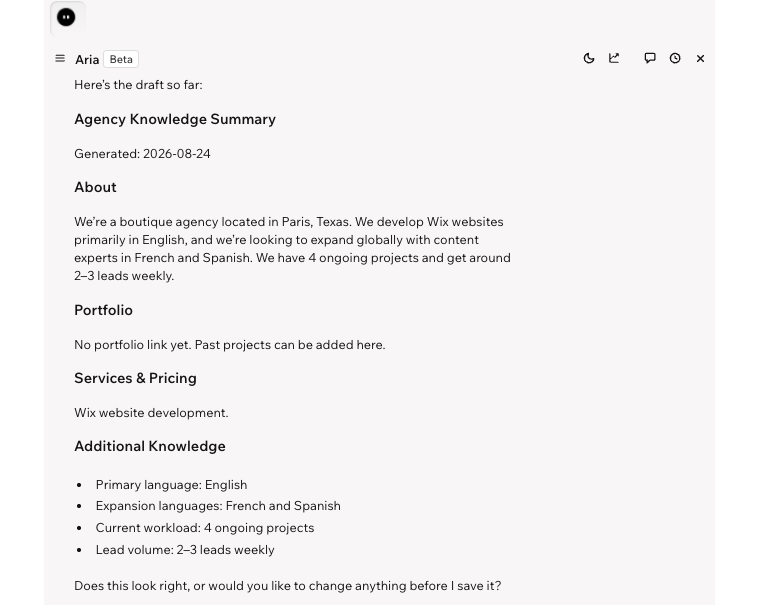
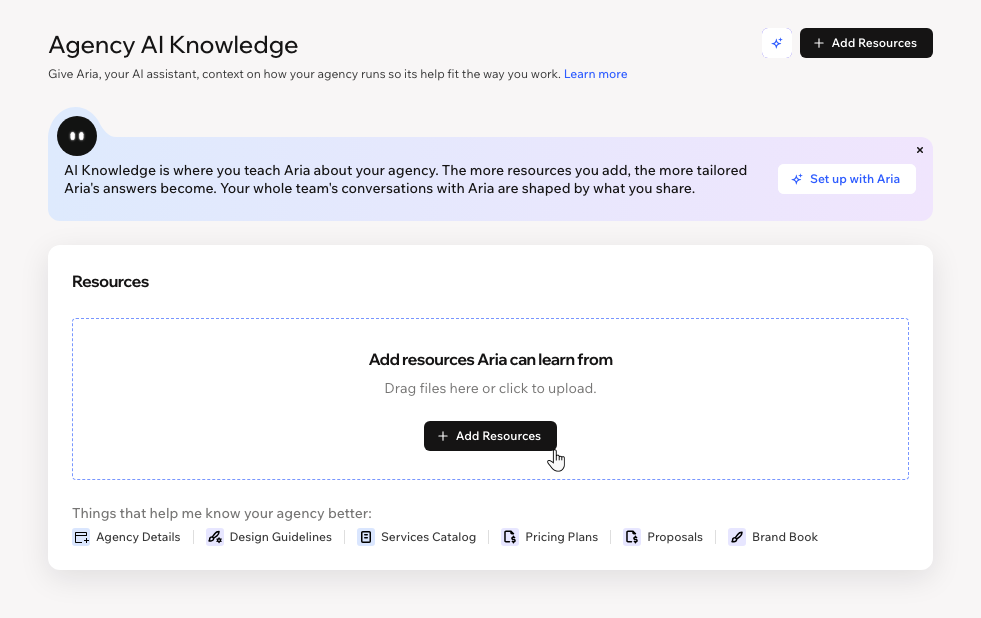
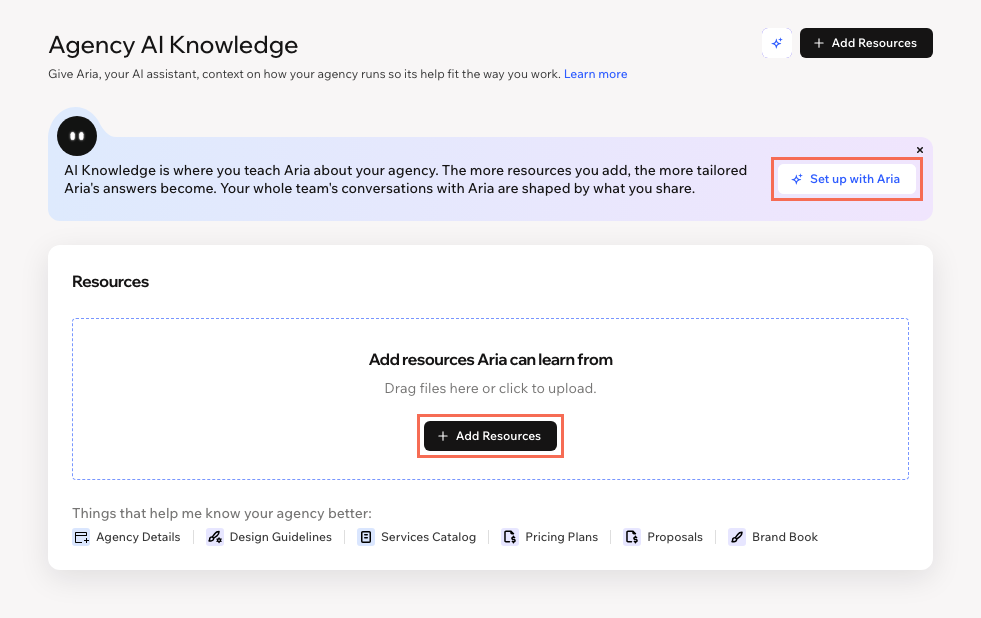
Head over to the Agency AI Knowledge tab in your Studio Workspace to set up Aria's knowledge. Upload documents about your work (e.g. your pricing, services, past proposals), or have Aria walk you through the process in a chat.
You can upload document files such as PDF, CSV, DOCX, etc. Currently, image files are not supported.
To set up the Agency AI Knowledge:
Go to Agency AI Knowledge in your Studio workspace.
Choose how you want to set it up:
Adding more resources to the Agency AI Knowledge
As your agency evolves, add more knowledge so that Aria's answers stay up to date. For example, you may want to update your pricing information, upload a new brand book, or add another case study. This ensures Aria's answers are fresh, consistent helpful to you and your team.
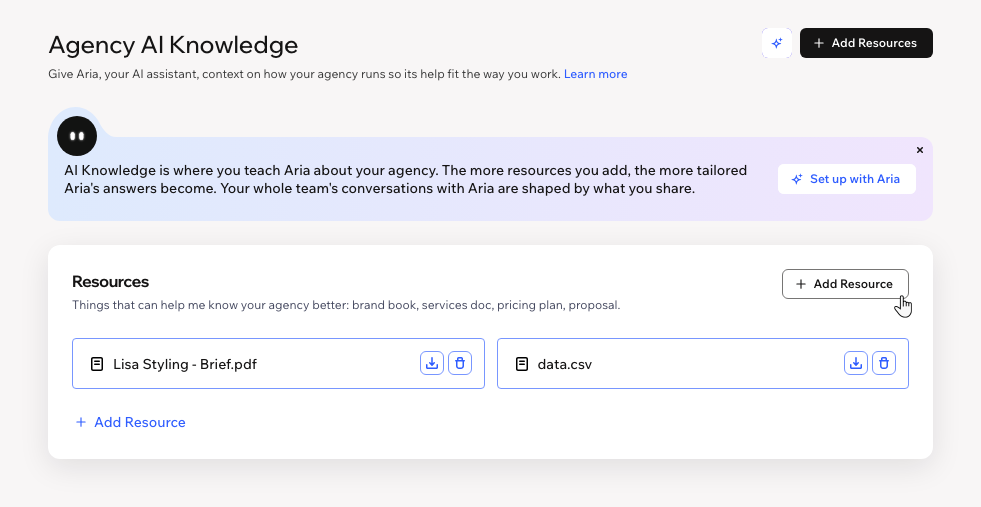
To add more resources:
Go to Agency AI Knowledge in your Studio workspace.
Click + Add Resource.
Select a file from your device.
Removing a resource from the Agency AI Knowledge
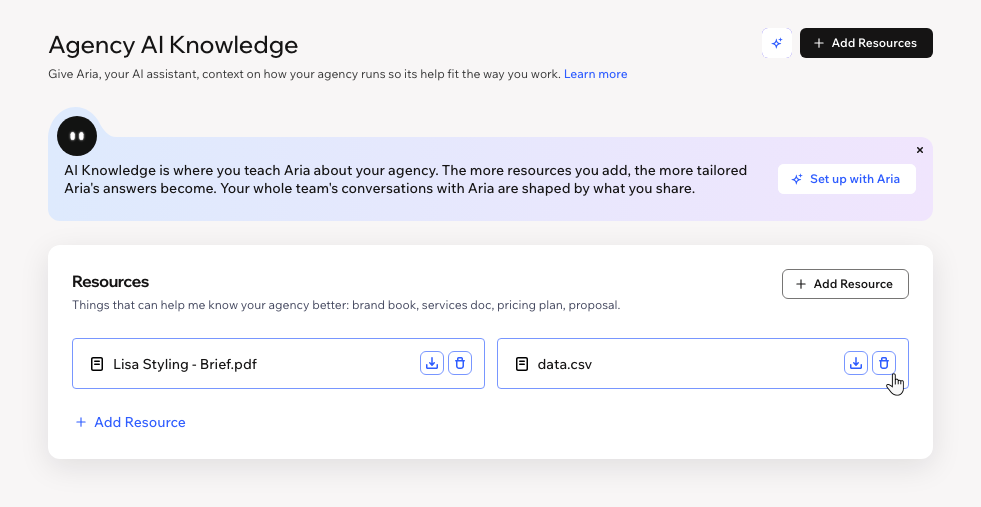
Remove a resource once it's outdated or no longer reflects your agency, so Aria doesn't rely on stale info when answering your team.
To remove a resource:
Go to Agency AI Knowledge in your Studio workspace.
Click the Delete icon
 next to the relevant resource.
Click Delete in the popup to confirm.
FAQs
Click a question below to learn more.
 next to + Add Resources.