


Wix Site Members: The Difference Between the Default Signup and Login Forms and the Member Authentication App
- Identifying which signup and login experience your site has
- Getting more control over your member journey
- Customizing the full signup and login flow
- Offering social signup and login
- Comparison summary table
Wix offers 2 ways to manage how people sign up and log in to your site. The previous experience of the signup and login forms give you the core member signup experience, while the Member Authentication app adds more screens and more customization options.
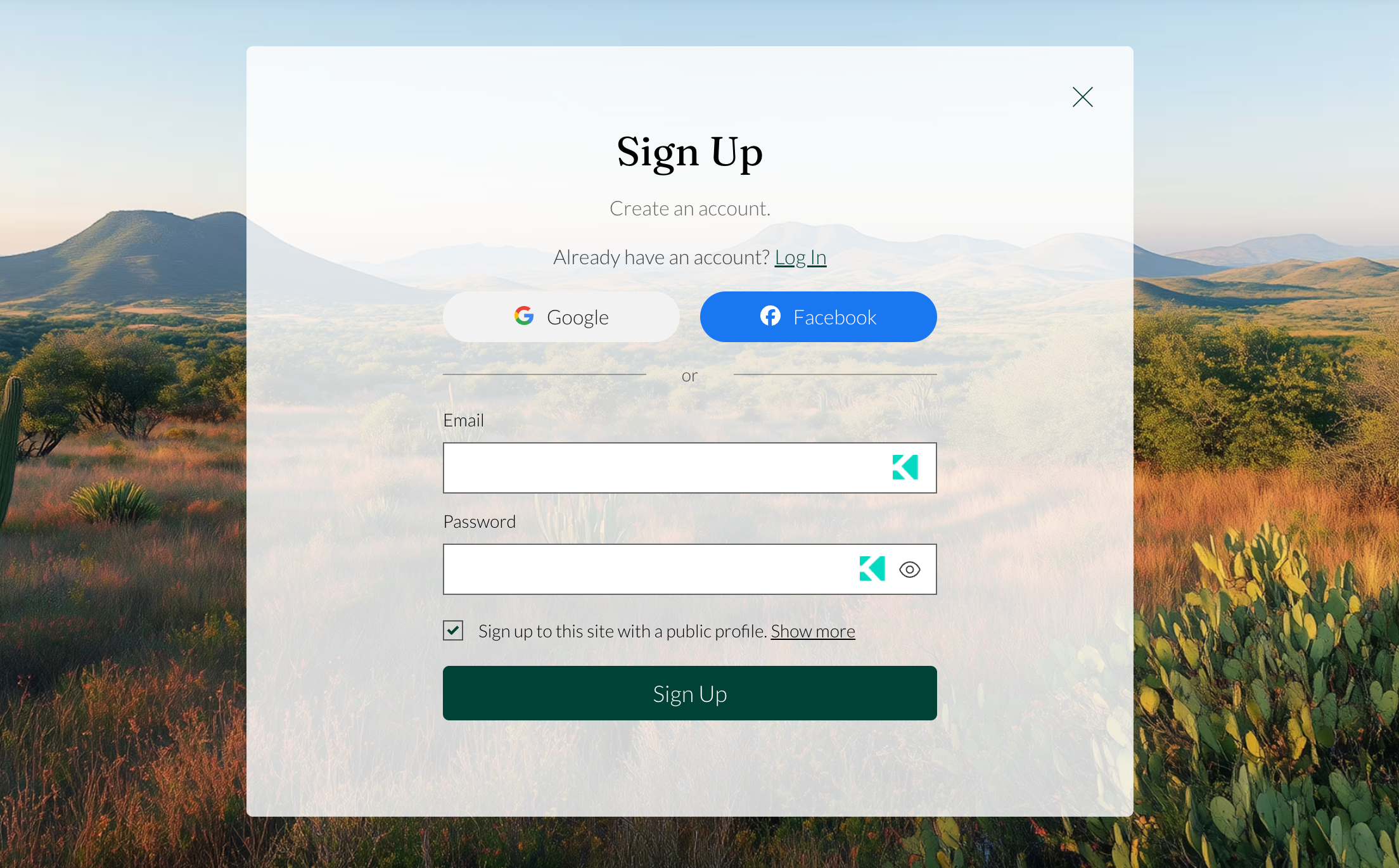
Identifying which signup and login experience your site has
You can tell which experience your site uses in your editor. To get the new app you can add Wix members Area or update the previous experience.
If you're using the Wix Harmony Editor, the new Member Authentication app is included by default.
To identify which signup and login experience your site has:
Click Pages & Menu
 on the left side of your editor.
Check what appears in the panel:
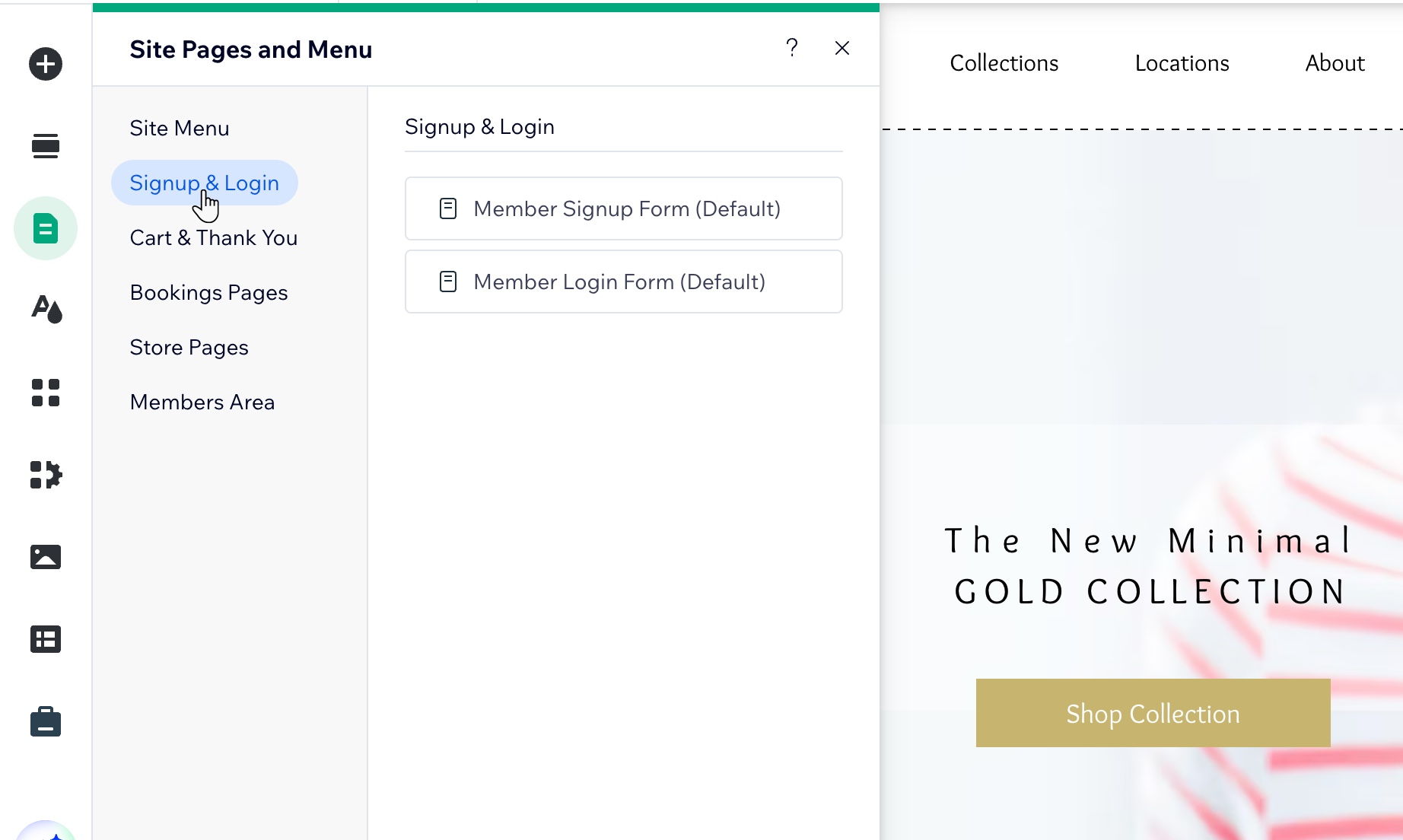
Signup & Login: You see Member Signup Form (Default) and Member Login Form (Default).
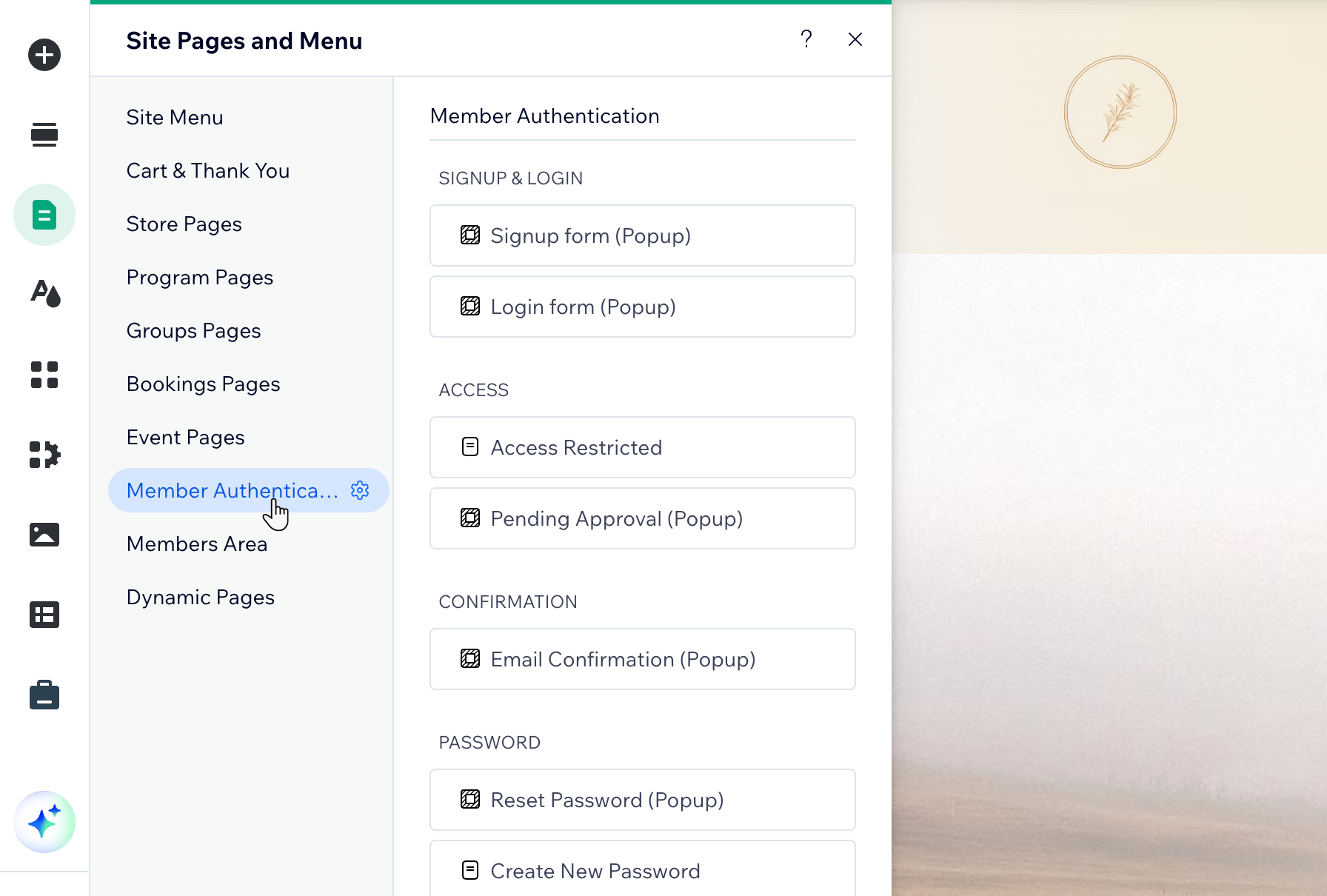
Member Authentication app: You see a Member Authentication section with screens grouped under Signup & Login, Access, Confirmation, and Password.
Getting more control over your member journey
The Member Authentication app gives you more control over the full member journey, including signup, login, approval, confirmation, and password recovery.
The previous experience include 2 screens:
Signup form
Login form
The Member Authentication app includes 8 customizable screens:
Signup form
Login form
Access Restricted page
Pending Approval popup
Email Confirmation popup
Reset Password popup
Create New Password page
Expired Reset Link page
Customizing the full signup and login flow
The previous experience lets you manage core signup and login settings, but the design and screen options are limited.
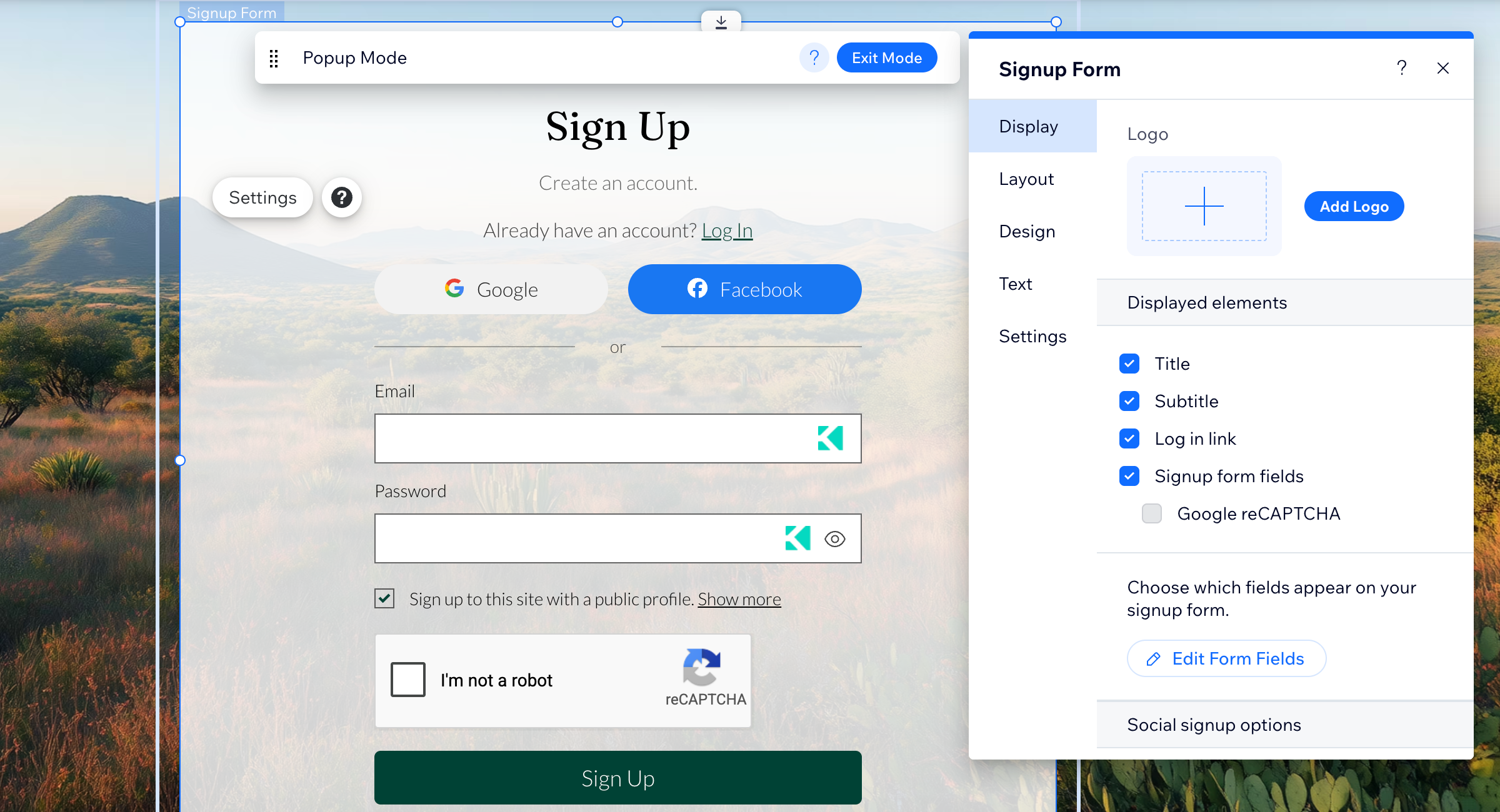
The Member Authentication app gives each screen its own customization settings. You can update the content and appearance of each screen from its Settings panel.
This makes it easier to create a more consistent branded experience across all member-facing screens.
The available tabs include:
Display: Show or hide elements such as your logo, title, subtitle, form fields, reCAPTCHA, and links.
Layout: Adjust how content is arranged on the screen.
Design: Customize colors, fonts, and the look of the screen.
Text: Edit the text shown on each screen.
Settings: Manage signup, security, and member access options.
Offering social signup and login
Social sign-in and login with Google and Facebook are only available with the Member Authentication app. The previous experience does not include social sign-in options.
With the Member Authentication app, you can show social signup options directly on the signup and login forms. These options apply across the full signup and login experience.
Comparison summary table
The previous experience includes only a signup form and a login form. The Member Authentication app gives you 8 fully customizable screens across 4 categories: Signup & Login, Access, Confirmation, and Password. Along with new features like social login.
| Items | Previous experience | Member Authentication app |
|---|---|---|
Signup form | ✓ | ✓ |
Login form | ✓ | ✓ |
Access Restricted page | ✗ | ✓ |
Pending Approval popup | ✗ | ✓ |
Email Confirmation popup | ✗ | ✓ |
Reset Password popup | ✗ | ✓ |
Create New Password page | ✗ | ✓ |
Expired Reset Link page | ✗ | ✓ |
Social Login | ✗ | ✓ |
Design options | ✗ | ✓ |
Advanced accessibility | ✗ | ✓ |
If you added the Member Authentication app and want to return to the previous experience, you can delete the app. Deleting the Member Authentication app removes the custom authentication screens from your site. Any customizations you made to those screens are lost.