Wix Capital: About Wix Capital
6 min
In this article
- Request an MCA with Wix Capital
- Checking the balance remitted
- Wix Capital terminology
- FAQs
Before you begin:
Wix Capital is currently only available to eligible merchants in the US. It is not available in Utah, Connecticut, Texas, or Virginia.
Wix Capital provides quick access to funds, for eligible and approved users, to help grow their business (also known as a merchant cash advance, MCA). Your advance is sent either to your Wix Checking account or to the bank account linked to your payouts with Wix Payments.
This can be incredibly beneficial when you need extra funds for inventory, marketing, or other business expenses. For example, if your online store has a surge in orders and you need immediate funds for inventory, Wix Capital allows you to request the cash advance you need.
Request an MCA with Wix Capital
Wix Capital makes it easy for you, as an eligible user, to request a cash advance that suits your business needs. You can start the request process and choose the right offer for yourself. Choose the cash advance you need and wait 1-3 business days for your request to be reviewed.
Not eligible yet?
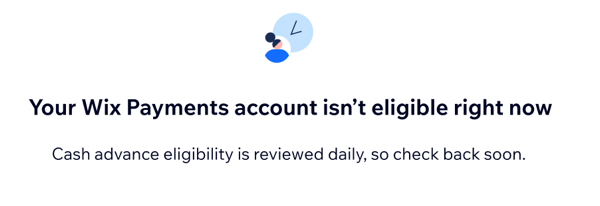
Your eligibility status can change on a daily basis. You can go to Capital in your site's dashboard at any time to see if you have become eligible.
To request an MCA with Wix Capital:
- Select the cash advance you need using the sliding scale.
Tip: The Offer summary on the right updates as you adjust the amount. - Choose your remittance rate and fee terms.
Note: Some remittance rates are only available for certain cash advance amounts.If a tier isn't selectable, hover over it to see the eligibility requirement. - Click Continue.
- Review the Wix Merchant Cash Advance Agreement.
- Click Accept & Submit Request.
What should I do once I submit my request?
Wait 1-3 business days for your request to be reviewed.
- If you use Wix Checking, your funds are deposited there automatically and are available instantly after approval.
- If you receive payouts through Wix Payments, funds are sent to your connected bank account automatically. Funds usually arrive within 3–5 business days after approval.
Checking the balance remitted
If you use Wix Checking, remittance starts 1 business day after your cash advance is approved. If you receive payouts to a connected bank account, remittance starts 3–5 business days after approval. The process is hassle-free.
Remittance is always collected from your daily Wix Payments sales. If you use Wix Checking, it’s debited from your available balance via book transfer. If you receive payouts through Wix Payments, it’s deducted from your daily payouts.
Tip:
- The daily remittance calculation is based on your site's time zone, even if this is different from the time zone on your computer.
- If you receive payouts through Wix Payments, keep in mind that Wix Payments works with several payment providers behind the scenes, including Stripe, Adyen, and PayPal. However, for technical reasons, remittance is only taken from sales processed by Stripe-based payment methods..
- If you use Wix Checking, remittance is taken from all sales processed with any of the payment methods and processors under Wix Payments you’ve set up on your site.
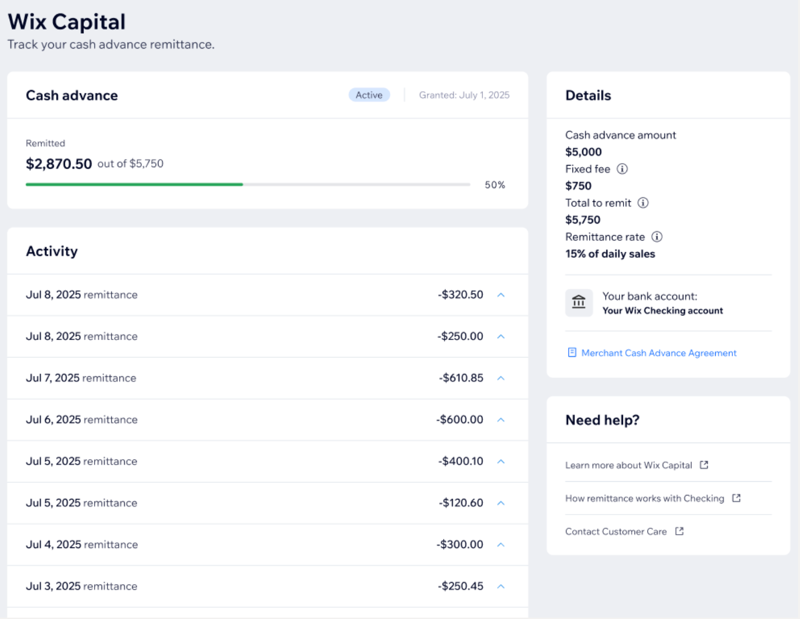
To check the amount remitted:
- Go to Capital in your site's dashboard.
- View your progress under Cash advance.
- (Optional) View the Details section on the right side to see more information about your cash advance, such as the amount, fixed fee, total to remit, and your remittance rate.
Wix Capital terminology
Understanding the terminology used in Wix Capital can help you navigate the process more effectively. Here are some key terms:
Terminology | Description |
|---|---|
Merchant Cash Advance (MCA) | The funds that eligible users can request to receive in advance, which are remitted, along with a fixed fee, as a percentage of future daily Wix Payments sales. |
Remittance | The process where Wix collects the cash advance and related fixed fee from daily Wix Payments sales. |
Remittance rate | This is the percentage of your daily Wix Payments sales that will be collected until you’ve reached the total cash advance amount and fixed fee. |
Fixed fee | The fixed fee is calculated as a specific percentage of the cash advance you requested. You’ll remit it over time along with the total cash advance amount. |
Total to remit | This is made up of the total cash advance amount and fixed fee. |
Estimated remittance period | This is the length of time that Wix Payments estimates it will take to collect back the cash advance and related fixed fee. It’s based on your past year’s sales and it may take more or less time than this to fully remit the total cash advance amount and fixed fee. |
Funding/Funds | Synonymous with cash advance |
FAQs
Click a question below to find out more information.
Why am I currently not eligible to request a cash advance?
Where does my cash advance go after approval?
Why was my cash advance request not approved?
If I don't get approved for the cash advance, will it affect my credit score?
When will remittance begin?
Can I nominate a different bank account to send the capital to?
Which Wix Payments sales are included in daily remittance?
Where is the remittance taken from?
Does Wix still collect remittance if I have no sales that day?
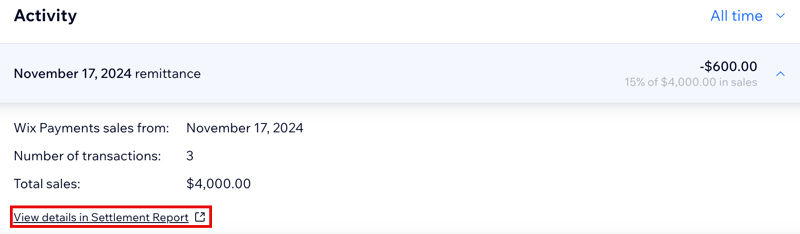
Why do I see different daily sales in the Cash Advance Activity table compared to my orders page and payments page?