Wix Payments: Adding Bancontact as a Payment Method
Before you begin:
- To accept Bancontact through Wix Payments, you must first set up Wix Payments.
- Items sold via Bancontact are subject to our list of prohibited goods and services.
- Bancontact is only available to eligible Wix Payments users.
Add Bancontact as a payment method to offer your customers an additional local checkout option. Bancontact is a Belgian payment method that people use for online, in-store, and peer-to-peer (P2P) payments.
You can connect Bancontact in through Wix Payments and manage it from your Wix dashboard alongside your other business finances.
| General Info | |
|---|---|
Supported countries
|
Belgium
|
Supported currencies
|
EUR
|
Processing fees
|
1.4% of the transaction amount + 0.3 EUR
|
Adding Bancontact
- Go to Accept Payments in your site's dashboard.
- Click Manage next to Wix Payments.
Note:
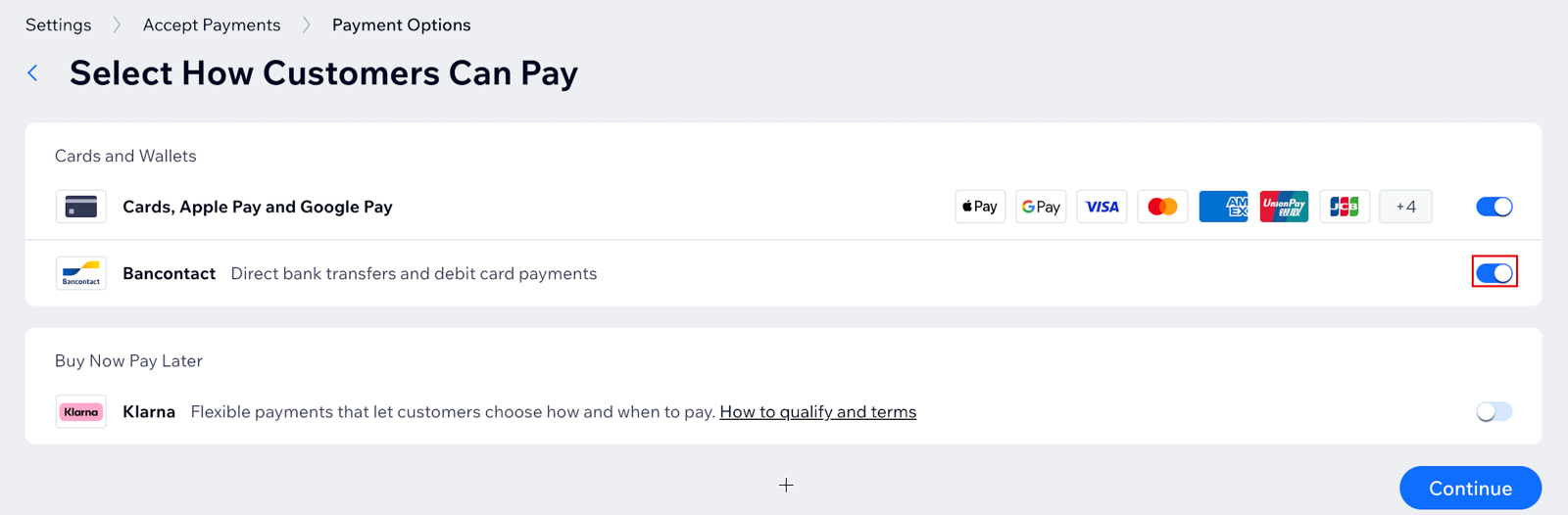
Bancontact is enabled by default on the
Manage Wix Payments page. You can disable the toggle at any time to remove Bancontact from your payment options.