Wix Legends: Customizing Your Legend's Profile
- Customizing your Legend's public profile
- FAQs
Customizing your Legend's public profile
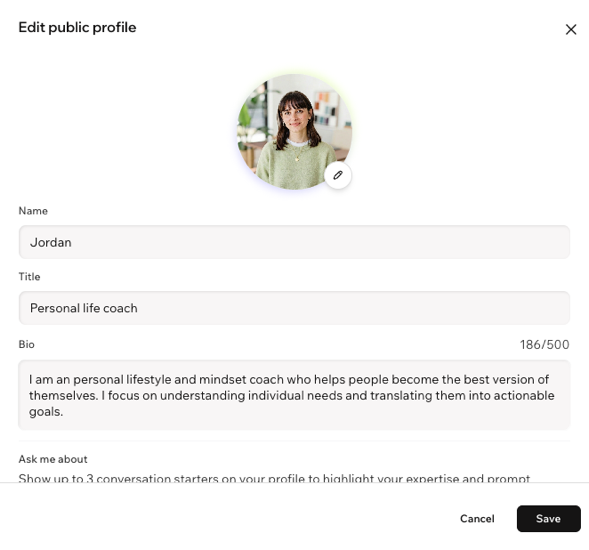
To customize your Legend's profile:
Click My Legend on the left.
Click Edit Profile.
(Optional) Click the Edit icon
 to upload a photo or adjust your existing photo.
Customize each field:
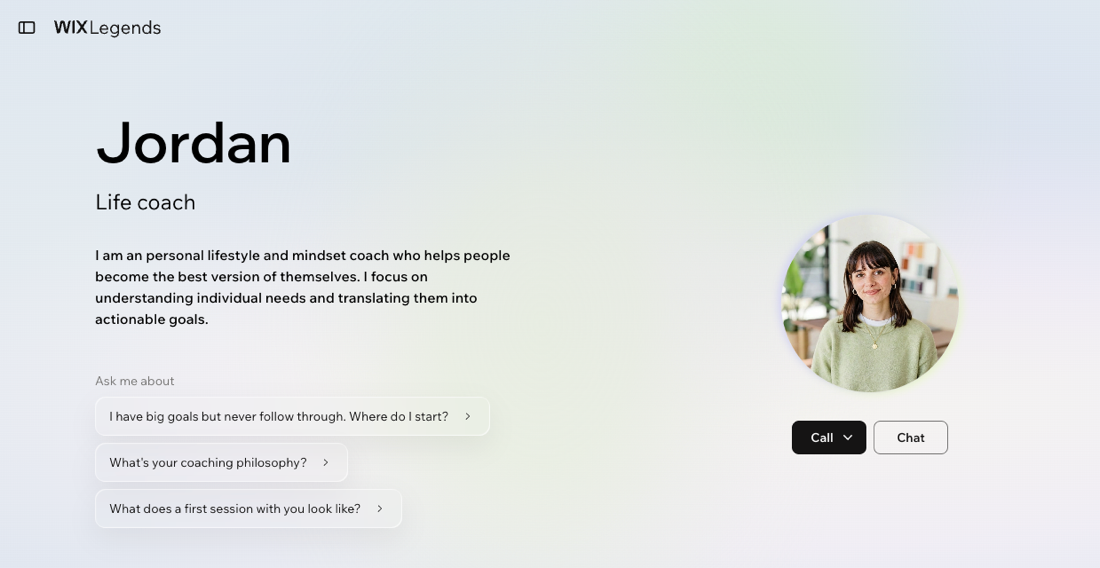
Name: Set your Legend's display name. This is how your Legend will introduce itself and how visitors will address them.
Title: Add a short label that describes what you or your Legend do (e.g. "Life coach" or "Fitness trainer"). Your title helps visitors understand your area of expertise at a glance.
Bio: Write an introduction that highlights your story, values, and what makes your approach unique. A thoughtful bio builds credibility and invites curiosity.
Ask me about: Add up to 3 conversation starters that appear on your Legend's public profile to prompt visitors to start a conversation. Drag an item to reorder it, or click the X to remove it.
Click Save.