


Wix Functions: Adding Checkout Validations
6 min
In this article
- Creating a checkout validation function
- FAQs
Checkout validations let you set rules that your customers must meet before completing checkout. When a customer does not meet your rule, they see a clear message in the cart or at checkout. You can decide whether to block checkout or just show a warning.
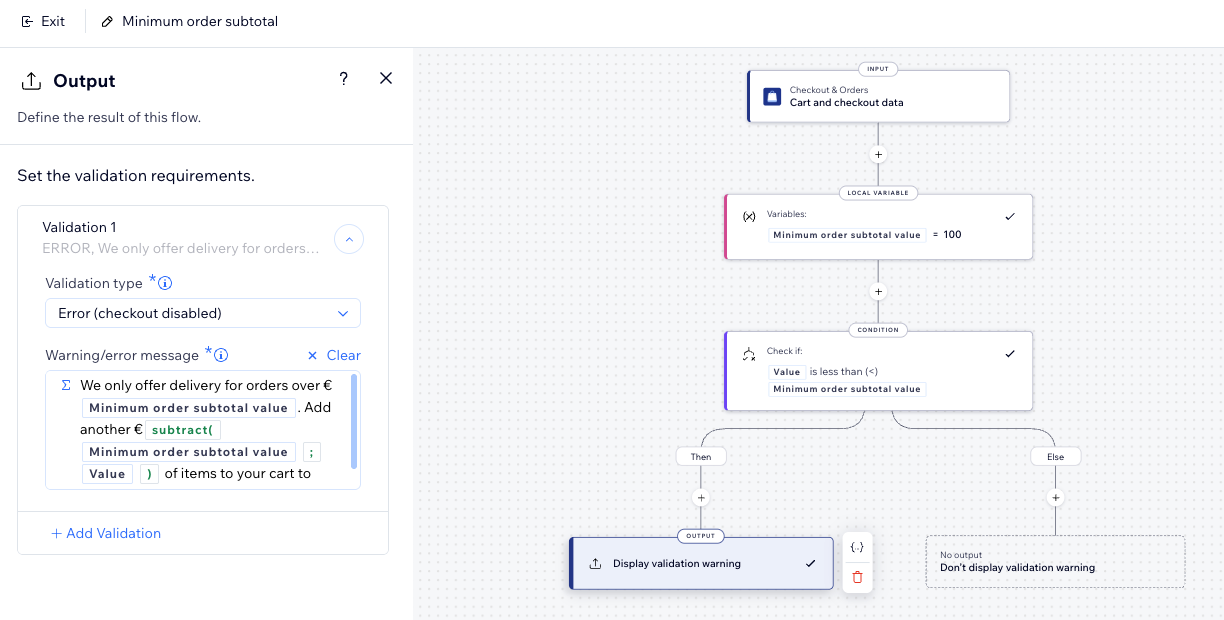
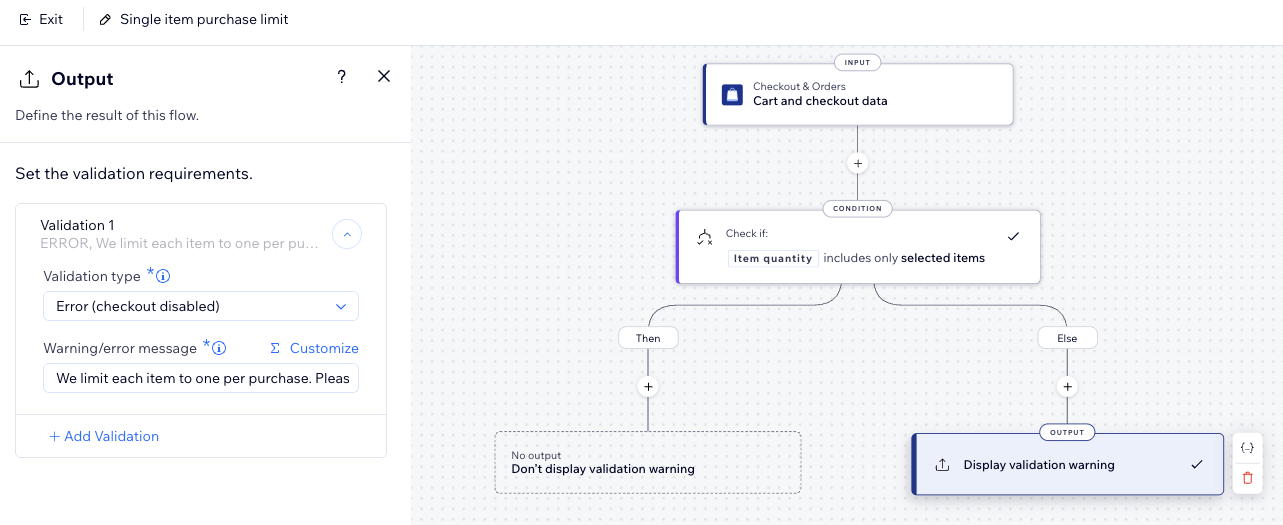
You can create checkout validations from scratch or start with templates such as minimum order subtotal, single item purchase limit, or weekend notice. Each template includes a ready-made flow that you customize to match your store and policies.
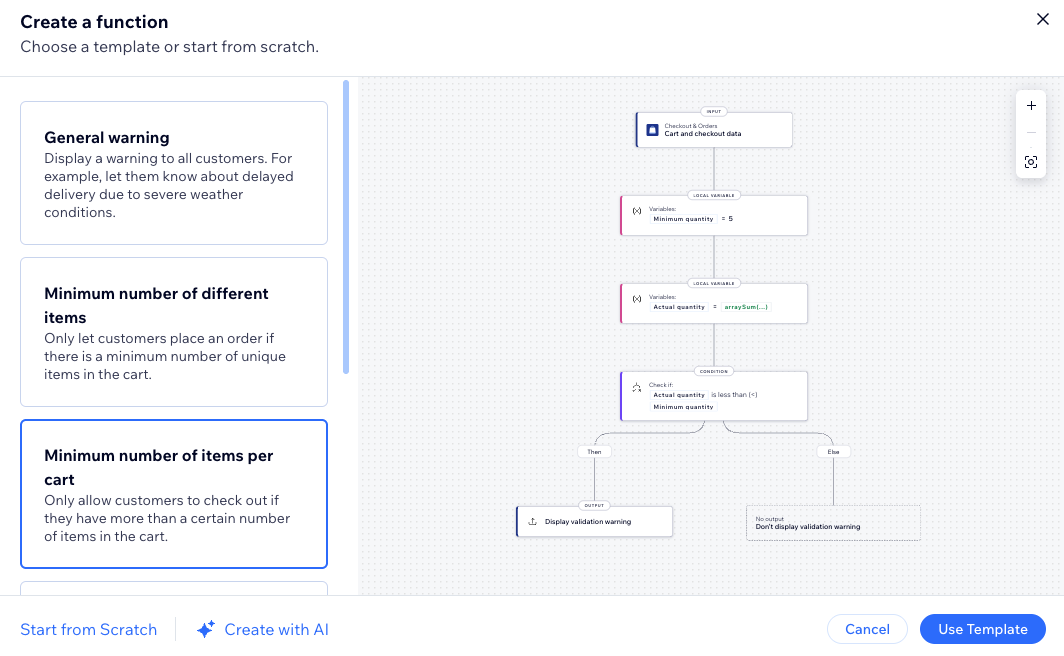
Creating a checkout validation function
Start by creating a checkout validations function from the Function catalog. You can then customize the flow or use one of the templates to set up common rules faster.
To create a checkout validation function:
- Go to Functions in your site's dashboard.
- In the Function catalog, click Create Function under Checkout validations.
- Select the relevant validation and click Use Template:
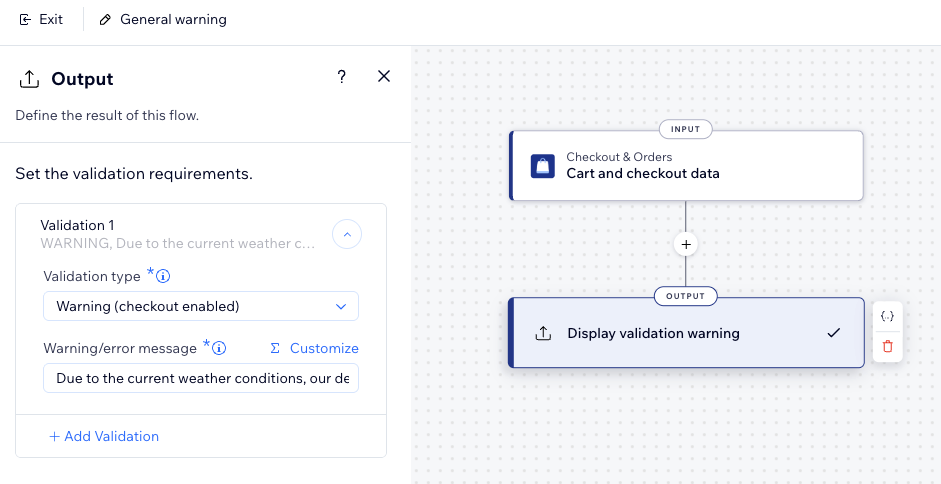
General warning
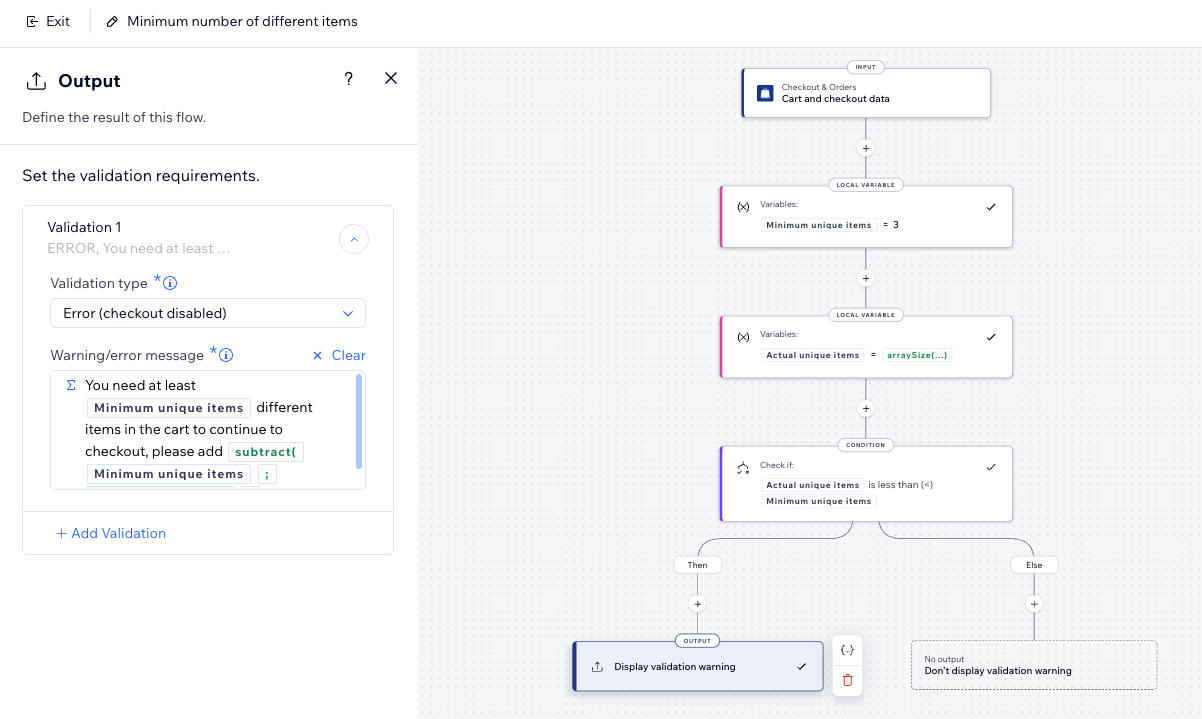
Minimum number of different items
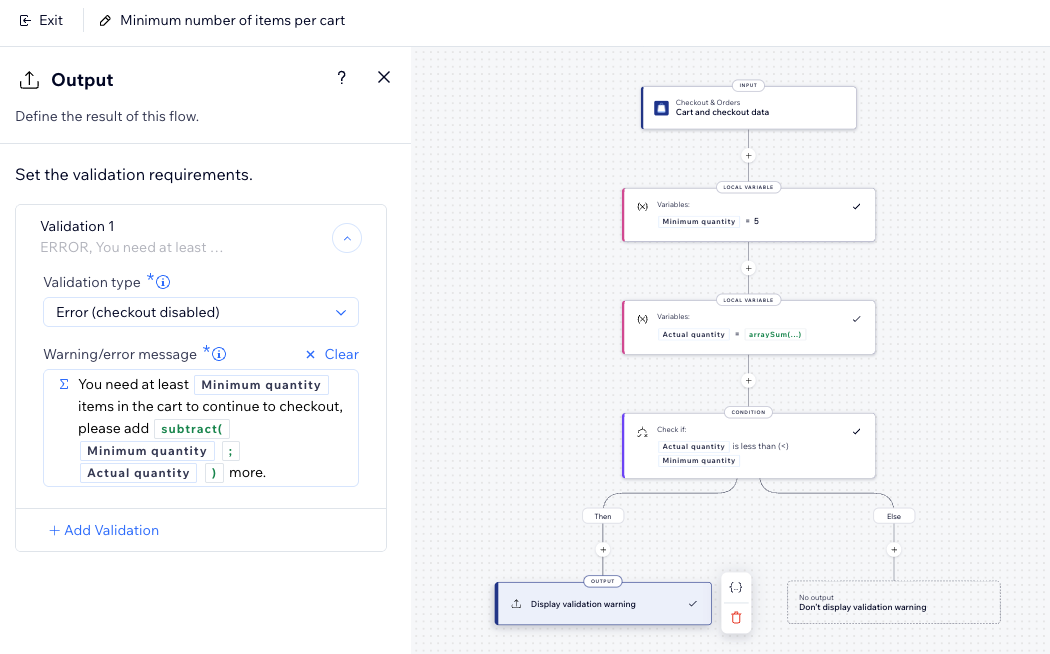
Minimum number of items per cart
Minimum order subtotal
Single item purchase limit
Weekend notice
FAQs
Click a question below to learn more about checkout validations.
What is the difference between warning and error validations?
Can I use several checkout validations at the same time?
Why is my checkout validation not appearing?
