


Getting started with WixBuild your website and business with Wix. Try using our AI tools to create your website, customize templates, or hire professionals to build or enhance your online presence.
Creating a websiteRead how to use the Wix Editor and manage content on your site. Discover how to protect your visitors' privacy and make your site accessible.
Account & billingReview your account settings, manage your subscriptions and plans and understand your invoices.
Using the Wix mobile appsUse our mobile apps to run your business efficiently on the go and set up a dedicated app for your site members to stay in touch.
Connecting a domainFollow our step-by step guides to learn how to purchase, connect or transfer a domain for your site, and find out how to keep your site’s data secure.
Managing your businessGet tools to grow your business and web presence. Find the right tools for your specific needs, set up online payments and keep track of your site's analytics.
Promoting your siteLearn to make your site more visible promoting it on search engines, sending emails and running paid ads. Improve your online presence with practical tips.
Studio, Partners & EnterpriseGet the most out of your Studio or Enterprise account with advanced features that'll help you work more efficiently.
Need more help?Find solutions for site performance and technical issues, learn about issues we’re working to fix or contact us for help.
placeholder-preview-image
Wix LearnImprove your skills with our courses and tutorials.
Wix BlogGet tips for web design, marketing and more.
SEO Learning HubLearn to increase organic site traffic from search engines.
Website developmentBuild a custom site using our full-stack platform.
placeholder-preview-image

Wix Blog: Changing the Layouts of Your All Posts Feed and Category Feed

You can customize the layouts of your All Posts feed and category feed in your blog. Choose how your posts are arranged, the size and positioning of your posts and images, and the loading style of your posts to give your blog that perfect look. 
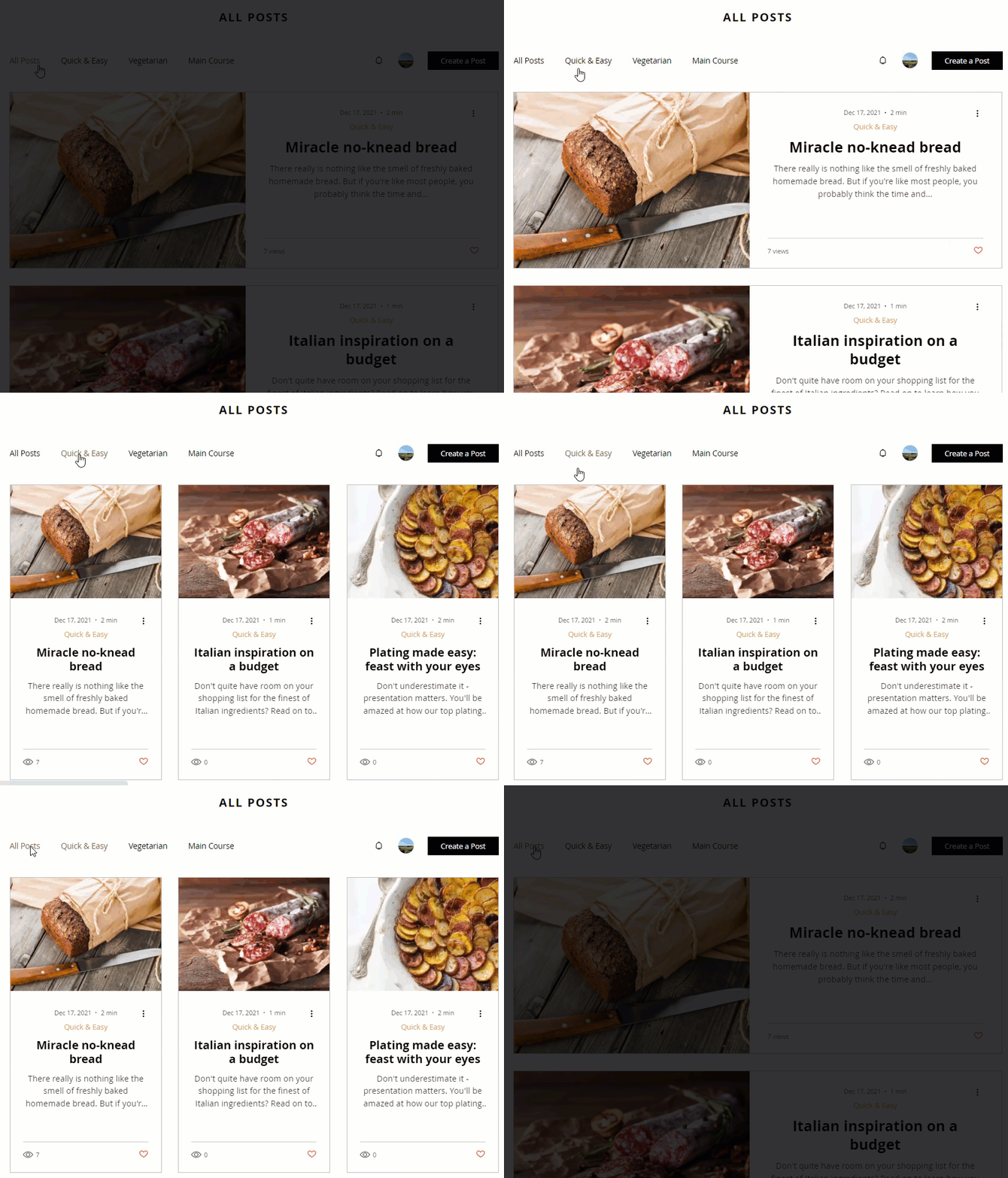
A gif showing the different category layouts available.
Notes:
  • You can have different layouts for your feeds. For example, you might choose a Side-by-Side style for your All Posts feed and the Editorial layout for your category feed.
  • When you select a category feed layout, it affects all your categories. 

To customize the layouts:

  1. Go to your editor.
  2. Go to your Blog page:
    1. Click Pages & Menu  on the left side of the editor.
    2. Click Blog Pages.
    3. Click your Blog page.
  3. Click Settings. 
  4. Click the Layout tab.
  5. Click either the All Posts Feed tab or Category Feed tab.
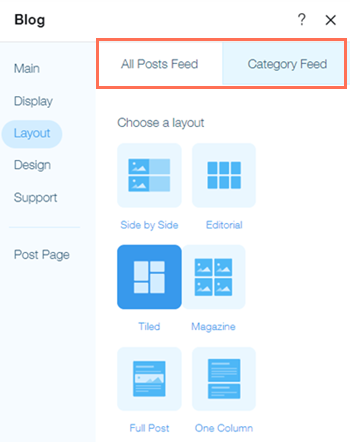
A screenshot showing the layout tab
6.  Choose a layout from the options available.
Want to learn more?
Check out the full course in Wix Learn on building your blog. Skip to the second video to learn more about creating and designing your blog.