


Hiding a Page from Your Menu
1 min
Every page that appears in the Site Menu section of the Menus & Pages panel, automatically appears on your site's menu, unless it's hidden.
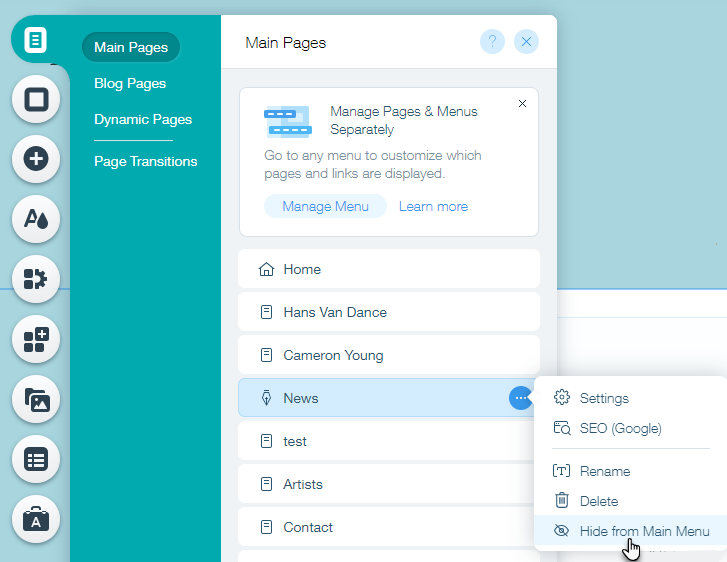
To hide a page from your menu:
- Click Menus & Pages
 on the left side of the Editor.
 - Hover over the relevant page and click the Show More icon
 .
. - Click Hide from Main Menu
 .
.
Note:
Your site visitors are unable to access hidden pages unless you link to them.
