


Choosing Between Required-Only and All Billing Address Fields
In this article
- Understanding the 'Same as delivery address' checkbox
- When might this be a problem?
- What determines which fields are necessary?
- Advantages of selecting the 'Only fields required for payment and tax' setting
- Advantages of selecting the 'All billing address fields' setting
- FAQ
Make sure your site's checkout process is as streamlined as possible by including only the billing fields that are required for each order - provided this option works for you.
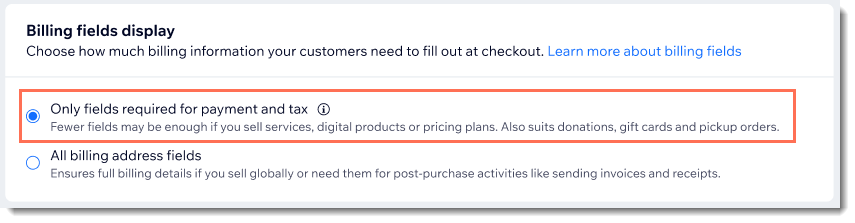
When you select
Only fields required for payment and tax, the billing address fields that are required to complete the specific order are displayed, and any fields that aren’t required are hidden.
Read an example of how your billing field selection affects checkout
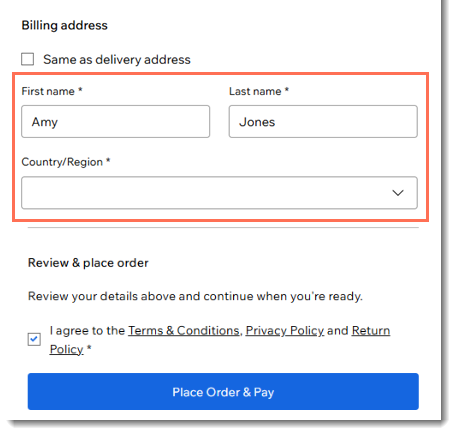
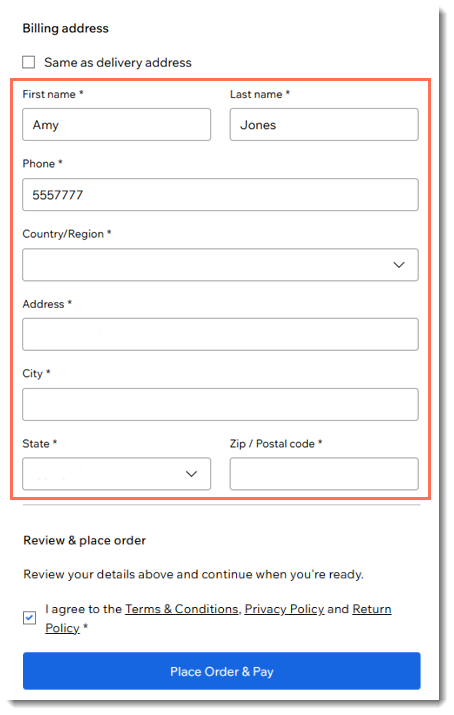
Important:
Check with your local authorities or the authorities in your customers' locations to see if you're required to always collect a billing address.
Where do customers see billing address fields?
At checkout, a customer first enters their customer details (email, name, and phone number).
Next, the customer may enter delivery details (i.e. their address). The delivery details section appears when items need to be delivered or when a class booked through Wix Bookings is set to take place at the customer's home.
However, in other cases, this section isn't needed and doesn't appear (e.g. for digital downloads).
Finally, after the payment section, customers get to the billing address section.
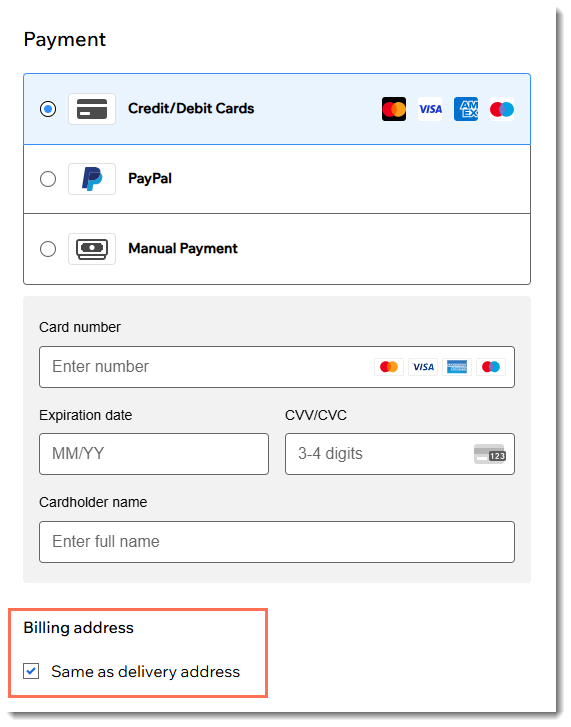
Note:
If your customer checks out using PayPal, Apple Pay, Google Pay, or the Manual Payment method, 'billing address' is not shown.
Understanding the 'Same as delivery address' checkbox
As mentioned, customers sometimes fill out delivery details (e.g. for physical store products) and sometimes they don't (e.g. for digital store products).
If your customer already entered their delivery details, the 'Same as delivery address' checkbox is checked by default. Otherwise, the checkbox is not selected, and customers are required to enter their billing address.
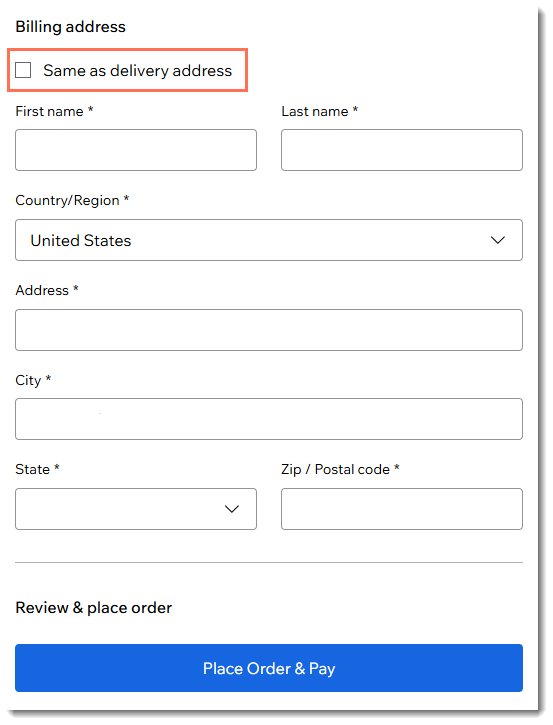
When might this be a problem?
Customers don't like entering unnecessary information. When you are selling any of the following, entering a billing address may not be required.
- Digital products
- Wix Bookings services where customer's address isn't required
- Pricing plans
- Restaurant order pickup items
- Gift cards
- Donations
What determines which fields are necessary?
Many factors go into determining which fields must be entered by the customer to complete the order. Different locations have different requirements. This means that a customer from one country may be required to enter an address for a particular sale while another customer located elsewhere may not need to.
Factors determining which fields are required include:
- Customer's location
- The payment provider used for the sale
- How tax is calculated
- Whether the item will be shipped to the customer
Advantages of selecting the 'Only fields required for payment and tax' setting
When the checkout process is too long or complicated, customers are more likely to abandon their purchase. That’s why it’s important to keep checkout as fast and seamless as possible. Avoid unnecessary steps, such as asking customers to fill out all billing address fields when some are not required.
When addresses are needed for tax purposes:
In some cases, a billing address is required to calculate sales tax or VAT. For example, if you collect tax on digital products, you may only need to charge customers in certain locations. To determine whether tax applies, customers may need to enter their address.
Examples of merchants that may want to select the
Only fields required for payment and tax option:
You sell Wix Bookings sessions that take place at your location
You collect donations through Wix Donations
Advantages of selecting the 'All billing address fields' setting
By always displaying all fields, you reduce the risk of non‑compliance, for instance when sending invoices or receipts.
Examples of merchants that may want to select the
All billing fields option:
You sell worldwide and can't be sure of every country's regulations
You need to collect an address to send an invoice or receipt.
FAQ
Click below to learn more about your billing address field choices.
How does my billing address fields setting affect analytics?
What differences will I see in the Orders tab and emails?