


Wix Services: Customizing Your Inquiry Services Page
In this article
- Customizing your Inquiry Services page
- FAQs
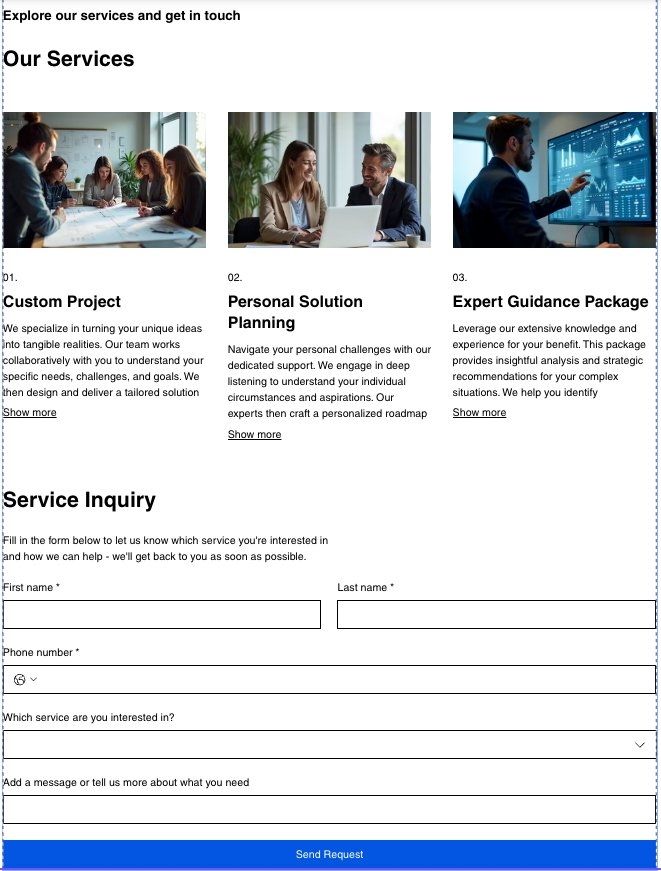
When you add Wix Services to your site, an Inquiry Services page is automatically added to your editor. This page displays your inquiry-based services in one place so visitors can learn about what you offer and submit a request.
You can customize the page's content, layout, and design to help visitors choose the right service.
Note:
This article covers the Inquiry Services page that is automatically added when you add Wix Services to a new site. If you're using the inquiry services widget instead, learn more about
customize the inquiry services widget.
Customizing your Inquiry Services page
You can customize the text, images, services, layout, and design of your Inquiry Services page to suit your business and the way you work with clients.
To customize your Inquiry Services page:
Wix Editor
Studio Editor
Wix Harmony Editor
- Go to your editor.
- Go to your Inquiry Services Page :
- Click Pages & Menu
 on the left side of the editor.
 - Click Wix Services.
- Click the Inquiry Services Page.
- Click Pages & Menu
- Click the Inquiry Services Page element on your page.
- Click Settings.
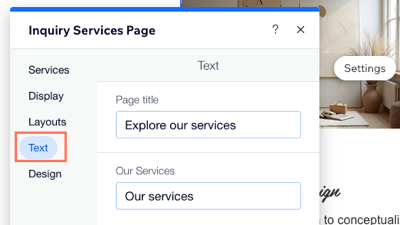
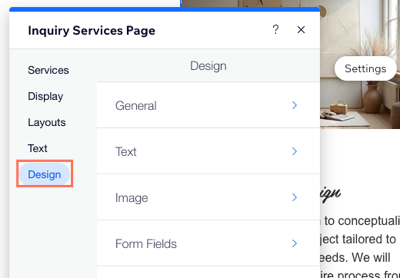
- Customize the available options:
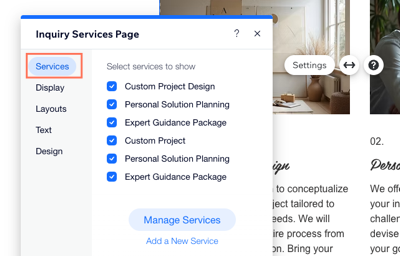
Services
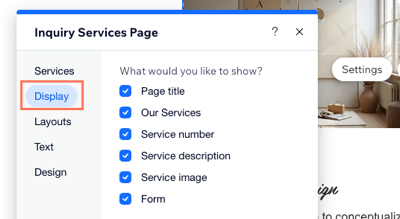
Display
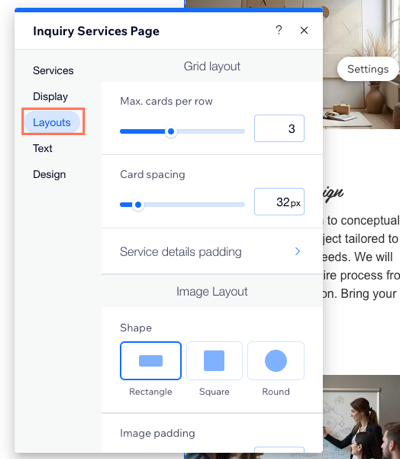
Layouts
Text
Design

FAQs
Click a question below to learn more about the Inquiry Services page.
Why don't I see the Inquiry Services page in my editor?
Can I use the inquiry services widget instead of the Inquiry Services page?
What do visitors see on my Inquiry Services page?
Can I delete the Inquiry Services page?