


Wix Online Programs: Creating the Best Mobile Experience for Your Users
In this article
- Choosing the right mobile app for your program
- Helping participants join your program on mobile
- Supporting learning and payments on mobile
- Customizing your mobile app experience for Online Programs
- FAQs
Every
Online Program you create is automatically available on mobile, giving your participants a fully supported interface to access lessons, interact with content, and stay engaged on the go.
Your participants do not have to rely on your site’s mobile browser to join and complete a program. Wix mobile apps give them a smoother way to join your site.
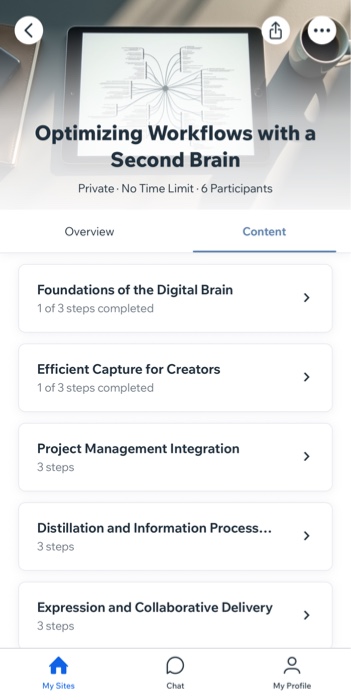
Choosing the right mobile app for your program
The right mobile setup makes it easier for participants to find your program faster and keep learning from anywhere. Wix gives you a few ways to offer a mobile experience for your participants. The best option depends on your business type, how much branding control you want, and how quickly you want to get started.
If you want a ready-to-use option, start with one of the free Wix member apps:
- Spaces by Wix: A free member app for most business types. Participants can join your site, access content, and stay connected from their mobile devices. Choose Spaces by Wix if you want a fast, flexible mobile experience for most business types.
- Fit by Wix: A free member app for fitness businesses. Participants can join online programs, book services, connect with you, and purchase products. Choose Fit by Wix if your business focuses on fitness and wellness.
If you want a fully branded app with no Wix branding and more control over your design and app experience, you can create your own native mobile app. This requires a Mobile App Premium plan to publish in the app stores. If your own native mobile app is live in the app stores, it automatically becomes your preferred app.
Learn more about
choosing your preferred app for your members.
Helping participants join your program on mobile
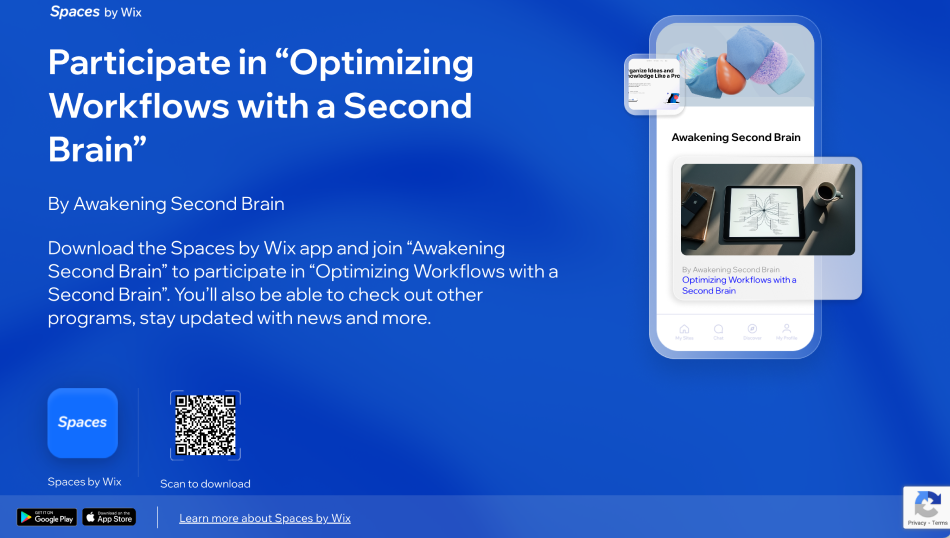
Invite your members to join your program. Participants can join your site and access your program from a Wix member app.
If you send an invite link, participants who open it on mobile are redirected to download the relevant member app, such as Spaces by Wix, if needed. After opening the app, they see a prompt to join the program directly.
You can also send an invite code. The code includes a link to download the relevant member app and the code participants need to join your site. After joining the site, they can access the programs available to them from their mobile device. Keep in mind that the invite code leads participants to your site in the member app, but not directly to the mobile program join screen.
Depending on whether participants already have the app or have already joined your site, they may need to download the app, and sign up or log in before accessing the program.
Supporting learning and payments on mobile
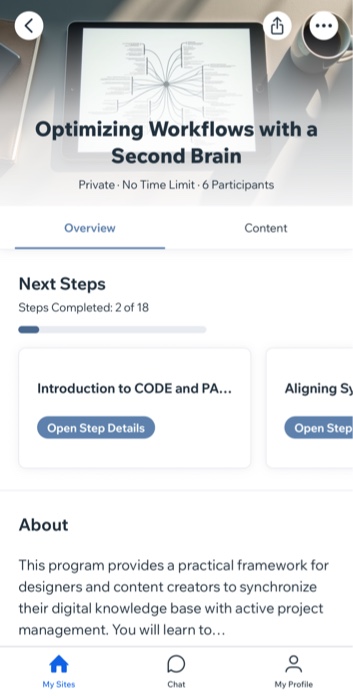
A strong mobile experience helps participants keep learning wherever they are. They can use the app to open your site, find their program, and continue working through the content from their phone.
For Online Programs, this is especially useful when your program includes content that people want to access on the go, such as videos, quizzes, PDFs, and step-by-step lessons. If you charge for your program, mobile access can also make it easier for participants to complete checkout and join from their phone.
If you want more people to use the app instead of the mobile web version, make the value clear. Let participants know they can use the app to keep up with lessons, stay connected, and continue learning from anywhere.
Learn more about
monetizing your program.
Customizing your mobile app experience for Online Programs
Once you choose the app you want participants to use,
customize it so your program is easy to find. This can help participants see your program as soon as they open the app and reduce the number of steps it takes to start learning.
You can customize your member app from your site’s dashboard or from the Wix app. If you are using your own native mobile app, you can also customize its design and features to match your brand.
Learn how to
customize your own native mobile app.
FAQs
Click a question below to learn more.
How can I make my program work better on mobile?
How can I customize my mobile app to feature my programs?