


ブログ記事に AI が生成した構造化マークアップを使用する
この記事内
- ブログ記事で AI が生成した構造化マークアップを有効にする
- 特定のブログ記事に対して AI が生成した構造化マークアップを表示・管理する
- AI が生成した構造化マークアップからカスタムのマークアップを作成する
- AI が生成した構造化マークアップに関するトラブルシューティング
- よくある質問
注意:
現在、AI が生成した構造化マークアップは、Wix ブログの記事ページにのみご利用いただけます。トップページや静的ページなど、他のページに構造化マークアップを追加するには、手動で行う必要があります。サイトのページに構造化マークアップを追加する方法はこちら
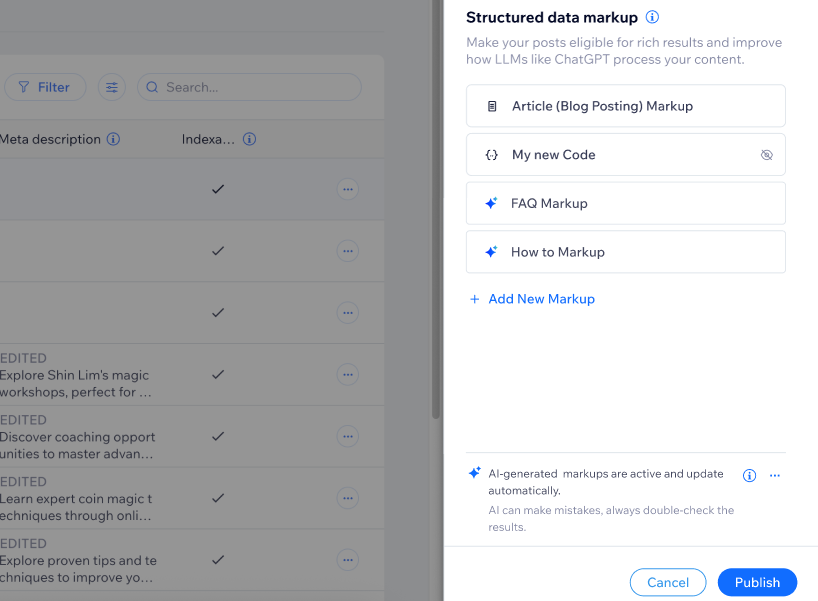
AI が生成する構造化マークアップでは、AI によってブログ記事の内容がスキャンされ、記事内容を説明する Schema.org マークアップが作成されます。たとえば、記事の内容に応じて、記事ページ、よくある質問ページ、レシピページなどのスキーマが自動的に作成されます。これにより、検索エンジンや AI アシスタントが記事の内容をより正確に理解できるようになり、検索結果にコンテンツを反映したリッチリザルトを表示できるようになります。
始める前に:
サイトに Wix ブログがインストールされていて、少なくとも 1つのブログ記事が公開されていること、および、サイトの SEO・GEO 設定にアクセスできることを確認してください。
ブログ記事で AI が生成した構造化マークアップを有効にする
デフォルトでは、AI が生成した構造化マークアップを有効にすると、AI が対象となる公開済みの各ブログ記事を分析し、該当するスキーマタイプを生成して、有効なマークアップをその記事に追加します。
AI が生成した構造化マークアップを有効にする方法:
- サイトダッシュボードの 「SEO・GEO」にアクセスします。
- 「ツールと設定」までスクロールダウンします。
- 「SEO 設定」をクリックします。
- 「ページタイプ別に編集」下の「ブログ記事」をクリックします。
- 「初期設定をカスタマイズ」タブをクリックします。
- 「構造化マークアップ」横の「編集」をクリックします。
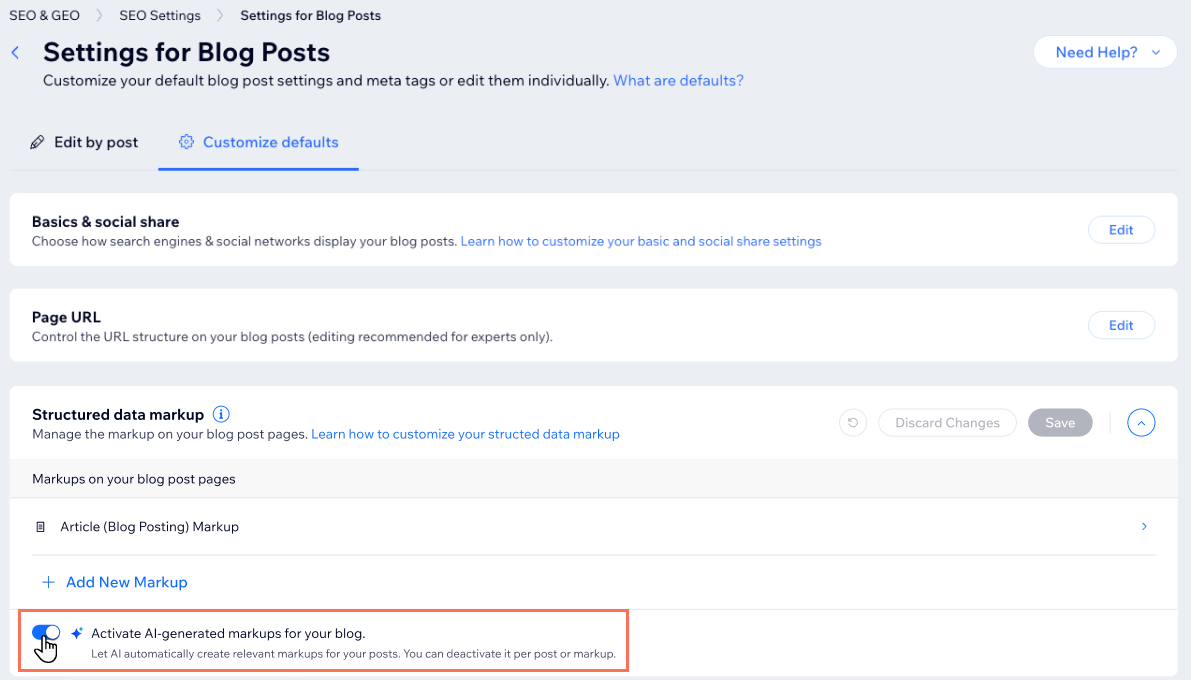
- 「あなたのブログ用に AI 生成マークアップを有効化します」横のトグルをクリックします。
- 「保存」をクリックします。
注意:
AI が生成した構造化マークアップを有効にした後にブログ記事を編集すると、その記事または特定のマークアップに対して AI による生成を無効にしない限り、Wix によってコンテンツが再度分析され、生成されたマークアップが更新されます。
特定のブログ記事に対して AI が生成した構造化マークアップを表示・管理する
個々のブログ記事の SEO 設定を開くと、その記事に対して生成されたスキーマを正確に確認したり、ステータスを確認したり、特定の構造化マークアップを除外したり、手動でカスタムの構造化マークアップに変換したりすることができます。
重要:
AI が生成した構造化マークアップは読み取り専用です。これらのスキーマに変更を加えるには、手動でカスタムの構造化マークアップに変換する必要があります。
特定のブログ記事に対して AI が生成した構造化マークアップを表示・管理する方法:
- サイトダッシュボードの 「SEO・GEO」にアクセスします。
- 「ツールと設定」までスクロールダウンします。
- 「SEO 設定」をクリックします。
- 「ページタイプ別に編集」下で「メインページ」をクリックします。
- 「ブログ」にマウスオーバーし、「編集」をクリックします。
- 「高度な設定」タブをクリックします。
- 「構造化マークアップ」をクリックします。
- 実行する内容を選択します:
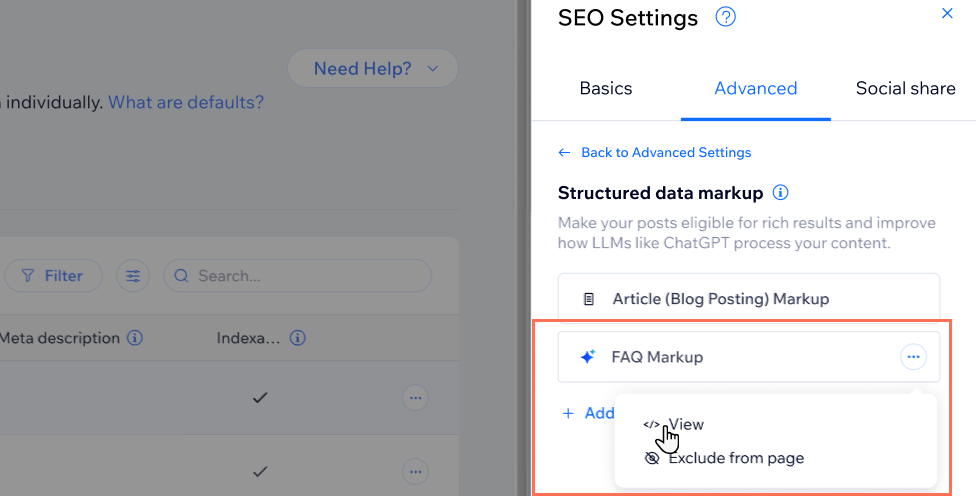
AI が生成した構造化マークアップを表示する
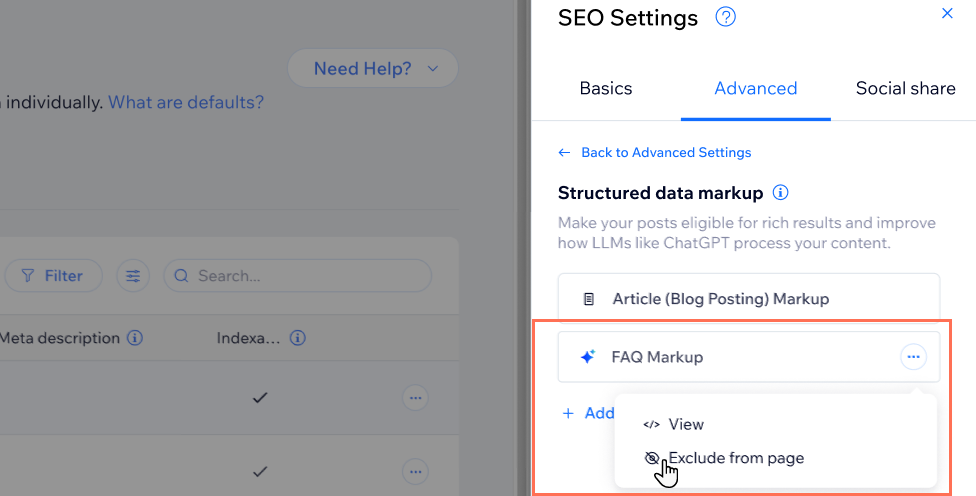
AI が生成した構造化マークアップをブログページから除外する
AI が生成した構造化マークアップを無効にする
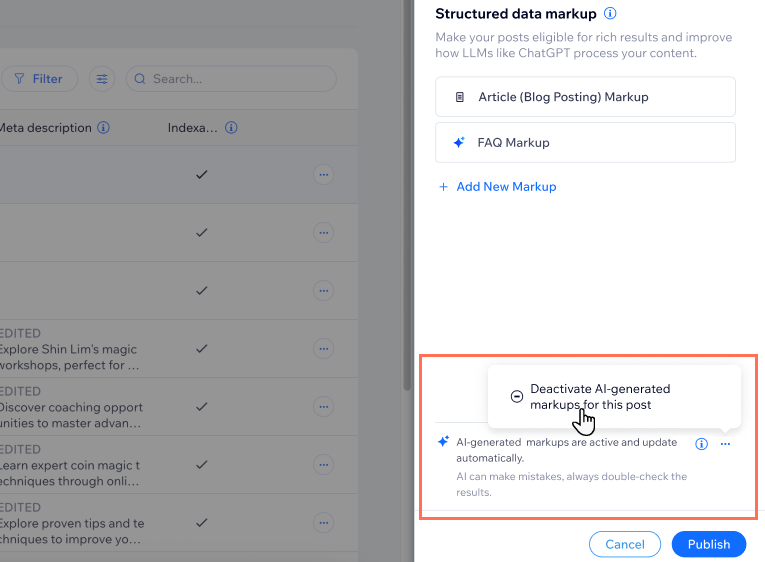
AI が生成した構造化マークアップからカスタムのマークアップを作成する
特定の構造化マークアップを完全に制御したい場合は、AI が生成した構造化マークアップからカスタムのマークアップを作成して、手動で管理することができます。
重要:
カスタムのマークアップを作成した場合は、ブログ記事の内容を変更した際、自身でマークアップを更新する必要があります。
AI が生成した構造化マークアップからカスタムのマークアップを作成する方法:
- サイトダッシュボードの 「SEO・GEO」にアクセスします。
- 「ツールと設定」までスクロールダウンします。
- 「SEO 設定」をクリックします。
- 「ページタイプ別に編集」下で「メインページ」をクリックします。
- 「ブログ」にマウスオーバーし、「編集」をクリックします。
- 「高度な設定」タブをクリックします。
- 「構造化マークアップ」をクリックします。
- AI が生成した該当する構造化マークアップ横の「その他のアクション」アイコン
 をクリックします。
 - 「表示」をクリックします。
- 「コードプレビュー」下の「Create a custom markup(カスタムのマークアップを作成する)」をクリックします。
- 「続行する」をクリックします。
- 「マークアップを JSON-LD 形式で入力」下に新しいマークアップを追加します。
- 「適用」をクリックします。
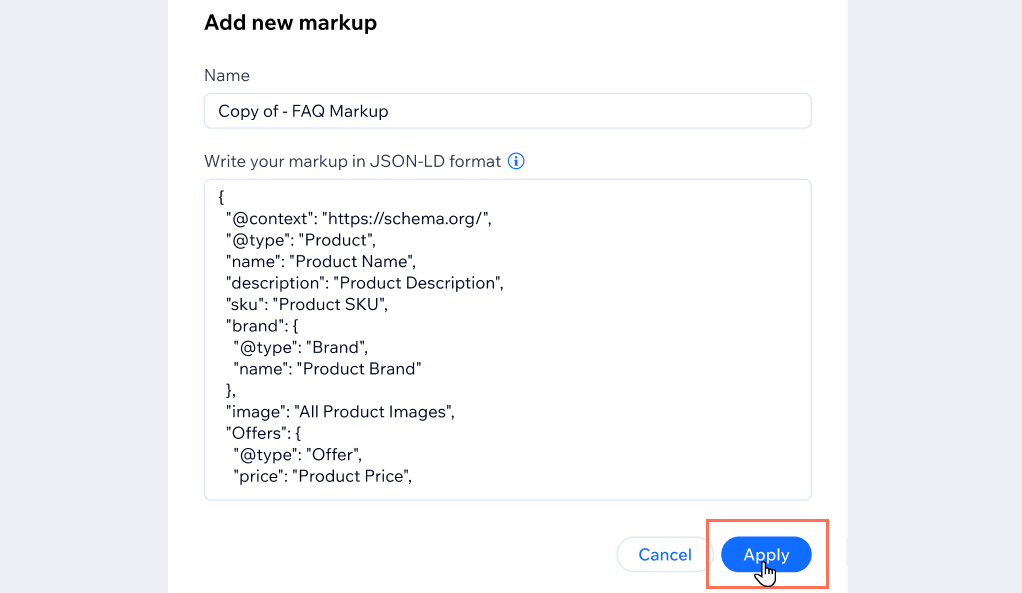
AI が生成した構造化マークアップに関するトラブルシューティング
ブログ記事で AI が生成した構造化マークアップが正常に機能しない場合は、以下をご覧いただき、問題の解決にお役立てください。
ブログ記事の構造化マークアップが AI によって生成されない
「弊社側の技術的な問題により、AI 生成マークアップは作成されませんでした」というメッセージが表示される
レシピの構造化マークアップが表示されない
手動で作成したスキーマと AI が生成したスキーマが重複している
よくある質問
ブログ記事への AI が生成した構造化マークアップの使用に関する詳細については、以下の質問をクリックしてください。
AI が生成する構造化マークアップでは、どのようなスキーマタイプが作成されますか?
AI アシスタントは私の構造化データをどのように利用しますか?
AI が生成した構造化マークアップを直接編集できないのはなぜですか?
AI が生成した構造化マークアップを一時的に無効にするとどうなりますか?
AI が生成した構造化マークアップを、手動で作成したマークアップに置き換えることはできますか?
AI が不要な構造化マークアップを生成した場合はどうすればよいですか?
手動で構造化マークアップを作成する詳しい方法はどこで確認することができますか?