
Wix Stores: Understanding the Subscribe and Save Option
When a customer adds a one-time purchase product to their cart, they can still switch that item to a subscription. If the product has a subscription option, a Subscribe & Save dropdown appears under the item.
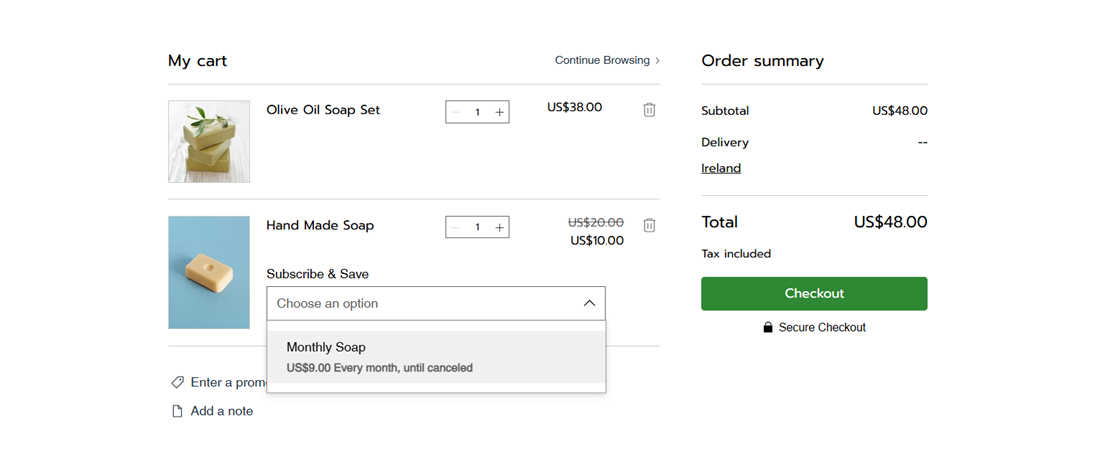
Where customers see the option
Customers can see Subscribe & Save in 3 places on your site, as long as the product qualifies:
Cart page: The dropdown appears under the item in the cart.
Side cart: The same dropdown appears under the item in the side cart.
Added to cart pop-up: After a customer clicks Add to Cart on a product page, the pop-up that confirms the item was added also includes the dropdown.
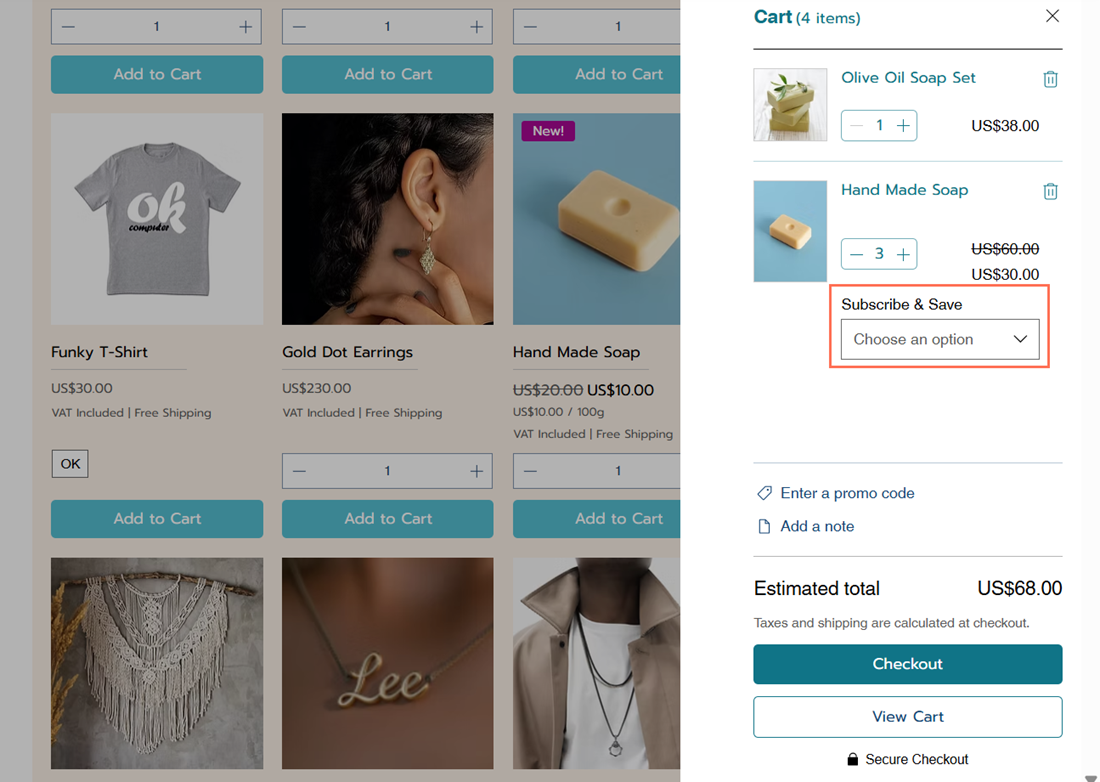
When the option appears
Subscribe & Save only appears under these conditions:
The customer added the product to the cart as a one-time purchase.
The product has at least one subscription option that isn't hidden.
The product is offered as both a subscription and a one-time purchase. Products sold by subscription only go into the cart as subscriptions, so the dropdown doesn't appear.
What happens when customers choose an option
The Subscribe & Save dropdown lists each of the product's subscription options, including how often the customer is billed. When a customer selects one, the one-time purchase item in the cart is replaced with the subscription.
The cart shows the subscription price, how often it renews, and that it renews automatically until canceled. The price comes from the subscription option, including any discount you set.
FAQs
Click below to learn more about the Subscribe & Save option.
 next to the option and choose what you want to do.