Wix POS Register: Accepting Exchanges from Customers
4 min
Important:
- This article is about the Wix POS Register for brick & mortar businesses.
- If you are using POS on a mobile device, learn more about Mobile POS.
Keep your customers satisfied by allowing them to exchange purchased store items. If the new item they choose isn't the same price, you can refund the difference or charge them for the additional cost.
Accepting exchanges from customers
Important:
- If you purchased your POS system after October 25, 2023 and before April 2024, you may need to upgrade to enable exchanges. Learn more about the POS Register Plan.
- It's not possible to process exchanges for products in orders that have been partially paid on your POS tablet. Learn more about processing exchanges for partially paid orders on desktop.
To start processing the exchange, first locate the original purchase in your sales history. From there you can select what the customer is returning and add what they're taking instead.
To let customers exchange purchased items:
- (In your POS tablet) Tap Sales History at the bottom of the screen.
- Select the relevant sale.
Tip: You can search for a sale by order number, customer name, or customer email. - Tap Actions at the top right.
- Tap Exchange.
- Use the Plus icon
 to select how many of each product the customer wants to exchange.
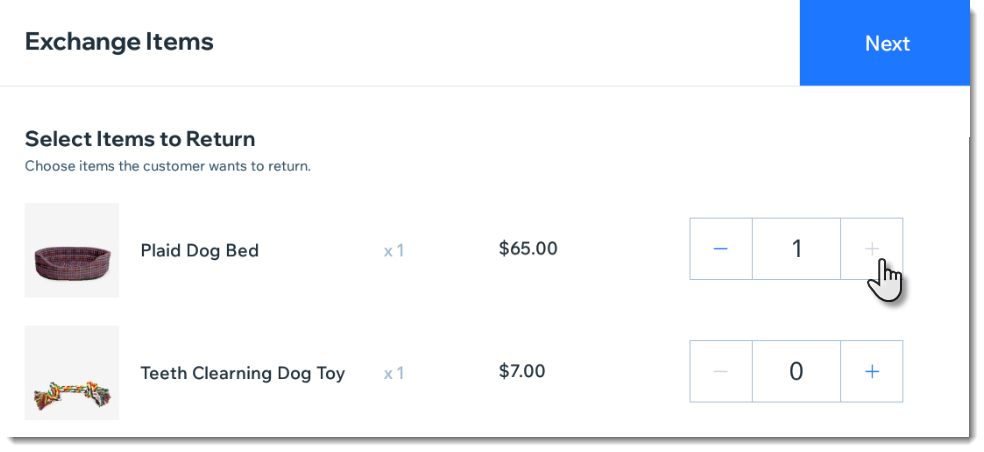
- Tap Next.
- Select the new product the customer wants.
Tip: You can scan the new item with your barcode scanner or select it from the product list. - Select the type of sale:
The order total is the same as the original order
The order total is less - I need to refund my customer
The order total is more - I need to charge my customer
Notes:
- You can only accept exchanges for store products purchased at a POS, not online.
- You cannot accept exchanges when the order was paid for with a split payment.
- You can exchange orders paid for with a gift card only when the price of the exchanged products is the same (i.e. the customer isn't refunded or charged).
Viewing exchanges in your sales history
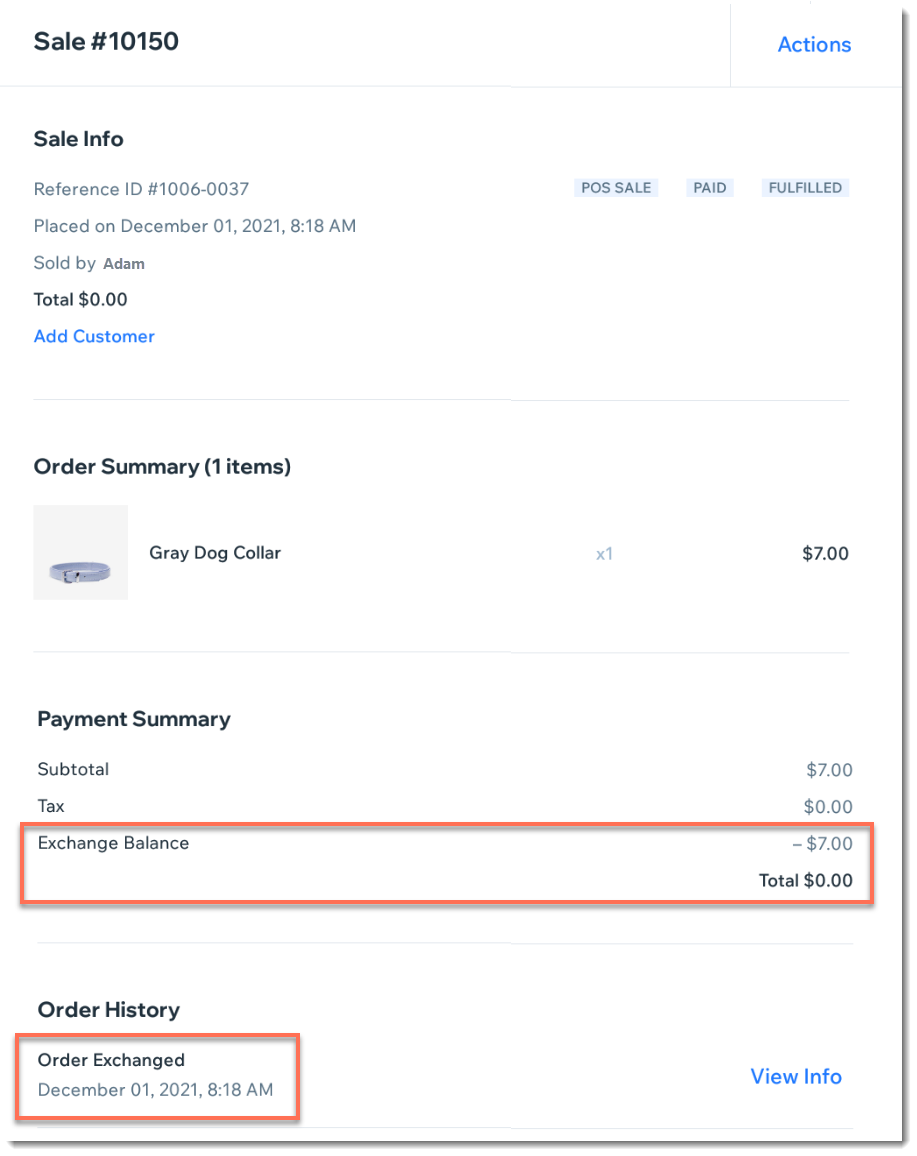
After you process the exchange, the original order is updated to show the changes.
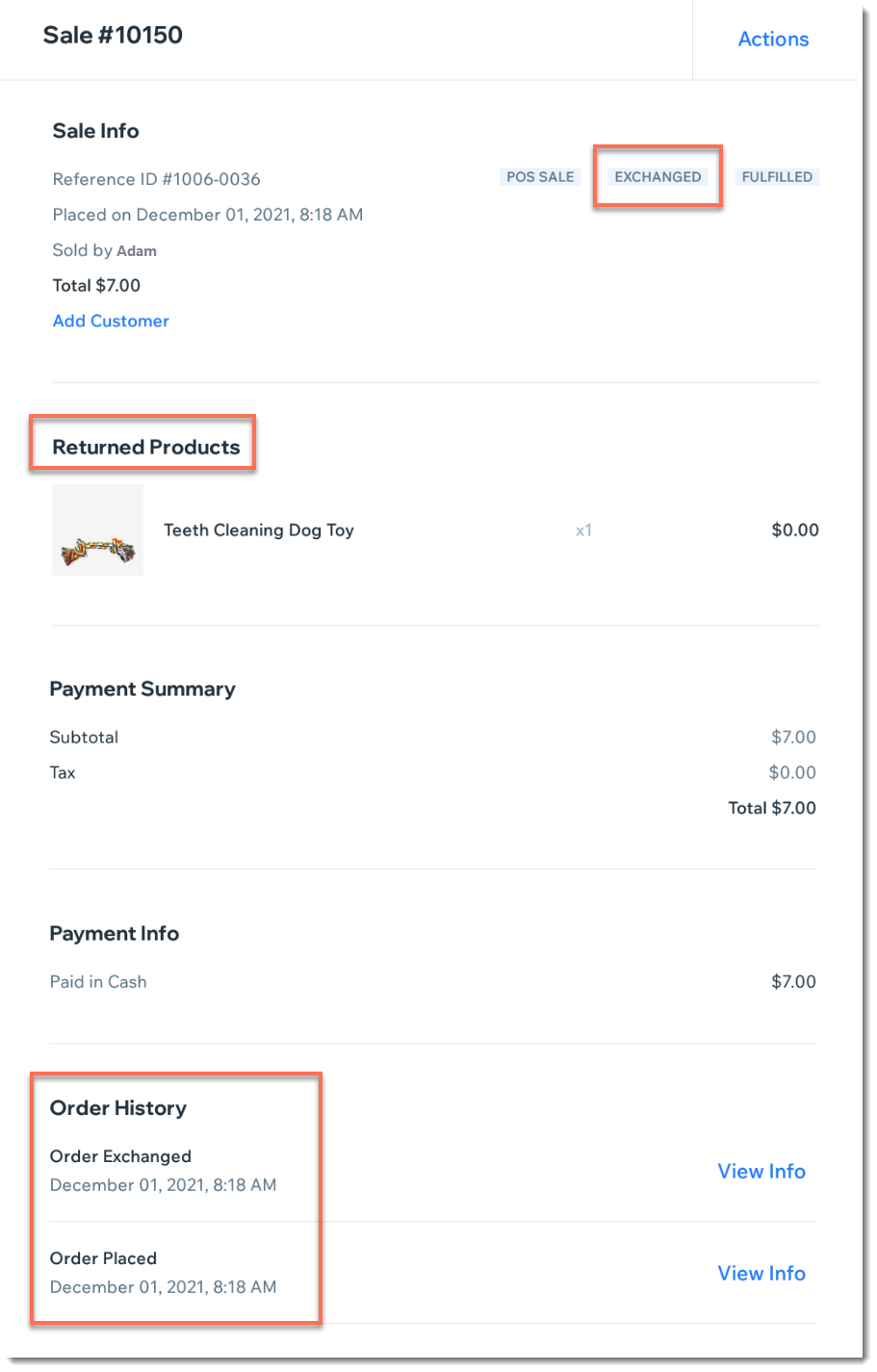
In addition, a new order is created to show the "sale" of the new item (even if there was no payment transaction).