
Studio Two Editor: Using Aria to Code Your Site
This article refers to the new Studio Two Editor, released in November 2026. If you're unsure whether you’re using the Studio Editor or the Studio Two Editor, view more information here.
Wix Code lets you add custom features to your site by describing what you want in plain English.
Aria, Wix's built-in AI assistant, writes and builds the code for you. You can create site components, automate back-end tasks, add dashboard pages, and more; without writing a single line of code yourself.
What you can build
Aria can build a wide range of custom features from a single description. Here are a few examples of the kinds of things you can ask for:
Announcement bar: "Put an announcement bar at the top of my site with a message and a button, and let me change the text and color whenever I want."
Opening hours: "Add my opening hours to the site, day by day, and make today's row stand out."
Automatic tagging: "Every time someone places their first order, tag them as 'first purchase' automatically."
Dashboard view: "Add a dashboard page showing today's bookings grouped by staff member."
The more specific your description, the more accurate the result. You can always ask Aria to refine or adjust what it built.
Key concepts
You don't need to understand how Wix Code works to use it. These 5 concepts help when you want to review or adjust what Aria built.
Extensions
An extension is the building block of Wix Code, built through the Wix Extension Builder panel. You can create an Editor React Component (a reusable UI component for your site), a Data Source (data and logic exposed directly to the UI), or a Function Library (reusable utility functions). Site extensions can also take the form of an Embedded Script or a Site Plugin added directly to your site pages.
Custom Components
A custom component is a visual element that appears on your site pages; for instance a card, a widget, or a banner. When you ask Aria to build something visible, it creates a site extension with a component you can place in the editor.
Data sources
Data sources are a shared data layer. It lets different parts of your site read from the same source of information. For example, a countdown banner and a sale badge on the same page can both show the same end date; you change it once and both update automatically.
Functions
A function is a reusable piece of logic. When Aria builds a feature, it may create functions behind the scenes. For example, to format prices consistently, calculate a discount, or check a condition. You can call these functions from multiple places on your site without repeating the logic. Functions are stored in a function library.
Binding
Binding connects a component to its data and logic. When Aria creates a component, it sets up the binding automatically. You can review and adjust bindings in the Inspector panel when a component is selected in the editor.
Getting started
Use Aria to create your custom components with Wix Code by following the steps.
To build a feature with Aria:
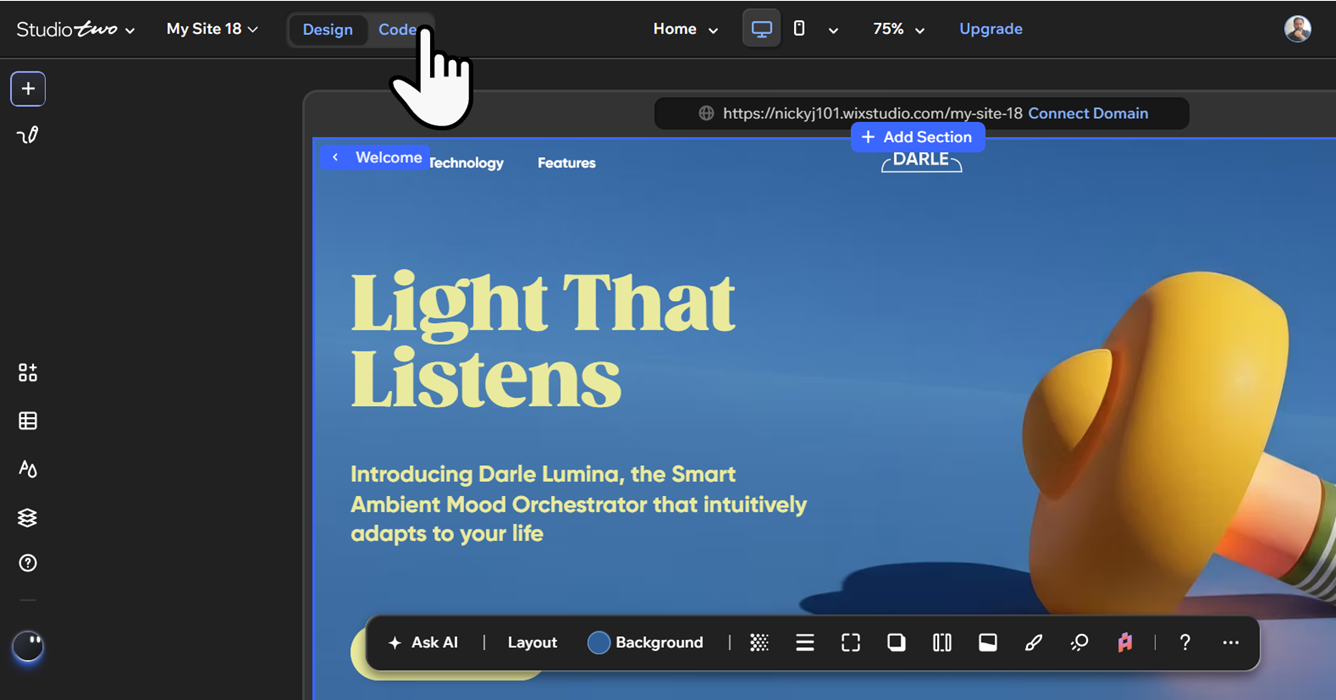
Click Code in the top bar.
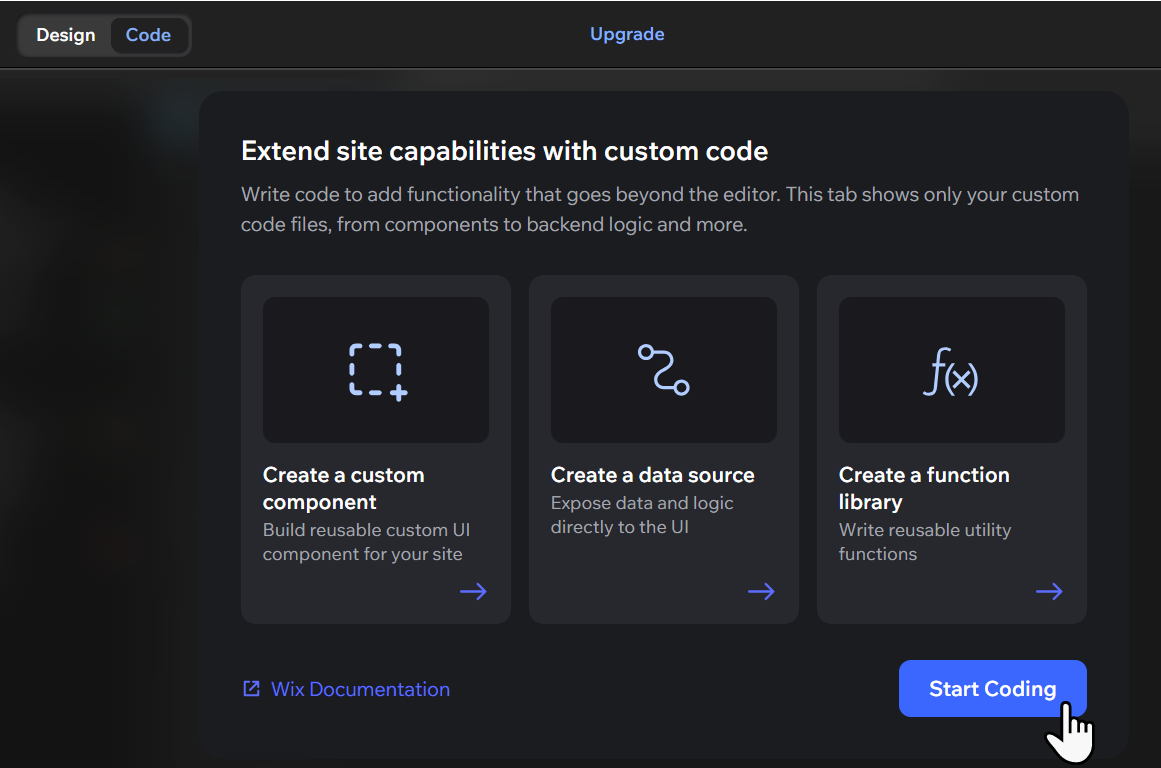
Note: If this is your first time, click Start Coding on the welcome screen. Wix sets up your coding environment. This takes about a minute.
Click Ask AI open Aria.
Type a description of the feature you want to build. Be as specific as you can. Include what the feature should look like, where it should appear, and what data it should use.
Tip: Describe one feature at a time for the best results. You can ask for more features once the first one is done.Click Preview to check how the feature looks and behaves before publishing.
Click Publish to publish your changes to your live site.
Troubleshooting with Aria
If a feature isn't working the way you expected, Aria can help you identify and fix the problem. You don't need to read or understand the code yourself.
To troubleshoot a feature with Aria:
Click Code in the top bar.
Click Ask AI to open Aria.
Describe the problem in plain language. For example: "The announcement bar isn't showing on my homepage" or "The opening hours widget is showing the wrong day."
Ask Aria to explain what might be causing the issue.
Ask Aria to fix it, or ask it to walk you through what to change.
If Aria can't resolve the issue, check the Problems panel at the bottom of the editor for error details. For back-end errors, check Wix Logs in the Developer Tools panel. Learn more about troubleshooting build errors.
 panel. Learn more about
FAQs
Click a question to learn more about Wix Code.